







Question: Write program in Visual Studio using C# matching project description: Your lab instructor will show you the basics of using Visual Studio to write C#
Write program in Visual Studio using C# matching project description:
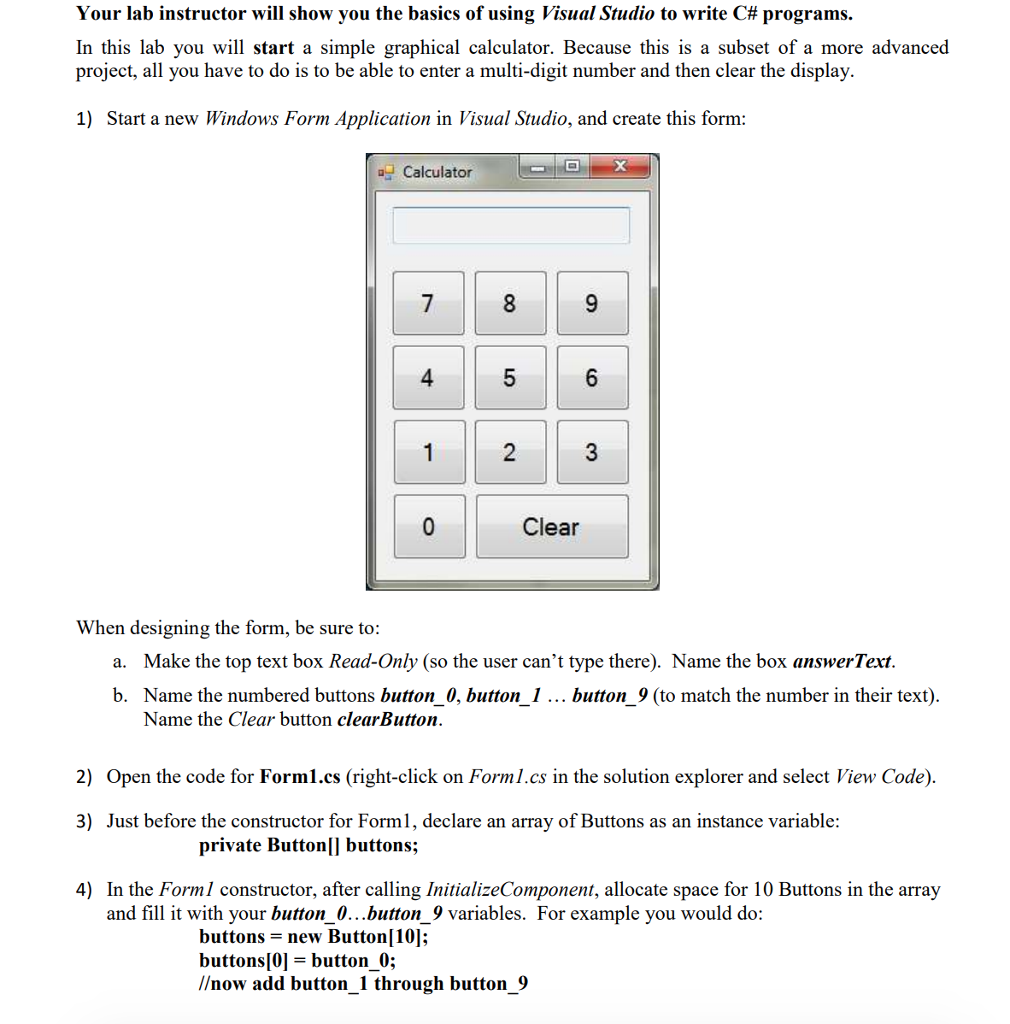
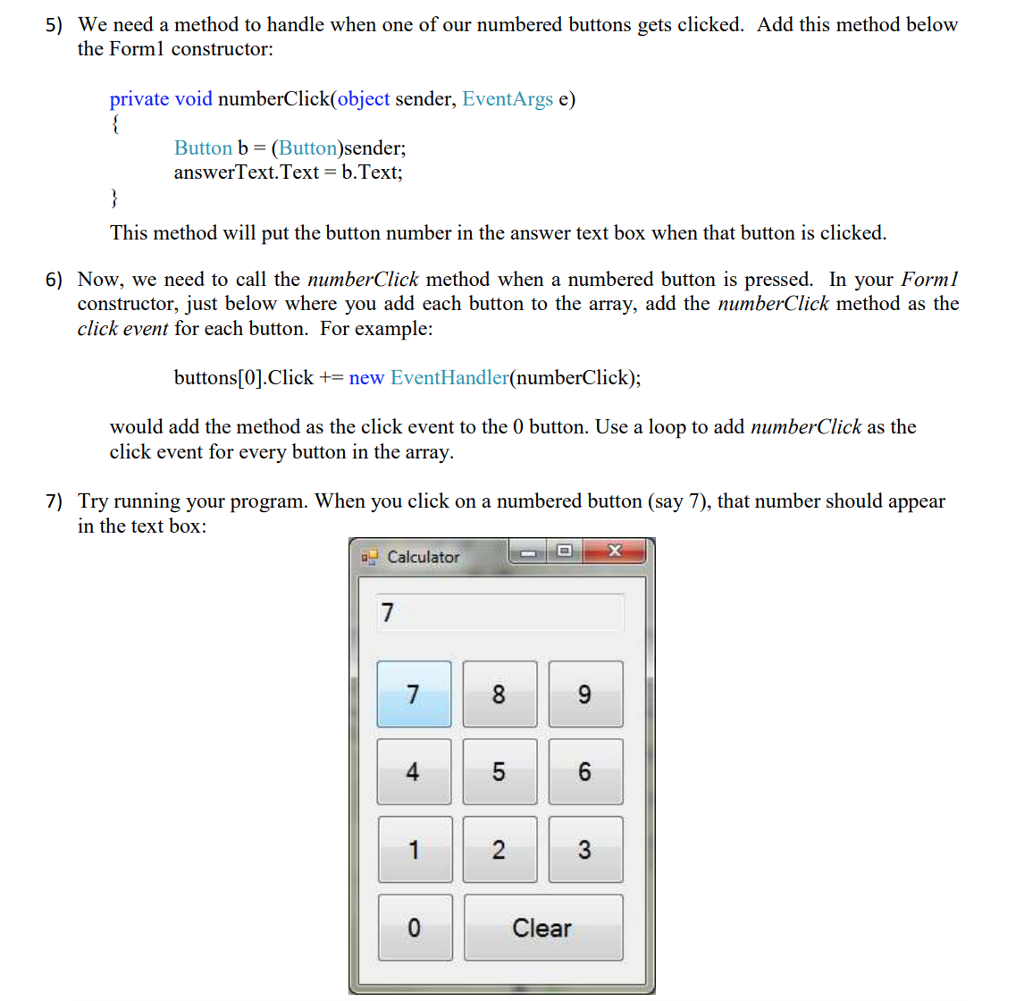

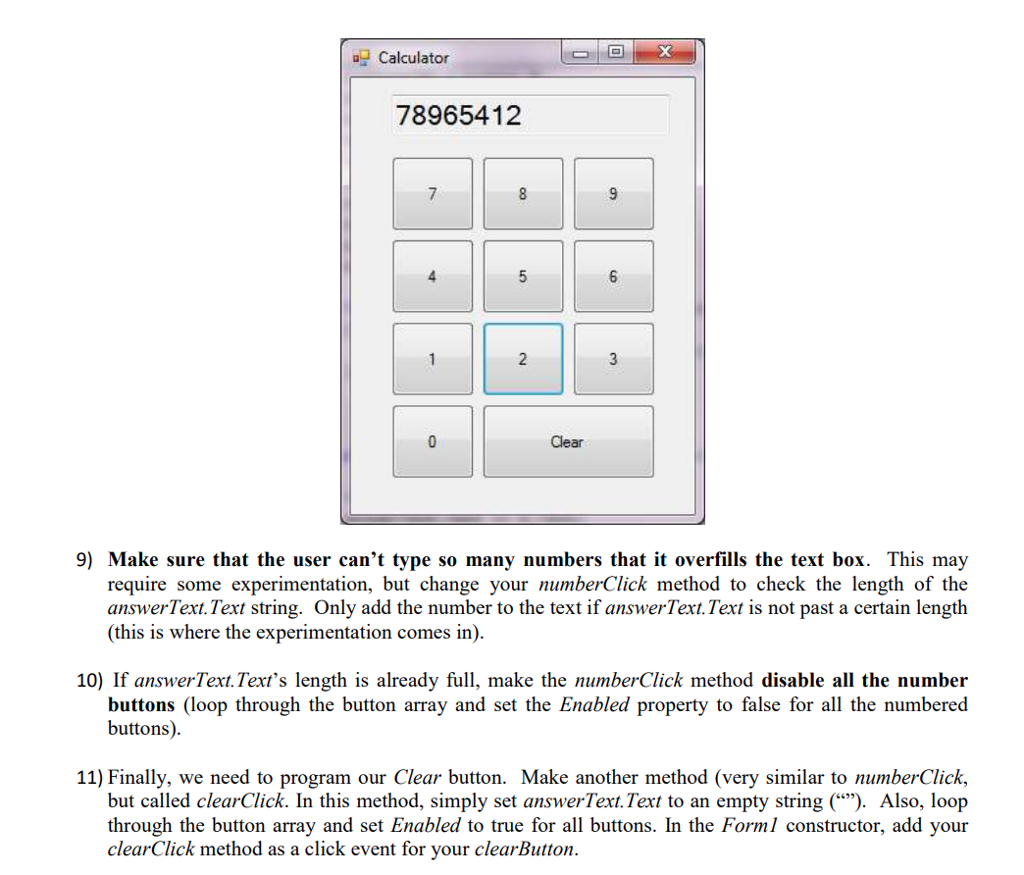
Your lab instructor will show you the basics of using Visual Studio to write C# programs. In this lab you will start a simple graphical calculator. Because this is a subset of a more advanced project, all you have to do is to be able to enter a multi-digit number and then clear the display 1) Start a new Windows Form Application in Visual Studio, and create this form: Calculator 4 Clear When designing the form, be sure to a. Make the top text box Read-Only (so the user can't type there). Name the box answerText b. Name the numbered buttons button 0, button 1 button 9 (to match the number in their text) Name the Clear button clearButton 2) Open the code for Forml.cs (right-click on Forml.cs in the solution explorer and select View Code) 3) Just before the constructor for Forml, declare an array of Buttons as an instance variable private Buttonl| buttons; 4) In the Forml constructor, after calling InitializeComponent, allocate space for 10 Buttons in the array and fill it with vour button 0...button 9 variables. For example vou would do: buttons- new Button[10]; buttons[0]- button 0; /ow add button 1 through button 9
Step by Step Solution
There are 3 Steps involved in it

Get step-by-step solutions from verified subject matter experts
 Study Help