







Question: WRITE THE CODE FOR THIS GAME USING OPEN GL: Game Rules: Shooter Control: A shooter circle is placed at the bottom of the player's screen,
WRITE THE CODE FOR THIS GAME USING OPEN GL:
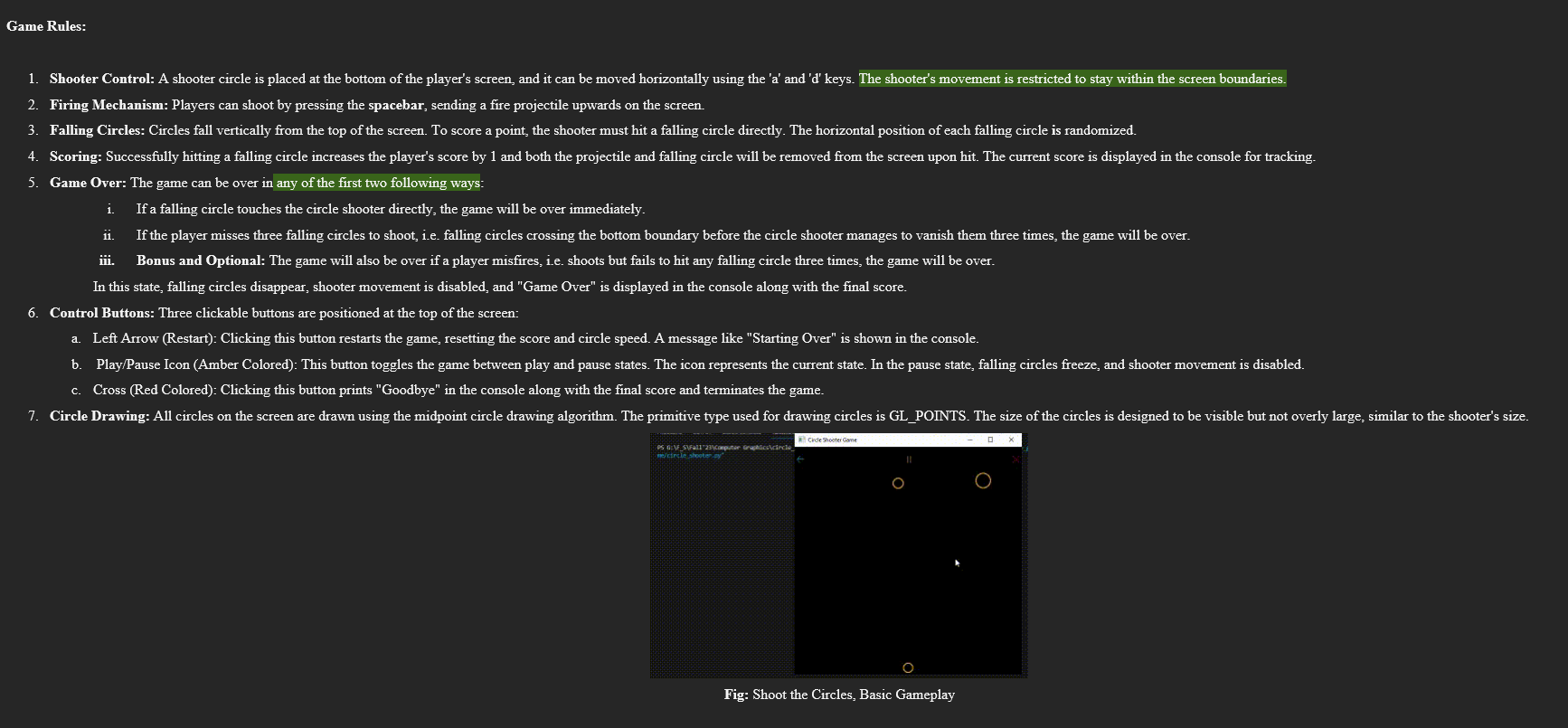
Game Rules: Shooter Control: A shooter circle is placed at the bottom of the player's screen, and it can be moved horizontally using the a and d keys. The shooter's movement is restricted to stay within the screen boundaries.
Firing Mechanism: Players can shoot by pressing the spacebar, sending a fire projectile upwards on the screen.
Falling Circles: Circles fall vertically from the top of the screen. To score a point, the shooter must hit a falling circle directly. The horizontal position of each falling circle is randomized.
Scoring: Successfully hitting a falling circle increases the player's score by and both the projectile and falling circle will be removed from the screen upon hit. The current score is displayed in the console for tracking.
Game Over: The game can be over in any of the first two following ways:
i If a falling circle touches the circle shooter directly, the game will be over immediately.
ii If the player misses three falling circles to shoot, ie falling circles crossing the bottom boundary before the circle shooter manages to vanish them three times, the game will be over.
iii. Bonus and Optional: The game will also be over if a player misfires, ie shoots but fails to hit any falling circle three times, the game will be over.
In this state, falling circles disappear, shooter movement is disabled, and "Game Over" is displayed in the console along with the final score.
Control Buttons: Three clickable buttons are positioned at the top of the screen:
a Left Arrow Restart: Clicking this button restarts the game, resetting the score and circle speed. A message like "Starting Over" is shown in the console.
b PlayPause Icon Amber Colored: This button toggles the game between play and pause states. The icon represents the current state. In the pause state, falling circles freeze, and shooter movement is disabled.
c Cross Red Colored: Clicking this button prints "Goodbye" in the console along with the final score and terminates the game.
Step by Step Solution
There are 3 Steps involved in it
1 Expert Approved Answer
Step: 1 Unlock

Question Has Been Solved by an Expert!
Get step-by-step solutions from verified subject matter experts
Step: 2 Unlock
Step: 3 Unlock
 Study Help