





Question: You have been asked to create a Vacation Approval solution. (4 pts) Step A: Create a SharePoint list for the Vacation Approval process with the
You have been asked to create a Vacation Approval

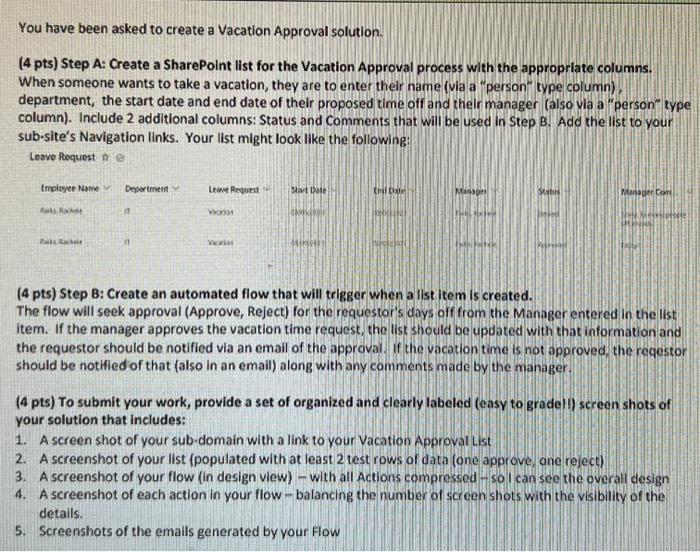
You have been asked to create a Vacation Approval solution. (4 pts) Step A: Create a SharePoint list for the Vacation Approval process with the appropriate columns. When someone wants to take a vacation, they are to enter their name (via a "person" type column) department, the start date and end date of their proposed time off and their manager (also via a "person" type column). Include 2 additional columns: Status and Comments that will be used in Step B. Add the list to your sub-site's Navigation links. Your list might look like the following: Leave Request te Employee Name Department Leave Request Start Date Endl Cate Manager Status Manager Com New Melvitett Raks Rache 11 CANFRARED FRAL HERR Pikach Voriss (4 pts) Step B: Create an automated flow that will trigger when a list item is created. The flow will seek approval (Approve, Reject) for the requestor's days off from the Manager entered in the list item. If the manager approves the vacation time request, the list should be updated with that information and the requestor should be notified via an email of the approval. If the vacation time is not approved, the reqestor should be notified of that (also in an email) along with any comments made by the manager. (4 pts) To submit your work, provide a set of organized and clearly labeled (easy to grade!!) screen shots of your solution that includes: 1. A screen shot of your sub-domain with a link to your Vacation Approval List 2. A screenshot of your list (populated with at least 2 test rows of data (one approve, one reject) 4. A screenshot of your flow (in design view) - with all Actions compressed - so I can see the overall design A screenshot of each action in your flow-balancing the number of screen shots with the visibility of the details. 5. Screenshots of the emails generated by your Flow You have been asked to create a Vacation Approval solution. (4 pts) Step A: Create a SharePoint list for the Vacation Approval process with the appropriate columns. When someone wants to take a vacation, they are to enter their name (via a "person" type column) department, the start date and end date of their proposed time off and their manager (also via a "person" type column). Include 2 additional columns: Status and Comments that will be used in Step B. Add the list to your sub-site's Navigation links. Your list might look like the following: Leave Request te Employee Name Department Leave Request Start Date Endl Cate Manager Status Manager Com New Melvitett Raks Rache 11 CANFRARED FRAL HERR Pikach Voriss (4 pts) Step B: Create an automated flow that will trigger when a list item is created. The flow will seek approval (Approve, Reject) for the requestor's days off from the Manager entered in the list item. If the manager approves the vacation time request, the list should be updated with that information and the requestor should be notified via an email of the approval. If the vacation time is not approved, the reqestor should be notified of that (also in an email) along with any comments made by the manager. (4 pts) To submit your work, provide a set of organized and clearly labeled (easy to grade!!) screen shots of your solution that includes: 1. A screen shot of your sub-domain with a link to your Vacation Approval List 2. A screenshot of your list (populated with at least 2 test rows of data (one approve, one reject) 4. A screenshot of your flow (in design view) - with all Actions compressed - so I can see the overall design A screenshot of each action in your flow-balancing the number of screen shots with the visibility of the details. 5. Screenshots of the emails generated by your Flow

Step by Step Solution

There are 3 Steps involved in it

1 Expert Approved Answer
Step: 1 Unlock blur-text-image

Question Has Been Solved by an Expert!

Get step-by-step solutions from verified subject matter experts

Step: 2 Unlock
Step: 3 Unlock

Students Have Also Explored These Related General Management Questions!