Question: You may not use sed, awk, find, grep, Python, perl, or any other programming language, scripting language, or other tools. Only use bash shell. C:
You may not use sed, awk, find, grep, Python, perl, or any other programming language, scripting language, or other tools. Only use bash shell.
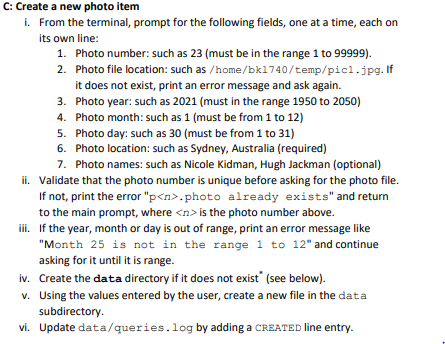
C: Create a new photo item i. From the terminal, prompt for the following fields, one at a time, each on its own line: 1. Photo number: such as 23 (must be in the range 1 to 99999). 2. Photo file location: such as /home/bk1740/temp/pic1.jpg. If it does not exist, print an error message and ask again. 3. Photo year: such as 2021 (must in the range 1950 to 2050) 4. Photo month: such as 1 (must be from 1 to 12) 5. Photo day: such as 30 (must be from 1 to 31) 6. Photo location: such as Sydney, Australia (required) 7. Photo names: such as Nicole Kidman, Hugh Jackman (optional) ii. Validate that the photo number is unique before asking for the photo file. If not, print the error "p.photo already exists" and return to the main prompt, where is the photo number above. iii. If the year, month or day is out of range, print an error message like "Month 25 is not in the range 1 to 12" and continue asking for it until it is range. iv. Create the data directory if it does not exist (see below). v. Using the values entered by the user, create a new file in the data subdirectory. vi. Update data/queries.log by adding a CREATED line entry. C: Create a new photo item i. From the terminal, prompt for the following fields, one at a time, each on its own line: 1. Photo number: such as 23 (must be in the range 1 to 99999). 2. Photo file location: such as /home/bk1740/temp/pic1.jpg. If it does not exist, print an error message and ask again. 3. Photo year: such as 2021 (must in the range 1950 to 2050) 4. Photo month: such as 1 (must be from 1 to 12) 5. Photo day: such as 30 (must be from 1 to 31) 6. Photo location: such as Sydney, Australia (required) 7. Photo names: such as Nicole Kidman, Hugh Jackman (optional) ii. Validate that the photo number is unique before asking for the photo file. If not, print the error "p.photo already exists" and return to the main prompt, where is the photo number above. iii. If the year, month or day is out of range, print an error message like "Month 25 is not in the range 1 to 12" and continue asking for it until it is range. iv. Create the data directory if it does not exist (see below). v. Using the values entered by the user, create a new file in the data subdirectory. vi. Update data/queries.log by adding a CREATED line entry









 Study Help