







Question: You should simulate the response using MultisimLive ( MsL ) . For this, you will need to perform an AC Sweep across the audio frequency
You should simulate the response using MultisimLive MsL For this, you will need to perform an AC Sweep across the audio frequency band using Decade sweep type logarithmic across the audio frequency band, Hz to kHz and Logarithmic on the vertical scale. Use enough points per decade so that the curve around resonance is a smooth curve. Evaluate the transfer function by performing individual simulations for three values of : nominal value of Cl the nominal value of Cl ; and nominal value of Cl The output are plots of the magnitude and phase for all three values of Cl NOTE: if you set the voltage source to an AC analysis value of IV default value the output voltage numbers will correspond to the transfer function values. It is preferable to plot all three data sets on the same axes one for magnitude, one for phase You will need to export each simulation's data to an Excel CSV file by clicking the "Export" arrow in the upper right part of the display. Fig. B shows a sample simulation plot of the transfer function.
For part A your submission shall include the MultisimLive circuit diagram for the nominal value of C a magnitude graph contains curves and the phase graph contains curves
Fig. B The transfer function for values of Cl Top; Magnitude, Bottom: Phase.
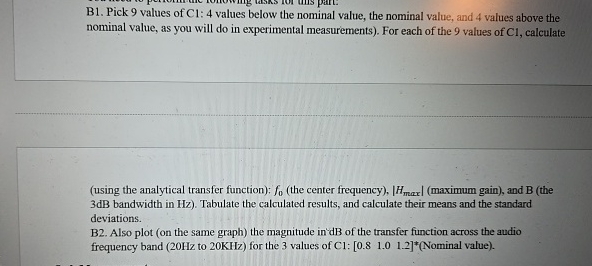
B Pick values of : values below the nominal value, the nominal value, and values above the nominal value, as you will do in experimental measurements For each of the values of Cl calculate
using the analytical transfer function: the center frequencymaximum gain and B the dB bandwidth in Hz Tabulate the calculated results, and calculate their means and the standard deviations.
B Also plot on the same graph the magnitude in'dB of the transfer function across the audio frequency band to KHz
Step by Step Solution
There are 3 Steps involved in it
1 Expert Approved Answer
Step: 1 Unlock

Question Has Been Solved by an Expert!
Get step-by-step solutions from verified subject matter experts
Step: 2 Unlock
Step: 3 Unlock
 Study Help