







Question: 1. Create a new Android project named CS3270A3 as a single activity application. 2. Modify the app to change the application name to CS3270A3 3.
1. Create a new Android project named CS3270A3 as a single activity application. 2. Modify the app to change the application name to CS3270A3
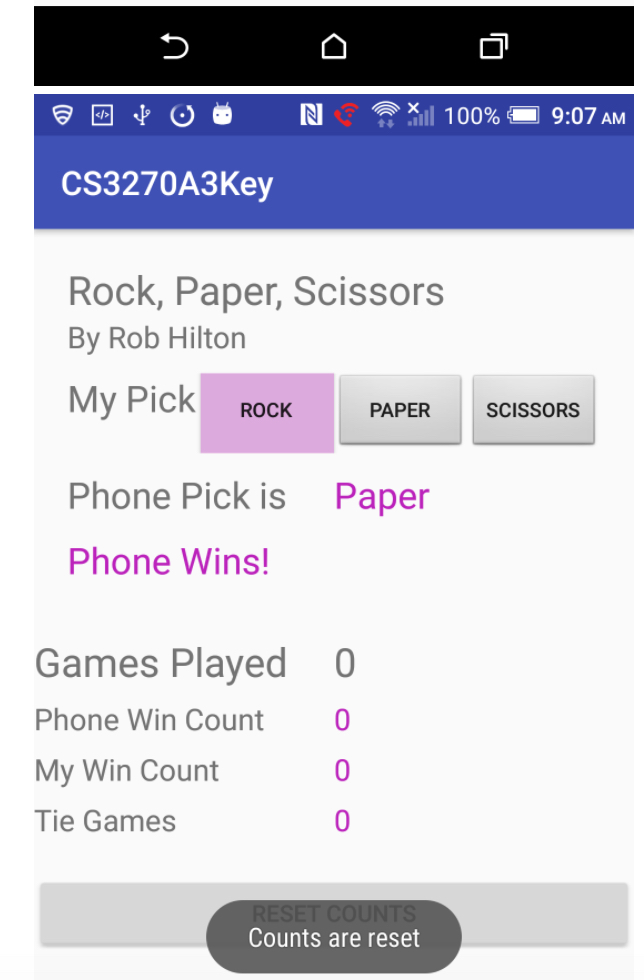
3. Create a layout similar to the screen captures below
The Activity should contain two fragments.
- The top fragment should contain the game caption, the player selection buttons and the individual game results. - The bottom fragment should contain the cumulative game result counts. 4. The app should do the following: - allow the user to play the game Rock, Paper, Scissors - allow the user to select Rock, Paper or Scissors via Buttons - when the user presses one of the buttons: - - a random choice is made for the phone and the user - - the phone's pick is displayed in a TextView - - the result of the game is displayed TextView - - the game result is sent to the bottom fragment - - the running totals are updated within the bottom fragment. - at any point, the user can reset the running totals by pressing the related button - when the reset button is pressed: - - display a toast message stating that the counts have been reset - - reset all of the counts to 0 5. Save and test the app on the emulator or device. 6. Check the "Problems" tab to insure that you have resolved all errors and warnings.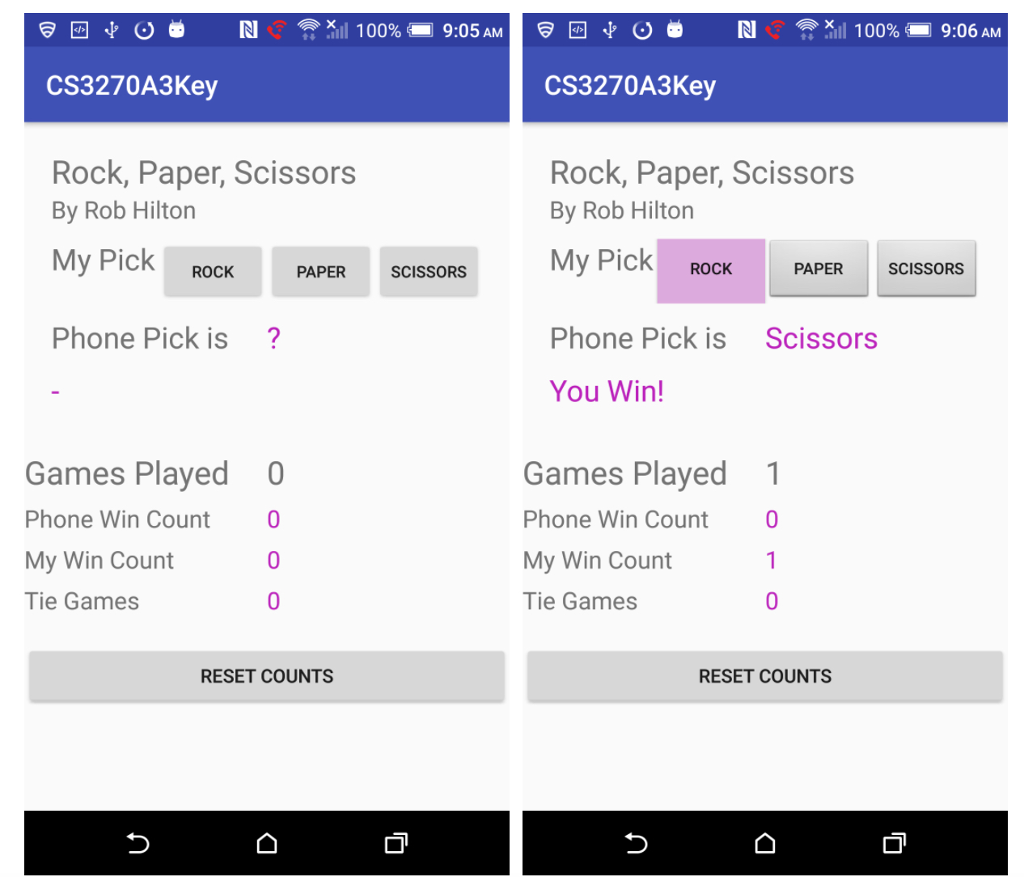
CS3270A 3Key Rock, Paper, Scissors By Rob Hilton My Pick ROCK PAPER scissoRs Phone Pick is Games Played Phone Win Count My Win Count Tie Games RESET COUNTS CS3270A3Key Rock, Paper, Scissors By Rob Hilton My Pick PAPER ROCK SCISSORS Phone Pick is Scissors You Win! Games Played 1 Phone Win Count 0 My Win Count Tie Games RESET COUNTS
Step by Step Solution
There are 3 Steps involved in it

Get step-by-step solutions from verified subject matter experts
 Study Help