







Question: 1. Start a new notebook, name it drift. 2. Copy the four drift simulation functions into the file 3. Export the notebook: File -> Download
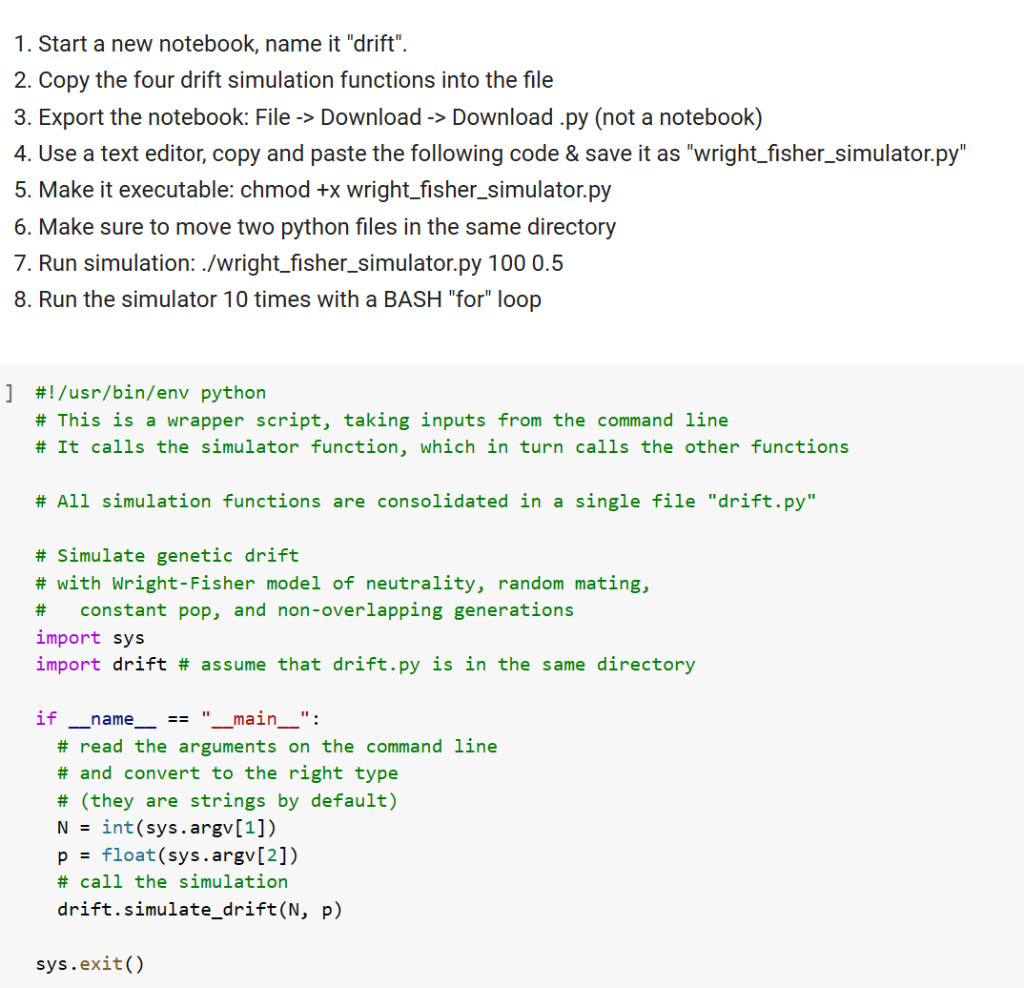
1. Start a new notebook, name it "drift". 2. Copy the four drift simulation functions into the file 3. Export the notebook: File -> Download -> Download .py (not a notebook) 4. Use a text editor, copy and paste the following code \& save it as "wright_fisher_simulator.py" 5. Make it executable: chmod +x wright_fisher_simulator.py 6. Make sure to move two python files in the same directory 7. Run simulation: ./wright_fisher_simulator.py 1000.5 8. Run the simulator 10 times with a BASH "for" loop ] \#! /usr/bin/env python \# This is a wrapper script, taking inputs from the command line \# It calls the simulator function, which in turn calls the other functions \# All simulation functions are consolidated in a single file "drift.py" \# simulate genetic drift \# with Wright-Fisher model of neutrality, random mating, \# constant pop, and non-overlapping generations import sys import drift \# assume that drift.py is in the same directory if name_-= "main " : \# read the arguments on the command line \# and convert to the right type \# (they are strings by default) N = int(sys.argv[1]) p = float(sys.argv[2]) \# call the simulation drift.simulate_drift(N, p)
Step by Step Solution
There are 3 Steps involved in it

Get step-by-step solutions from verified subject matter experts
 Study Help