







Question: 23 Type the Trans# 30038C 'n cell B5, andselect Quantity from the 2 validationlist in cell D5. 24 Entera nestedvokup function . cell +5 thatevaluatesne
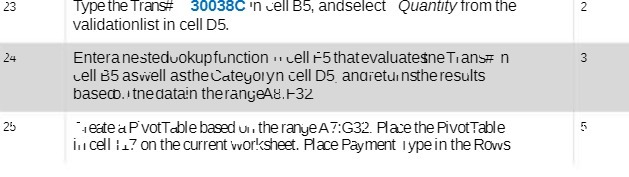
23 Type the Trans# 30038C 'n cell B5, andselect Quantity from the 2 validationlist in cell D5. 24 Entera nestedvokup function . cell +5 thatevaluatesne Trans# n well 85 aswell asthe Categoryn cell D5 andreturnsthe results baseco. the datain therangeAs.1-32 25 Heate a PivotTable based un , the rangeA7:G32. Place the Pivot Table in cell i17 on the current worksheet. Place Payment type in the Rows
Step by Step Solution
There are 3 Steps involved in it
1 Expert Approved Answer
Step: 1 Unlock

Question Has Been Solved by an Expert!
Get step-by-step solutions from verified subject matter experts
Step: 2 Unlock
Step: 3 Unlock
 Study Help