







Question: business forecasting Use the attached MS Excel spreadsheet containing 4 tabs to complete the following 4 forecasts: A four-period moving average model A simple exponential
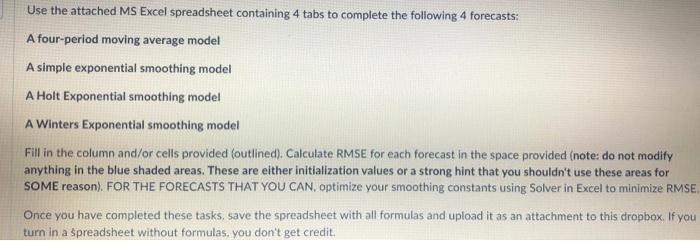
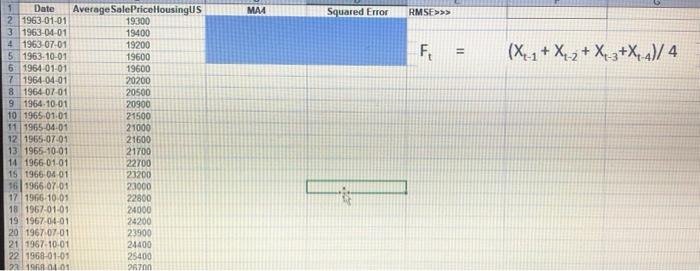
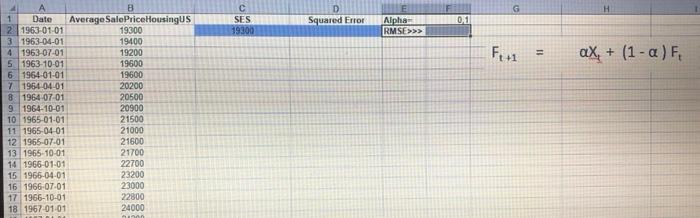
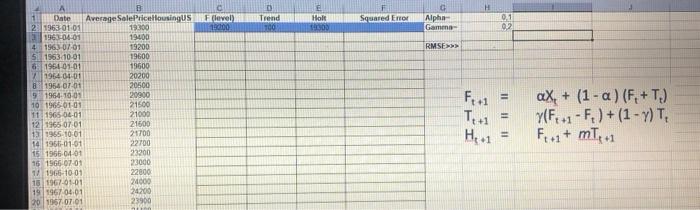
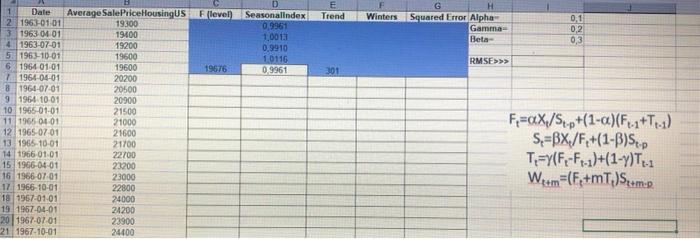
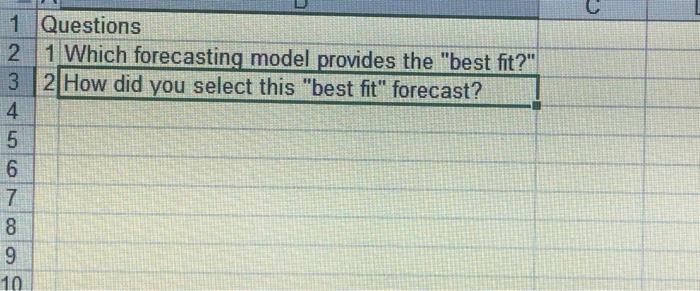
Use the attached MS Excel spreadsheet containing 4 tabs to complete the following 4 forecasts: A four-period moving average model A simple exponential smoothing model A Holt Exponential smoothing model A Winters Exponential smoothing model Fill in the column and/or cells provided (outlined). Calculate RMSE for each forecast in the space provided (note: do not modify anything in the blue shaded areas. These are either initialization values or a strong hint that you shouldn't use these areas for SOME reason). FOR THE FORECASTS THAT YOU CAN, optimize your smoothing constants using Solver in Excel to minimize RMSE Once you have completed these tasks, save the spreadsheet with all formulas and upload it as an attachment to this dropbox. If you turn in a spreadsheet without formulas, you don't get credit. 1 Questions 1 Which forecasting model provides the "best fit?" 2 How did you select this "best fit" forecast? 4 Use the attached MS Excel spreadsheet containing 4 tabs to complete the following 4 forecasts: A four-period moving average model A simple exponential smoothing model A Holt Exponential smoothing model A Winters Exponential smoothing model Fill in the column and/or cells provided (outlined). Calculate RMSE for each forecast in the space provided (note: do not modify anything in the blue shaded areas. These are either initialization values or a strong hint that you shouldn't use these areas for SOME reason). FOR THE FORECASTS THAT YOU CAN, optimize your smoothing constants using Solver in Excel to minimize RMSE Once you have completed these tasks, save the spreadsheet with all formulas and upload it as an attachment to this dropbox. If you turn in a spreadsheet without formulas, you don't get credit. 1 Questions 1 Which forecasting model provides the "best fit?" 2 How did you select this "best fit" forecast? 4
Step by Step Solution
There are 3 Steps involved in it

Get step-by-step solutions from verified subject matter experts
 Study Help