var height = document.getElementById('height').value;
var weight = document.getElementById('weight').value;
if(!weight.match(/\S/)) {
alert ('Empty value in weight');
flag=1;
}
if(!height.match(/\S/) && flag==0) {
alert ('Empty value in height');
}
}
};
window.onload = BMI.init;
---------------------
CSS
html {
font: 14px Arial;
}
h1 {
font-size: 16px;
color: #333;
text-align: center;
text-transform: uppercase;
}
.calculator, label {
background: #f7f7f7;
padding: 10px;
border: 1px solid #B4B4B4;
border-radius: 10px;
}
.calculator {
width: 400px;
margin: 50px auto;
min-height: 300px;
}
label {
color: #333;
display: block;
font-weight: bold;
margin-bottom: 10px;
text-align: right;
margin-bottom: 20px;
}
input {
border: 2px solid #CCC;
border-radius: 5px;
padding: 5px;
width: 250px;
}
button, .result span {
border-radius: 10px;
}
button {
background: #e6b52c;
border-radius: 8px;
cursor: pointer;
display: block;
padding: 8px 25px;
border: 1px solid #BEA280;
color: #fff;
font-weight: bold;
}
button:hover {
background: #dd9917;
}
.bmiResult {
text-align: center;
margin-top: 15px;
}
.bmiResult span {
width: 70px;
background: #F2F4F6;
display: block;
font-size: 24px;
color: #EFAF37;
padding: 12px 15px;
margin: 0 auto;
box-shadow: 3px 3px 4px 0 #CCC;
}
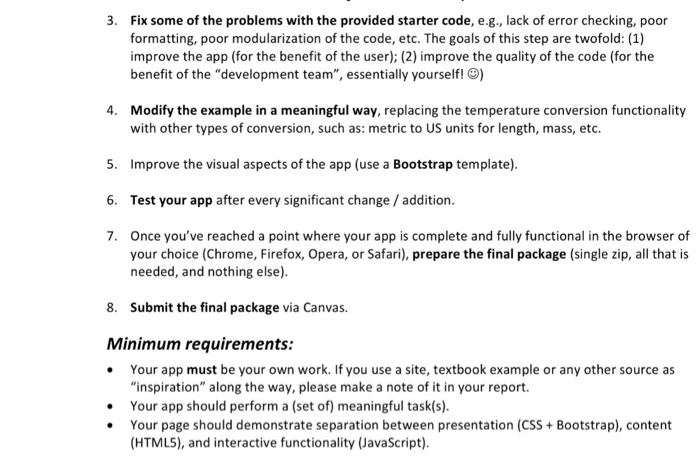
3. Fix some of the problems with the provided starter code, e.g., lack of error checking, poor formatting, poor modularization of the code, etc. The goals of this step are twofold: (1) improve the app (for the benefit of the user); (2) improve the quality of the code (for the benefit of the "development team", essentially yourself!) 4. Modify the example in a meaningful way, replacing the temperature conversion functionality with other types of conversion, such as: metric to US units for length, mass, etc. 5. Improve the visual aspects of the app (use a Bootstrap template). 6. Test your app after every significant change/addition. 7. Once you've reached a point where your app is complete and fully functional in the browser of your choice (Chrome, Firefox, Opera, or Safari), prepare the final package (single zip, all that is needed, and nothing else 8. Submit the final package via Canvas. Minimum requirements: Your app must be your own work. If you use a site, textbook example or any other source as "inspiration" along the way, please make a note of it in your report Your app should perform a (set of) meaningful task(s) Your page should demonstrate separation between presentation (CSS Bootstrap), content HTMLS), and interactive functionality (JavaScript)
Step by Step Solution
There are 3 Steps involved in it
1 Expert Approved Answer
Step: 1 Unlock
Question Has Been Solved by an Expert!
Get step-by-step solutions from verified subject matter experts
Step: 2 Unlock
Step: 3 Unlock
Students Have Also Explored These Related Databases Questions!









 Study Help