







Question: Create a Java NetBeans project named AddLineNumbers with the main class named AddLineNumbers . This program will read data from a text file dataInput.txt and
Create a Java NetBeans project named AddLineNumbers with the main class named AddLineNumbers . This program will read data from a text file "dataInput.txt" and while there are more records, prepend a line number to the text data and output the concatenated data to "dataOutput.txt" implementing a try/catch block to catch any file errors thrown by the JVM. After you have created your NetBeans project AddLineNumbers and before you attempt to execute your application download and/or copy the text data file dataInput.txt from the course Blackboard link below to your AddLineNumbers project folder.
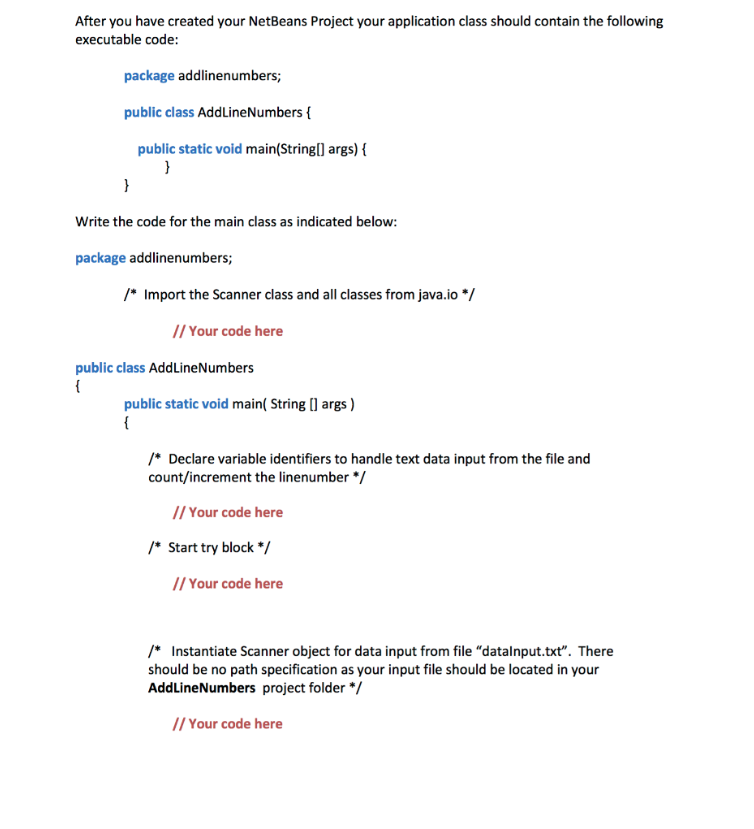
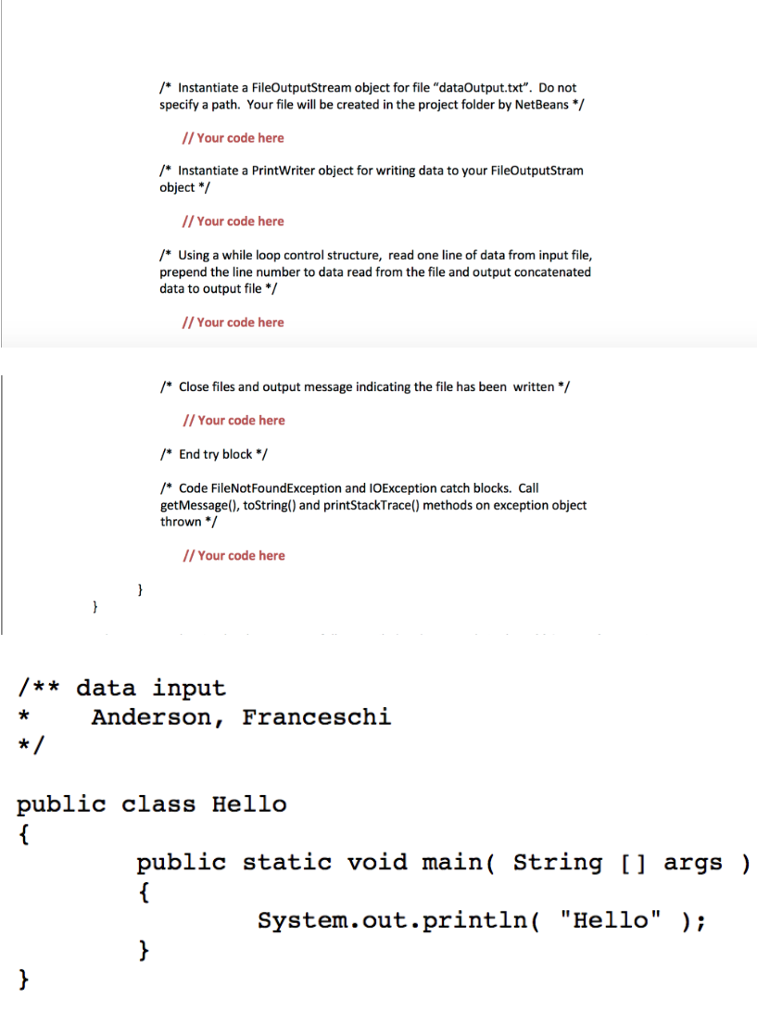
After you have created your NetBeans Project your application class should contain the following executable code: package addlinenumbers; public class AddLineNumbers ( public static void main(Stringl args) Write the code for the main class as indicated below: package addlinenumbers; Import the Scanner class and all classes from java.io*/ // Your code here public class AddLineNumbers public static void main( String[ args) Declare variable identifiers to handle text data input from the file and count/increment the linenumber // Your code here Start try block/ // Your code here / Instantiate Scanner object for data input from file "datalnput.txt". There should be no path specification as your input file should be located in your AddLineNumbers project folder //Your code here
Step by Step Solution
There are 3 Steps involved in it

Get step-by-step solutions from verified subject matter experts
 Study Help