







Question: Fixed the error code in my program. Create a Java NetBeans project. Read the instructions below carefully and make sure follow the steps from the
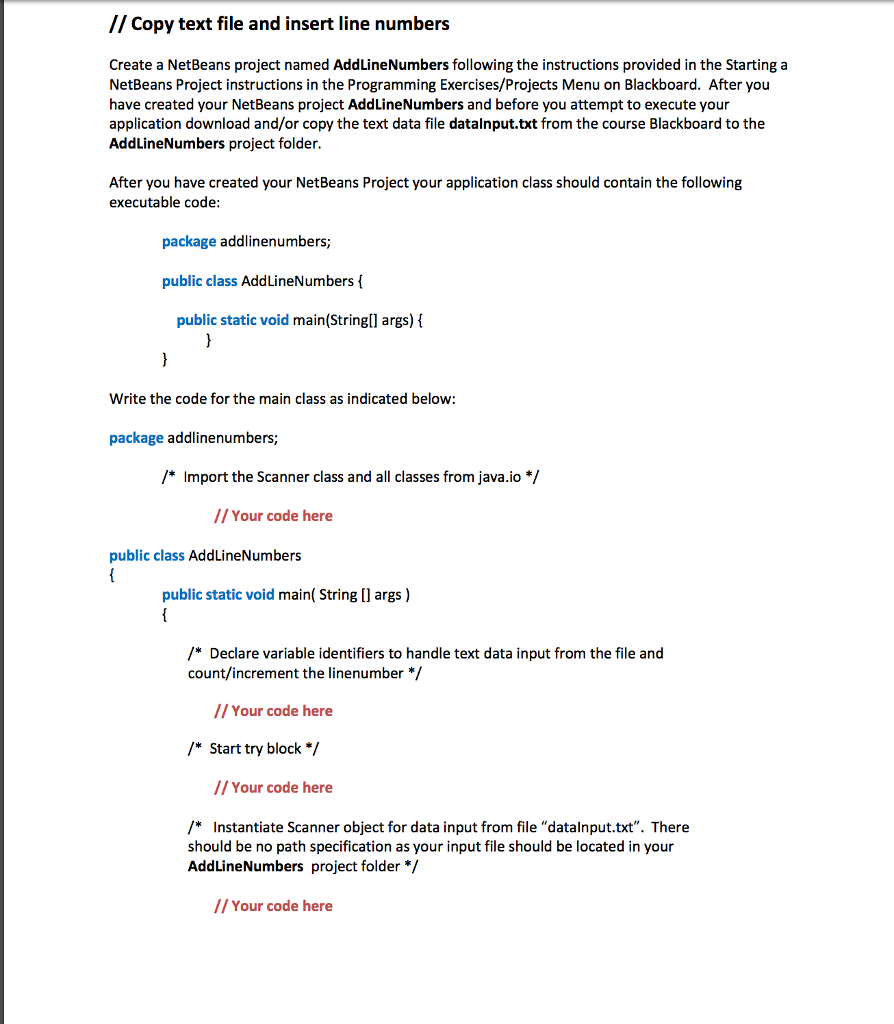
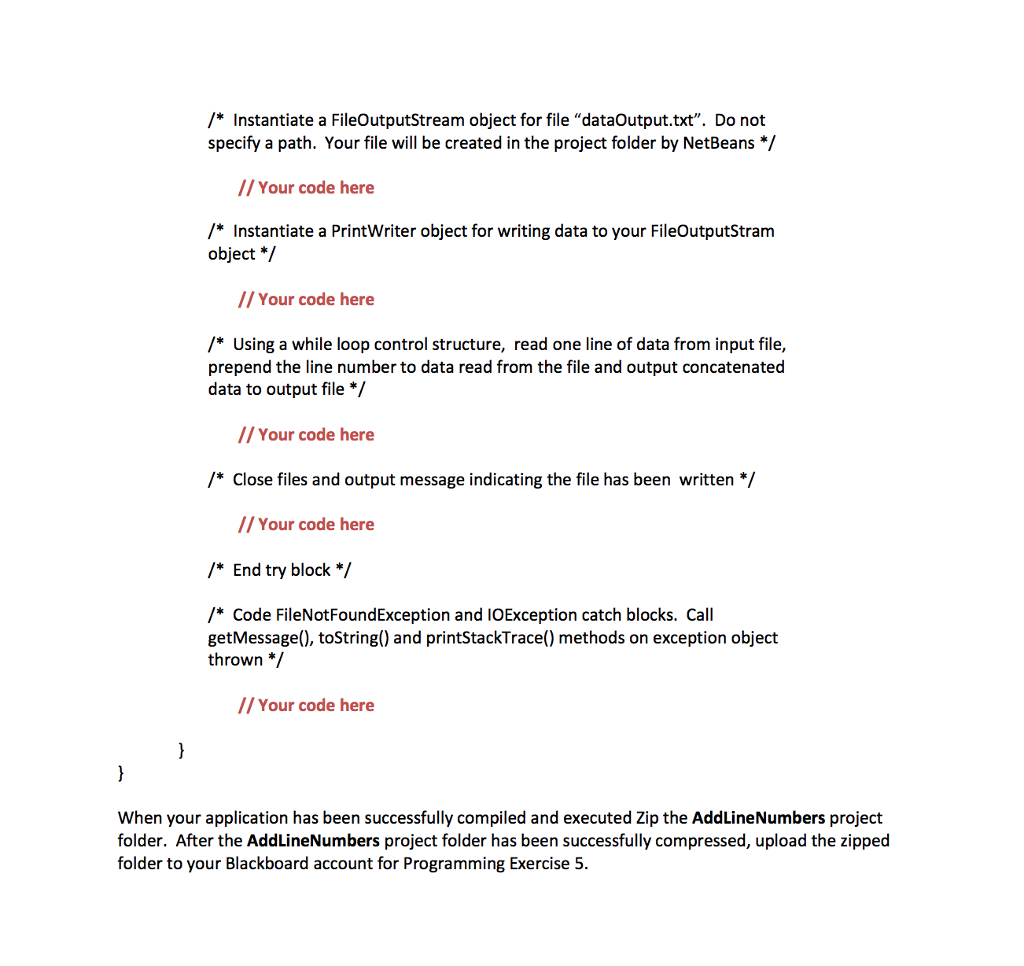
Fixed the error code in my program. Create a Java NetBeans project. Read the instructions below carefully and make sure follow the steps from the instructions. Do not skip any steps. NEED TO FOLLOW THE INSTRUCTIONS( do not mixed steps). Make sure including your OUTPUT. Make sure the code will work in NetBeans IDE 8.0.2.
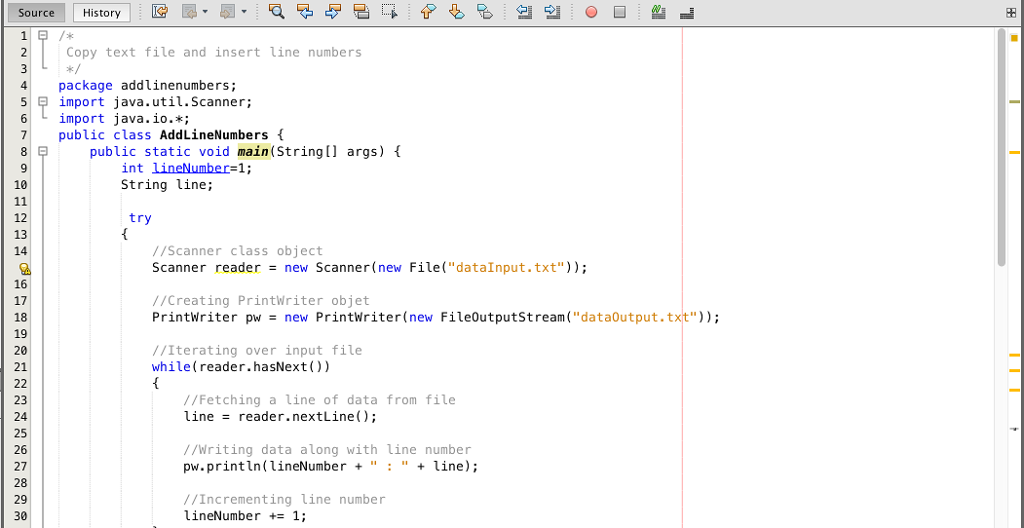
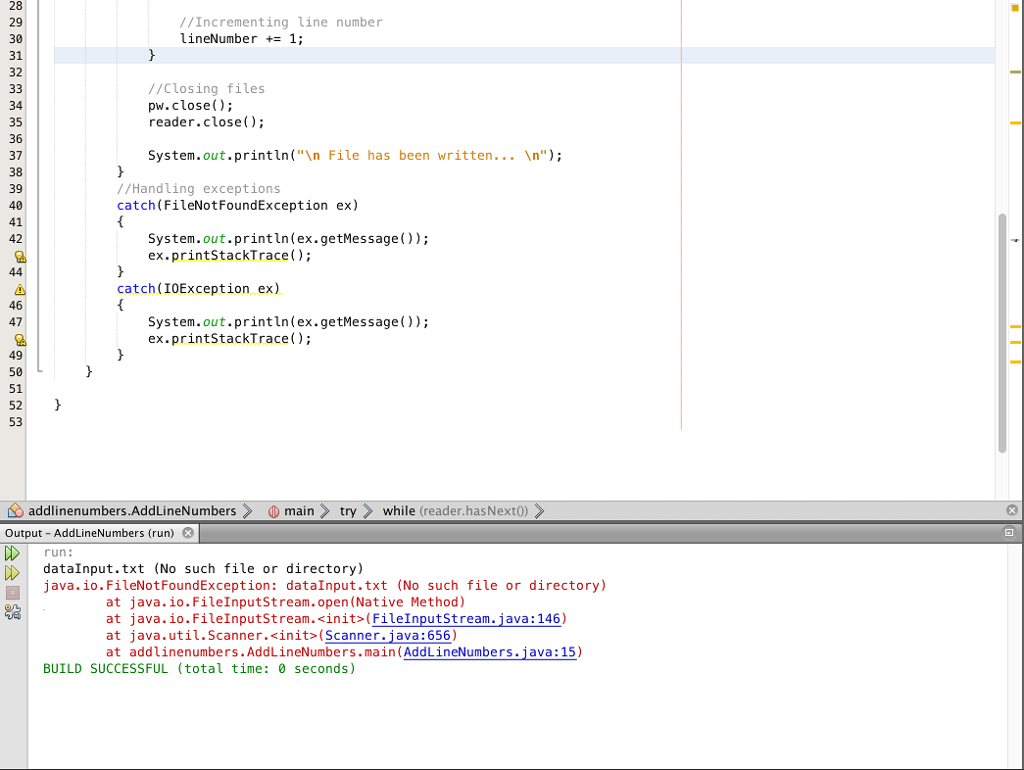

CE Copy text file and insert line numbers 4package addlinenumbers; 5 import java . utilScanner; 6 import java.io.*; 7 public class AddLineNumbers public static void main(String[] args) t 10 String line; try 12 13 14 object //Scanner class Scanner reader new Scanner(new File("data!nput. txt")); 16 17 18 19 20 21 //Creating PrintWriter objet PrintWriter pw-new PrintWriter(new FileOutputStream("dataOutput.txt")) //Iterating over input file while (reader.hasNext ()) 23 24 25 26 27 28 29 30 //Fetching a line of data from file line = reader.nextLine(); //Writing data along with line number pw.println lineNumber""line); //Incrementing line number lineNumber += 1
Step by Step Solution
There are 3 Steps involved in it

Get step-by-step solutions from verified subject matter experts
 Study Help