







Question: Create a Java NetBeans project. Read the instructions below carefully and make sure follow the steps from the instructions. Do not skip any steps. NEED
Create a Java NetBeans project. Read the instructions below carefullyand make sure follow the steps from the instructions. Do not skip any steps. NEED TO FOLLOW THE INSTRUCTIONS( do not mixed steps). Make sure including your OUTPUT. Make sure the code will work in NetBeans IDE 8.0.2.
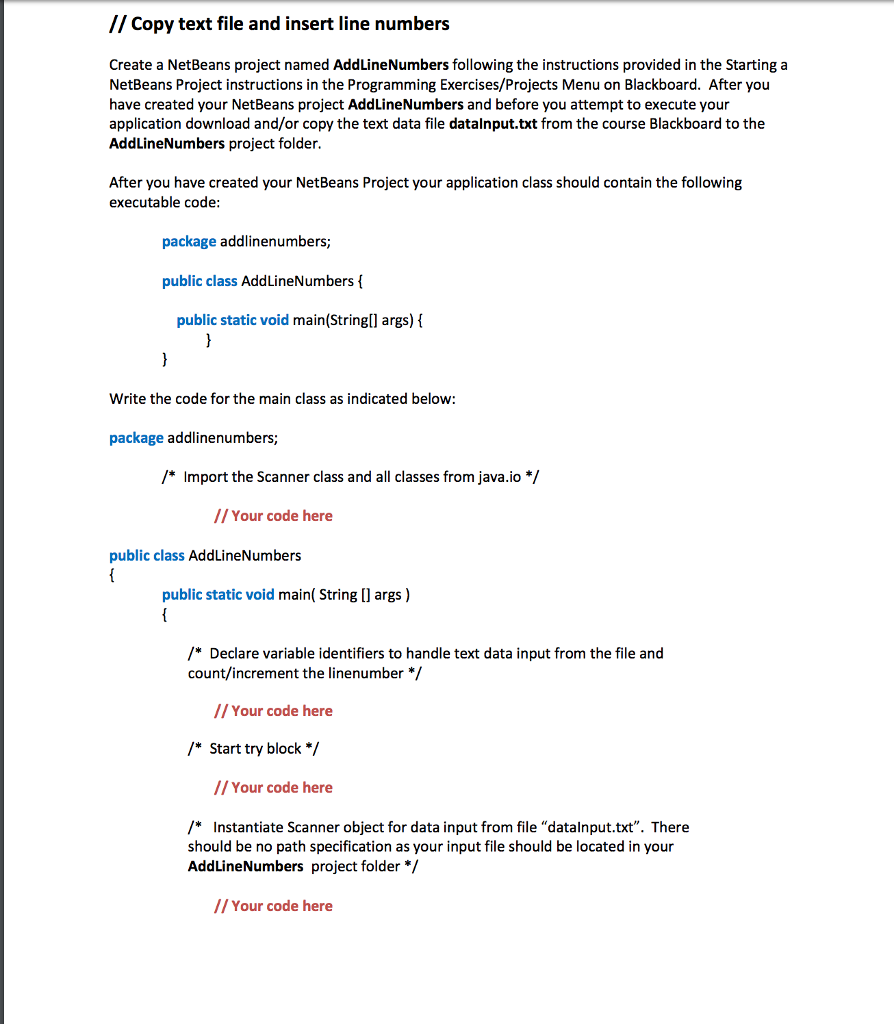
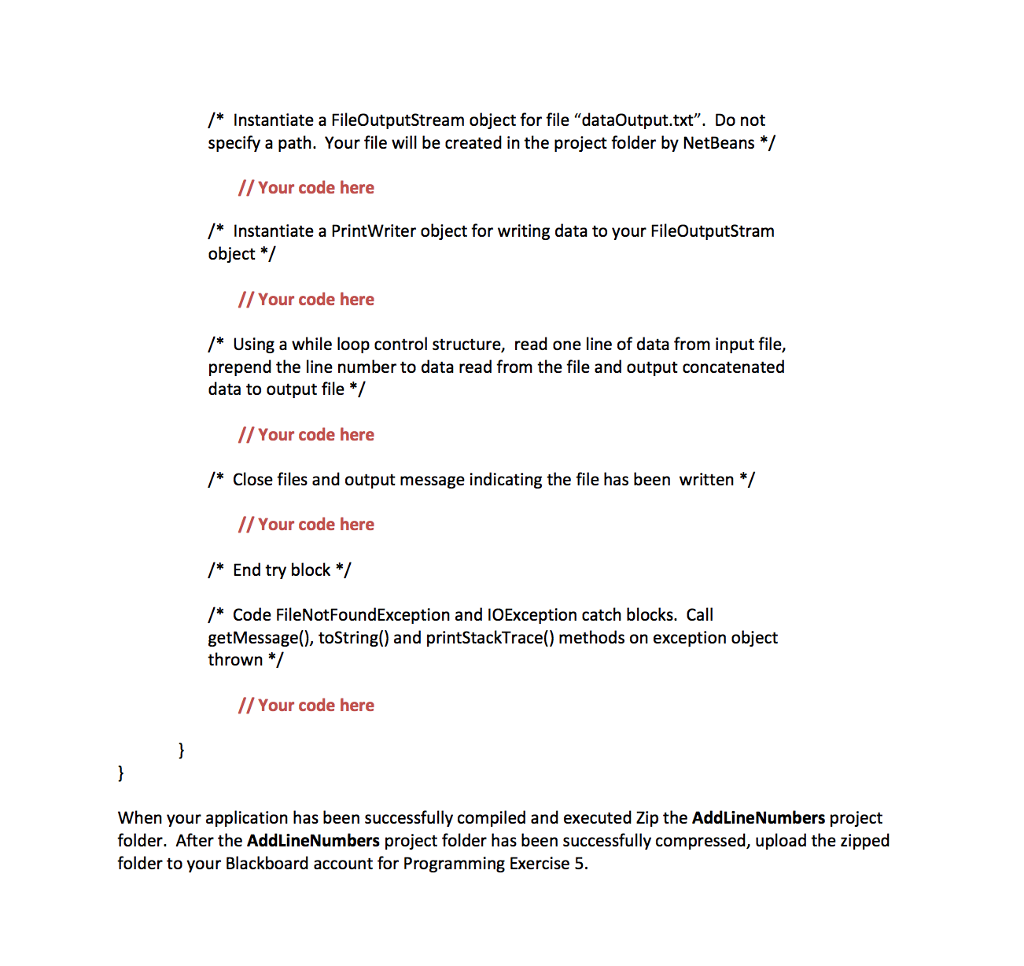
// Copy text file and insert line numbers Create a NetBeans project named AddLineNumbers following the instructions provided in the Starting a NetBeans Project instructions in the Programming Exercises/Projects Menu on Blackboard. After you have created your NetBeans project AddLineNumbers and before you attempt to execute your application download and/or copy the text data file datalnput.txt from the course Blackboard to the AddLineNumbers project folder. After you have created your NetBeans Project your application class should contain the following executable code package addlinenumbers public class AddLineNumbers f public static void main(String[l] args) { Write the code for the main class as indicated below package addlinenumbe /* Import the Scanner class and all classes from java.io */ // Your code here public class AddLineNumbers public static void main( String [ args) /* Declare variable identifiers to handle text data input from the file and count/increment the linenumber/ // Your code here /* Start try block*/ //Your code here /* Instantiate Scanner object for data input from file "datalnput.txt". There should be no path specification as your input file should be located in your AddLineNumbers project folder/ // Your code here
Step by Step Solution
There are 3 Steps involved in it

Get step-by-step solutions from verified subject matter experts
 Study Help