







Question: Create a Java NetBeans project. Read the instructions below carefully and make sure follow the steps from the instructions. Do not skip any steps. NEED
Create a Java NetBeans project. Read the instructions below carefully and make sure follow the steps from the instructions. Do not skip any steps. NEED TO FOLLOW THE INSTRUCTIONS( do not mixed steps). Make sure including your OUTPUT. Make sure the code will work in NetBeans IDE 8.0.2 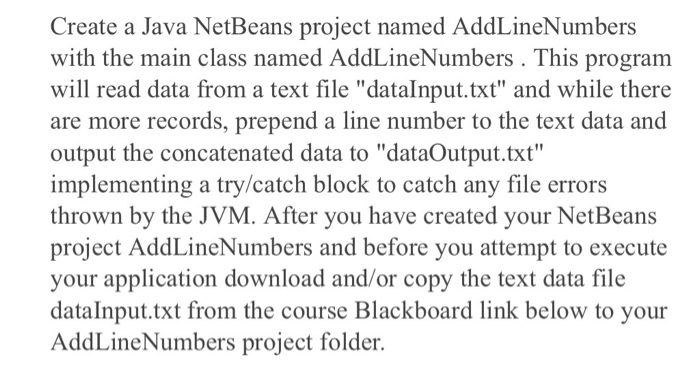
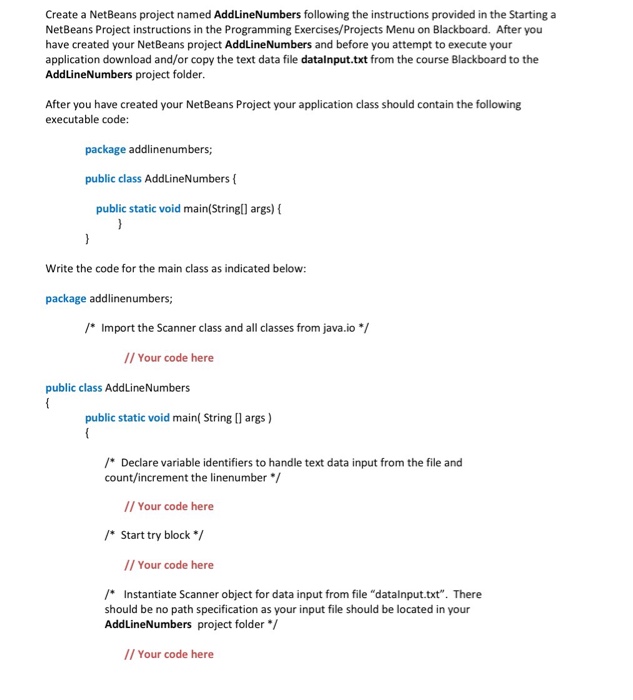
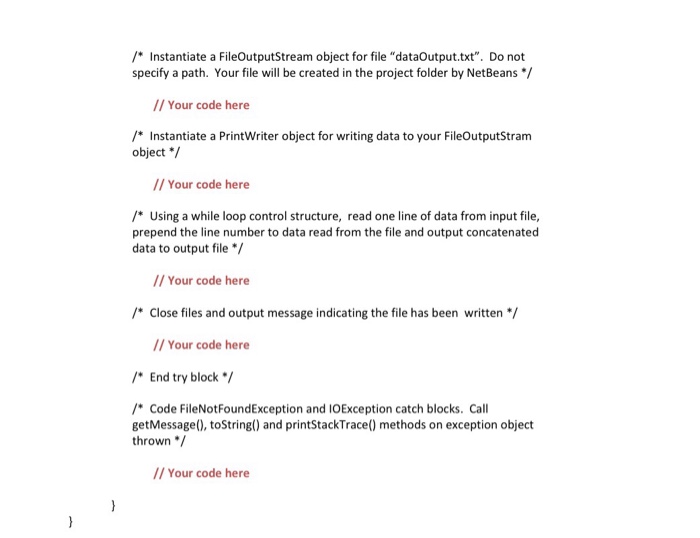
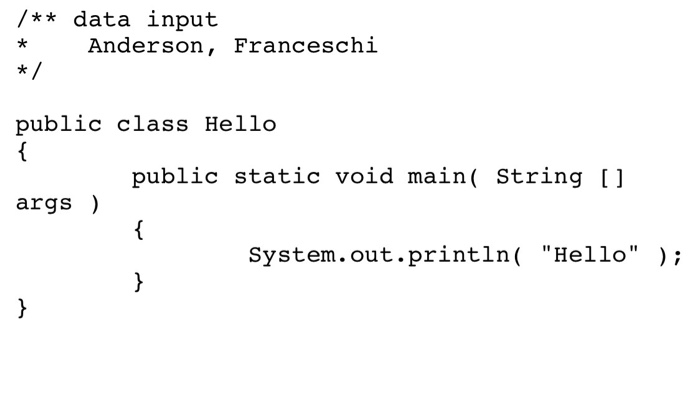
Create a Java NetBeams project named AdLineNumbers Create a Java NetBeans project named AddLineNumbers with the main class named AddLineNumbers . This program will read data from a text file "datalnput.txt" and while there are more records, prepend a line number to the text data and output the concatenated data to "dataOutput.txt" implementing a try/catch block to catch any file errors thrown by the JVM. After you have created your NetBeans project AddLineNumbers and before you attempt to execute your application download and/or copy the text data file dataInput.txt from the course Blackboard link below to your AddLine Numbers pr oject folder
Step by Step Solution
There are 3 Steps involved in it
1 Expert Approved Answer
Step: 1 Unlock

Question Has Been Solved by an Expert!
Get step-by-step solutions from verified subject matter experts
Step: 2 Unlock
Step: 3 Unlock
 Study Help