







Question: Create a Java NetBeans project. Read the instructions below carefully and make sure follow the steps from the instructions. Do not skip any steps. NEED
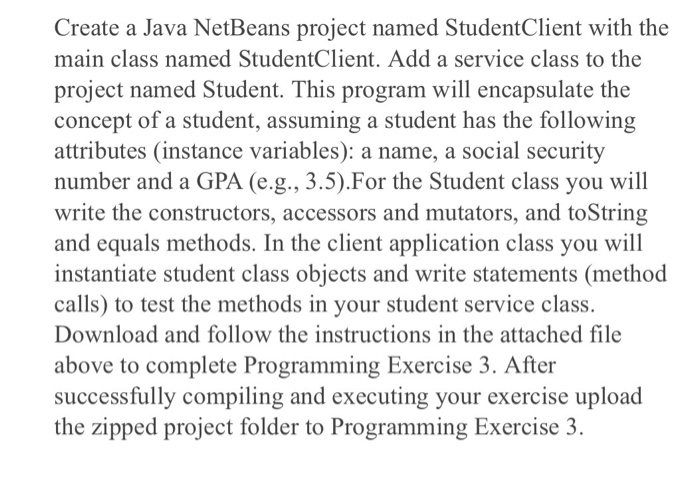
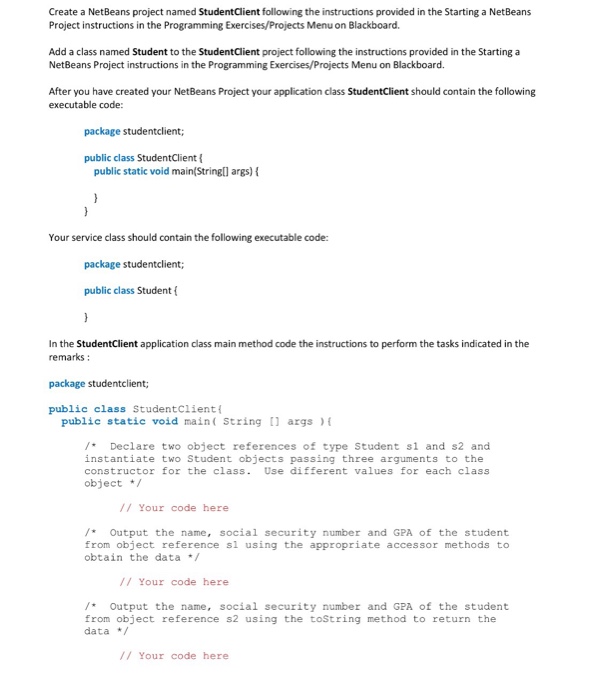
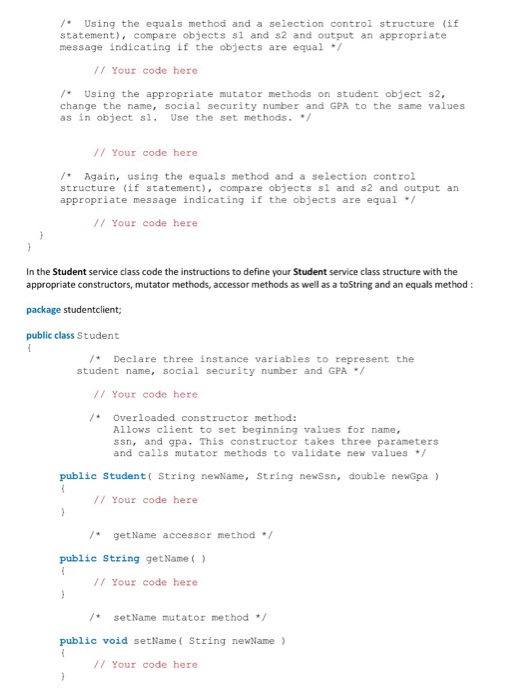
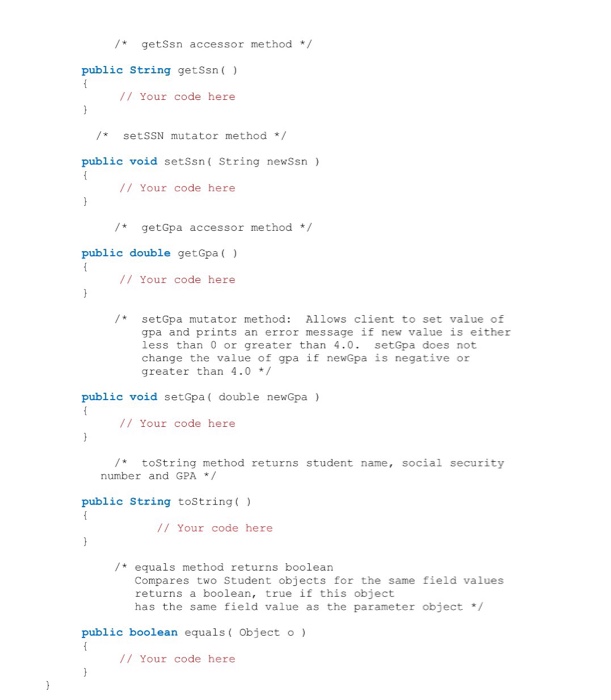
Create a Java NetBeans project named StudentClient with the main class named StudentClient. Add a service class to the project named Student. This program will encapsulate the concept of a student, assuming a student has the following attributes (instance variables): a name, a social security number and a GPA (e.g., 3.5).For the Student class you will write the constructors, accessors and mutators, and toString and equals methods. In the client application class you will instantiate student class objects and write statements (method calls) to test the methods in your student service class. Download and follow the instructions in the attached file above to complete Programming Exercise 3. After successfully compiling and executing your exercise upload the zipped project folder to Programming Exercise 3
Step by Step Solution
There are 3 Steps involved in it

Get step-by-step solutions from verified subject matter experts
 Study Help