







Question: Create a JFrame Form for new user registration. The registration GUI is shown in Fig. (a). The components include two labels (User Name and Password),
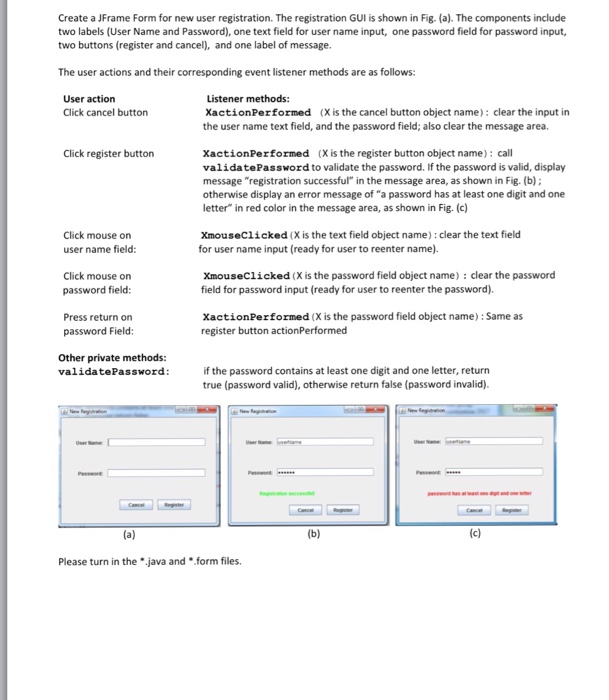
Create a JFrame Form for new user registration. The registration GUI is shown in Fig. (a). The components include two labels (User Name and Password), one text field for user name input, one password field for password input, two buttons (register and cancel), and one label of message. The user actions and their corresponding event listener methods are as follows: User action Listener methods: Click cancel button Xaction Performed (X is the cancel button object name): clear the input in the user name text field, and the password field; also clear the message area. Click register button Xaction Performed (X is the register button object name): call validatePassword to validate the password. If the password is valid, display message "registration successful" in the message area, as shown in Fig. (b) otherwise display an error message of "a password has at least one digit and one letter" in red color in the message area, as shown in Fig. (c) Click mouse on user name field: xmouseClicked (X is the text field object name) clear the text field for user name input (ready for user to reenter name). Click mouse on password field: XmouseClicked (X is the password field object name): clear the password field for password input (ready for user to reenter the password). Press return on password Field: Xaction Performed (X is the password field object name):Same as register button actionPerformed Other private methods validatePassword: if the password contains at least one digit and one letter, return true (password valid), otherwise return false (password invalid). Please turn in the *.java and *.form files
Step by Step Solution
There are 3 Steps involved in it

Get step-by-step solutions from verified subject matter experts
 Study Help