







Question: EA7-R1 Create a Payroll Register for Audio Warehouse !!! OURO In this exercise, you will create a payroll register for Audio Warehouse using ROUND, IF,
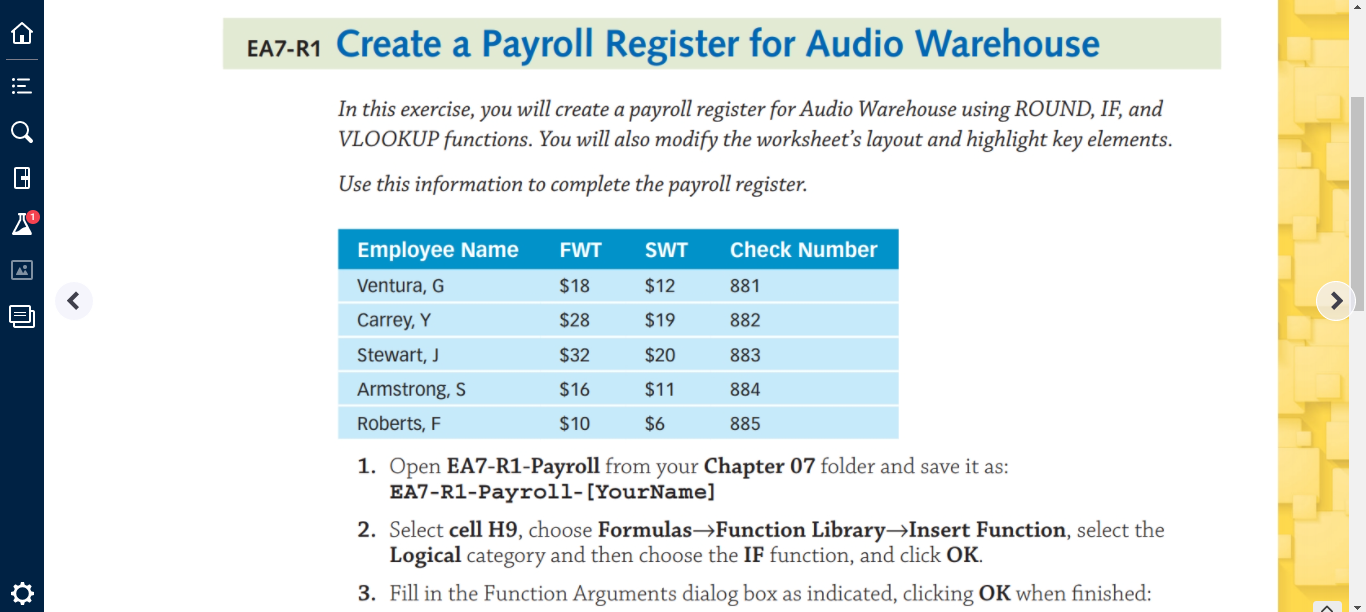
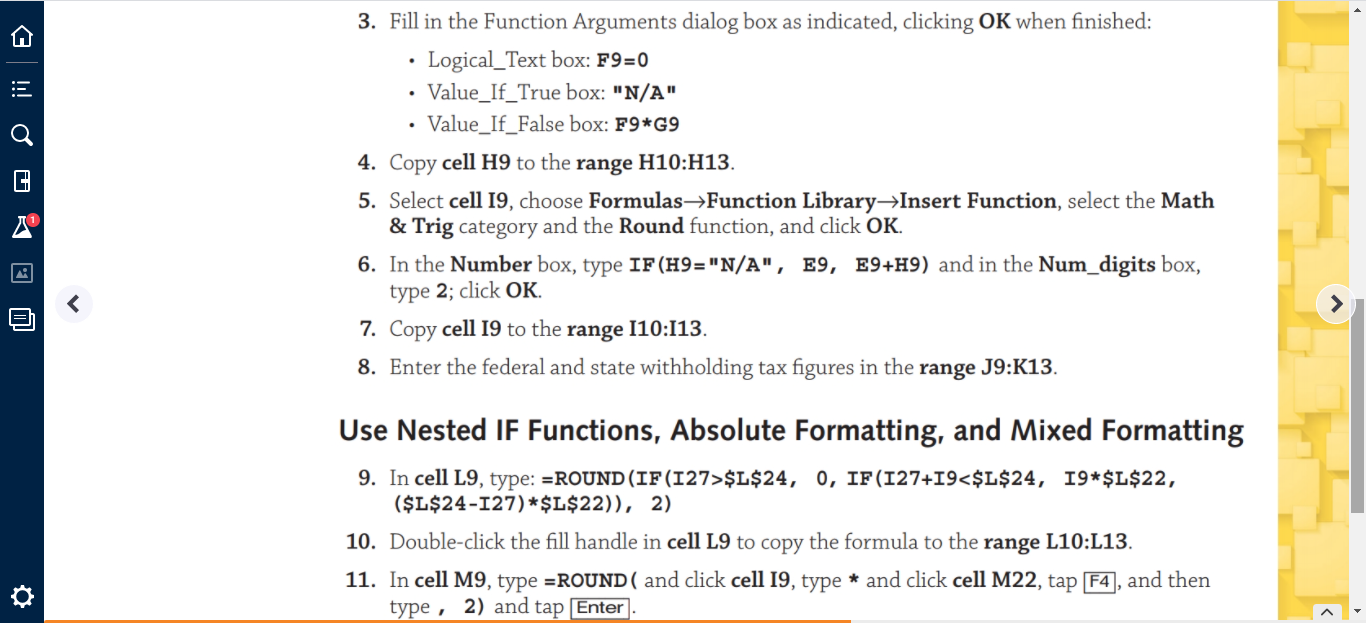
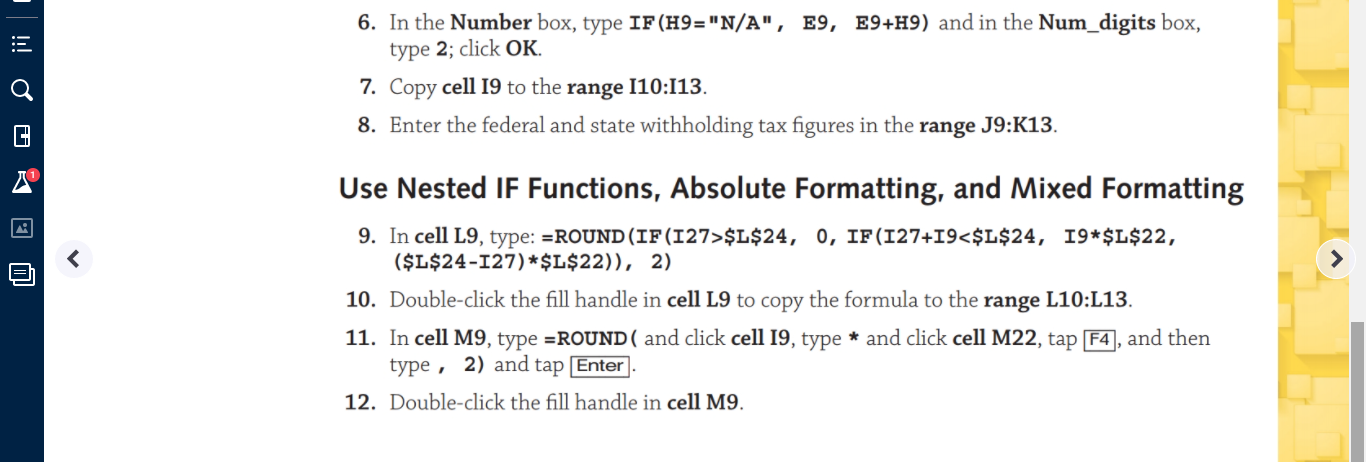
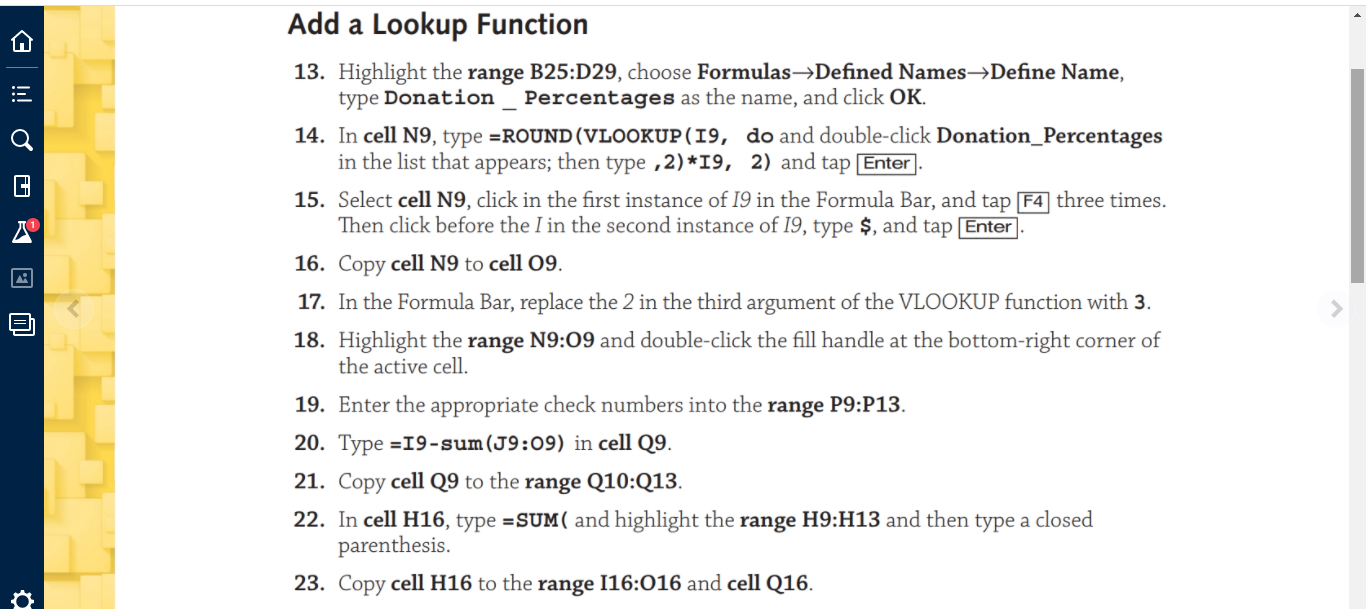
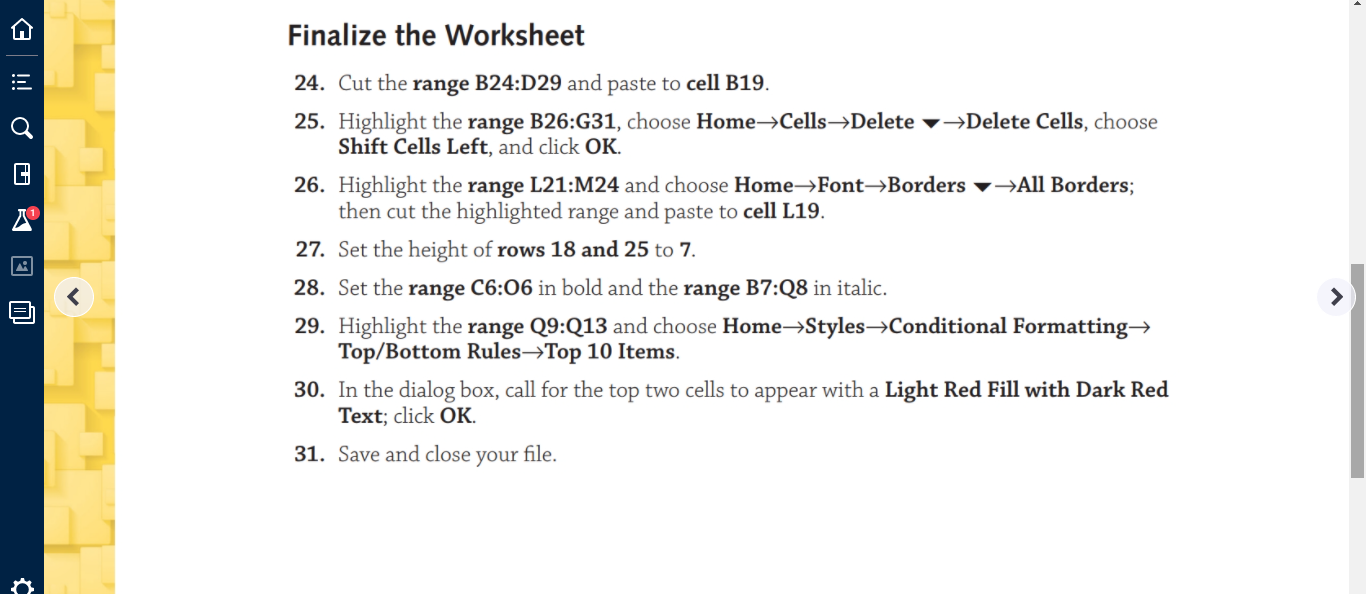
EA7-R1 Create a Payroll Register for Audio Warehouse !!! OURO In this exercise, you will create a payroll register for Audio Warehouse using ROUND, IF, and VLOOKUP functions. You will also modify the worksheet's layout and highlight key elements. Use this information to complete the payroll register. FWT SWT Check Number $18 $12 881 $28 $19 882 Employee Name Ventura, G Carrey, Y Stewart, J Armstrong, s Roberts, F $32 $20 883 $16 $11 884 $10 $6 885 1. Open EA7-R1-Payroll from your Chapter 07 folder and save it as: EA7-R1-Payroll-[YourName] 2. Select cell H9, choose Formulas->Function Library->Insert Function, select the Logical category and then choose the IF function, and click OK. 3. Fill in the Function Arguments dialog box as indicated, clicking OK when finished: . . . Cen@ o ji E 3. Fill in the Function Arguments dialog box as indicated, clicking OK when finished: Logical_Text box: F9=0 Value_If_True box: "N/A" Value_If_False box: F9*G9 4. Copy cell H9 to the range H10:H13. 5. Select cell 19, choose Formulas Function Library-Insert Function, select the Math & Trig category and the Round function, and click OK. 6. In the Number box, type IF (H9="N/A", E9, E9+H9) and in the Num_digits box, type 2; click OK. 7. Copy cell 19 to the range 110:113. 8. Enter the federal and state withholding tax figures in the range J9:K13 Use Nested IF Functions, Absolute Formatting, and Mixed Formatting 9. In cell L9, type: =ROUND(IF(127>$L$24, 0, IF(127+19$L$24, 0, IF (127+19Function Library->Insert Function, select the Logical category and then choose the IF function, and click OK. 3. Fill in the Function Arguments dialog box as indicated, clicking OK when finished: . . . Cen@ o ji E 3. Fill in the Function Arguments dialog box as indicated, clicking OK when finished: Logical_Text box: F9=0 Value_If_True box: "N/A" Value_If_False box: F9*G9 4. Copy cell H9 to the range H10:H13. 5. Select cell 19, choose Formulas Function Library-Insert Function, select the Math & Trig category and the Round function, and click OK. 6. In the Number box, type IF (H9="N/A", E9, E9+H9) and in the Num_digits box, type 2; click OK. 7. Copy cell 19 to the range 110:113. 8. Enter the federal and state withholding tax figures in the range J9:K13 Use Nested IF Functions, Absolute Formatting, and Mixed Formatting 9. In cell L9, type: =ROUND(IF(127>$L$24, 0, IF(127+19$L$24, 0, IF (127+19
Step by Step Solution
There are 3 Steps involved in it

Get step-by-step solutions from verified subject matter experts
 Study Help