Question: Excel 2010 Project Step Instructions Points Possible 9 10 11 6 12 GR 13 14 Next you want to calculate the total salaries for all
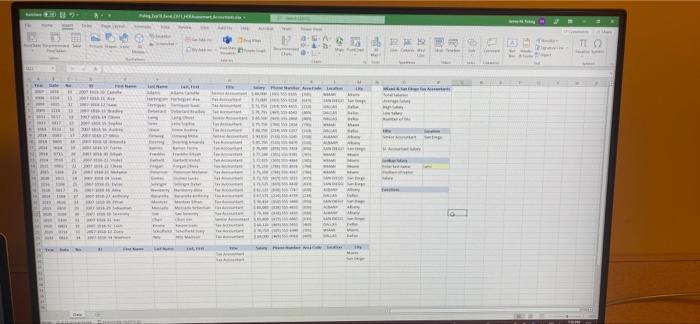
Excel 2010 Project Step Instructions Points Possible 9 10 11 6 12 GR 13 14 Next you want to calculate the total salaries for all Tax Accountants In Miami and San Diego. In cel P2, Insert the DSUM function using the dataset, column heading Salary, and the delined criteria range Next, you will calculate the average salary for Tax Accountants In Miami and San Diego. In coll P3, Insert the DAVERAGE fundion to calculato the average salary using the column heading Salary. You want to identify the highest salary for Tax Accountants in Mami and San Diego. In cell P4, Insert the DMAX function. Next, you want to Identify the lowest salary of Tax Accountants In Miami and San Dlogo. In coll P5, Insert the DMIN function. Finally, you want to count the number of Tax Accountants in Miami and San Diego. In cell P, Insert the DCOUNT function. The range 08:P9 contains a new set of criteria to identify the one Senior Accountant in San Diego. You want to obtain that person's salary. In cell P11, insert the DGET function. The range 013:P16 is designed to look up a person's name to return the position number and salary for that person. First, you will look up the person's location within the dataset. In coll P15, insert the MATCH function to look up the name in coll P14 and return that person's position within the Last Name column. Use only the range containing the actual last names in the argument Now that you have the position number for the accountant, you are ready to identify that person's salary. In coll P16, insert the INDEX function using the range F2:M26 as the range and the position number identified by the MATCH function. In cell 019, Insert the FORMULATEXT function to display the formula that is stored in cell P15. Copy the function to call 020. Create a footer with your name on the left side, the sheet tab code in the center, and the file name code on the right side of the worksheet. Save and close Ep19_Excol_Ch11_HOEAssessment Accountants.xdux. Exdt Excel Submit the file as directed 15 16 17 6 18 3 19 0 Total Points 100 HET To 13 w 1 Www WEST 1 New w lo - Excel 2010 Project Step Instructions Points Possible 9 10 11 6 12 GR 13 14 Next you want to calculate the total salaries for all Tax Accountants In Miami and San Diego. In cel P2, Insert the DSUM function using the dataset, column heading Salary, and the delined criteria range Next, you will calculate the average salary for Tax Accountants In Miami and San Diego. In coll P3, Insert the DAVERAGE fundion to calculato the average salary using the column heading Salary. You want to identify the highest salary for Tax Accountants in Mami and San Diego. In cell P4, Insert the DMAX function. Next, you want to Identify the lowest salary of Tax Accountants In Miami and San Dlogo. In coll P5, Insert the DMIN function. Finally, you want to count the number of Tax Accountants in Miami and San Diego. In cell P, Insert the DCOUNT function. The range 08:P9 contains a new set of criteria to identify the one Senior Accountant in San Diego. You want to obtain that person's salary. In cell P11, insert the DGET function. The range 013:P16 is designed to look up a person's name to return the position number and salary for that person. First, you will look up the person's location within the dataset. In coll P15, insert the MATCH function to look up the name in coll P14 and return that person's position within the Last Name column. Use only the range containing the actual last names in the argument Now that you have the position number for the accountant, you are ready to identify that person's salary. In coll P16, insert the INDEX function using the range F2:M26 as the range and the position number identified by the MATCH function. In cell 019, Insert the FORMULATEXT function to display the formula that is stored in cell P15. Copy the function to call 020. Create a footer with your name on the left side, the sheet tab code in the center, and the file name code on the right side of the worksheet. Save and close Ep19_Excol_Ch11_HOEAssessment Accountants.xdux. Exdt Excel Submit the file as directed 15 16 17 6 18 3 19 0 Total Points 100 HET To 13 w 1 Www WEST 1 New w lo










 Study Help