







Question: EXERCISE 2 (3 points) Difficulty: Easy In Exercise 1, part (1), you created Jordan Block matrix for the specified values of the parameters n and
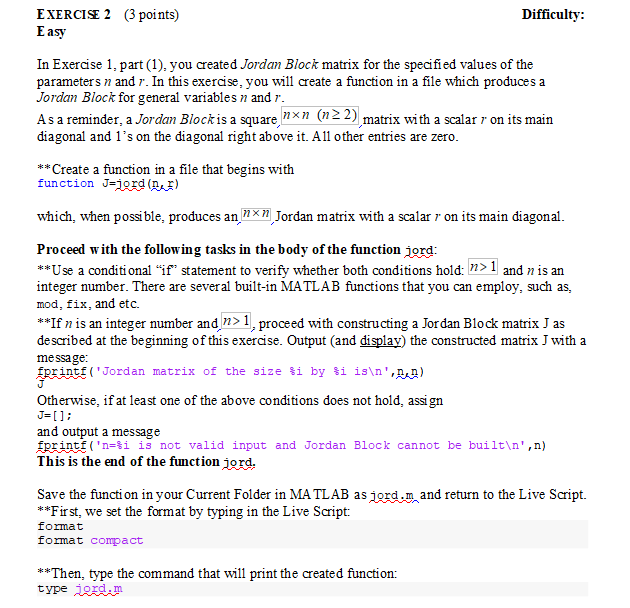
EXERCISE 2 (3 points) Difficulty: Easy In Exercise 1, part (1), you created Jordan Block matrix for the specified values of the parameters n and r. In this exercise, you will create a function in a file which produces a Jordan Block for general variables n and r. As a reminder, a Jordan Blockis a square, nxn (122) matrix with a scalar r on its main diagonal and l's on the diagonal right above it. All other entries are zero. **Create a function in a file that begins with function Jejerd () which, when possible, produces an "xn Jordan matrix with a scalar r on its main diagonal. Proceed with the following tasks in the body of the function jord: **Use a conditional if statement to verify whether both conditions hold: n>1 and n is an integer number. There are several built-in MATLAB functions that you can employ, such as, mod, fix, and etc. **If n is an integer number and, n>1, proceed with constructing a Jordan Block matrix J as described at the beginning of this exercise. Output (and display) the constructed matrix J with a message: sprints ('Jordan matrix of the size $i by $i 18 ', bud) Otherwise, if at least one of the above conditions does not hold, assign J=[]; and output a message Eprintf('n=$i is not valid input and Jordan Block cannot be built ',n) This is the end of the function jord. Save the function in your Current Folder in MATLAB as jord.n and return to the Live Script. **First, we set the format by typing in the Live Script: format compact format **Then, type the command that will print the created function: type jord.m EXERCISE 2 (3 points) Difficulty: Easy In Exercise 1, part (1), you created Jordan Block matrix for the specified values of the parameters n and r. In this exercise, you will create a function in a file which produces a Jordan Block for general variables n and r. As a reminder, a Jordan Blockis a square, nxn (122) matrix with a scalar r on its main diagonal and l's on the diagonal right above it. All other entries are zero. **Create a function in a file that begins with function Jejerd () which, when possible, produces an "xn Jordan matrix with a scalar r on its main diagonal. Proceed with the following tasks in the body of the function jord: **Use a conditional if statement to verify whether both conditions hold: n>1 and n is an integer number. There are several built-in MATLAB functions that you can employ, such as, mod, fix, and etc. **If n is an integer number and, n>1, proceed with constructing a Jordan Block matrix J as described at the beginning of this exercise. Output (and display) the constructed matrix J with a message: sprints ('Jordan matrix of the size $i by $i 18 ', bud) Otherwise, if at least one of the above conditions does not hold, assign J=[]; and output a message Eprintf('n=$i is not valid input and Jordan Block cannot be built ',n) This is the end of the function jord. Save the function in your Current Folder in MATLAB as jord.n and return to the Live Script. **First, we set the format by typing in the Live Script: format compact format **Then, type the command that will print the created function: type jord.m
Step by Step Solution
There are 3 Steps involved in it

Get step-by-step solutions from verified subject matter experts
 Study Help