







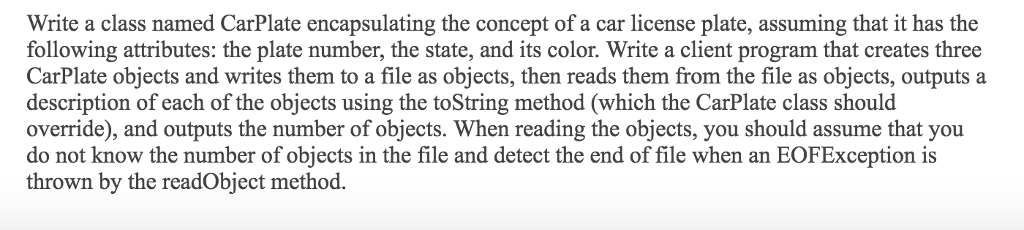
Question: Fixed the error part and organize the project. Create a Java NetBeans project. Read the instructions below. Make sure including your output. Make sure the
Fixed the error part and organize the project. Create a Java NetBeans project. Read the instructions below. Make sure including your output. Make sure the code will work in NetBeans IDE 8.0.2 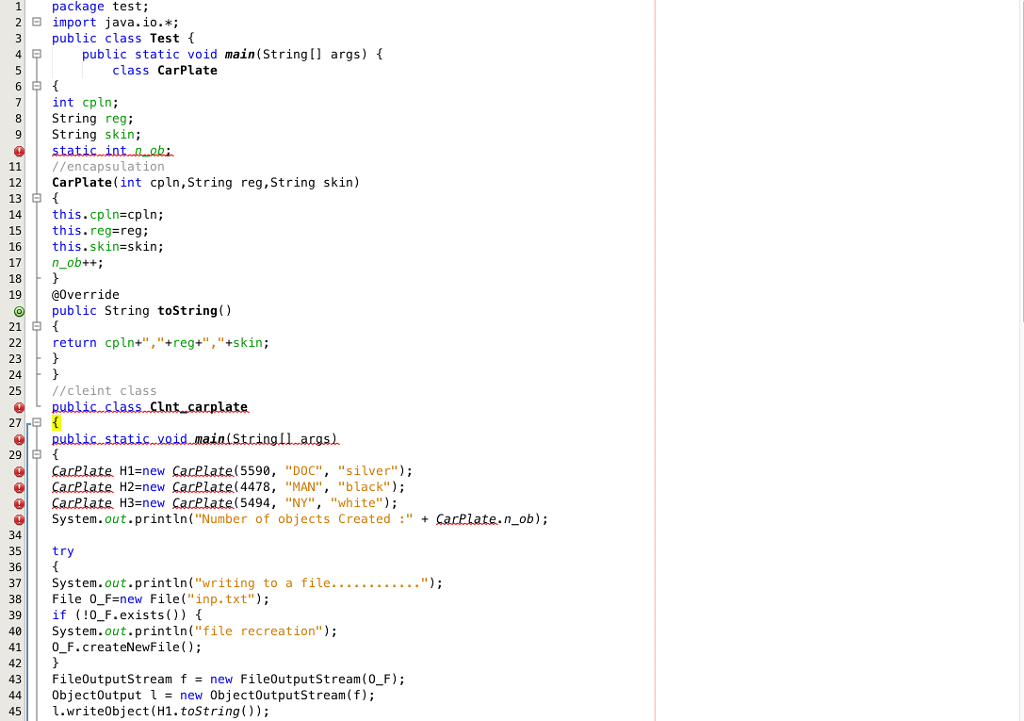
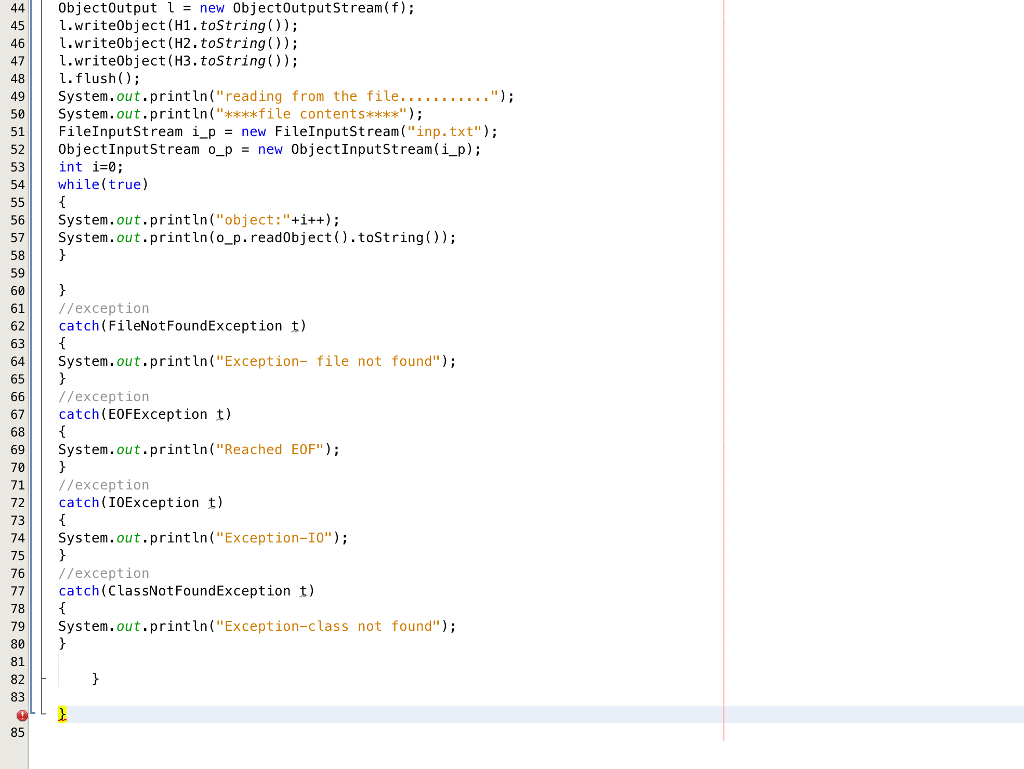
1 package test; 2 import java.io.*; 3 public class Test 4 public static void main(String args) class CarPlate 7 int cpln; 8 String reg; 9String skin 11//encapsulation 12 CarPlate(int cpln,String reg,String skin) 13 14 this.cpln=cpln; 15 this.reg-reg; 16 | this.skin=skin; 17 n_ob++; 18 19 @0verride public String toString) 21 return cpln+","+reg+","+skin; 23 24 25/cleint class 27 29 careiate H1=new CarPlatel 5590, "DOC", ..silver"); CarPlate H2-new CarPlate(4478, "MAN", "black") Carelate H3=new CarPlatel 5494, "NY", "white"); System.out.println("Number of objects Created"+ CarPlate.n_ob); 34 35 try 36 38 File 0_F new File("inp.txt"); 39 if (0_F.exists)) 40System.out.println("file recreation"); 410 F.createNewFile); 43 FileOutputStream f new FileOutputStream (0_F) 44| | 0bjectOutput 1 new 0bjectOutputStream(f); 451.write0bject (H1. toString))
Step by Step Solution
There are 3 Steps involved in it

Get step-by-step solutions from verified subject matter experts
 Study Help