







Question: Hello I am having errors with my android studio code.It is a gps code. It is using api 2 7 and it has a lot
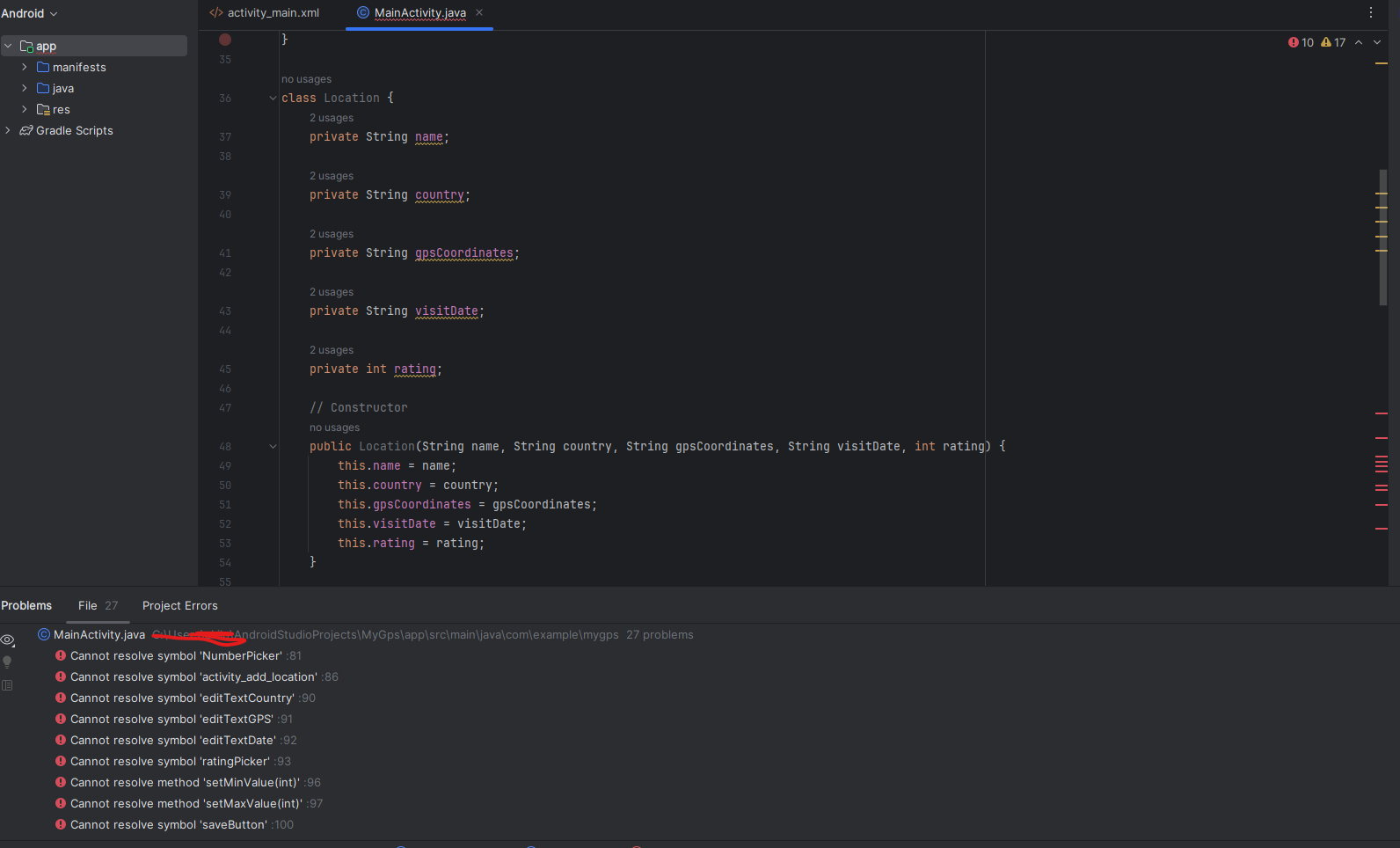
Hello I am having errors with my android studio code.It is a gps code. It is using api and it has a lot of underline erros and I will leave the code down below and give you a screenshot of how it looks like. Can you please help this code be able to run?
code:
package com.example.mygps;
import android.content.Intent;
import android.osBundle;
import android.view.View;
import android.widget.EditText;
import android.widget.Toast;
import androidx.appcompat.app.AppCompatActivity;
import androidx.core.graphics.Insets;
import androidx.core.view.ViewCompat;
import androidx.core.view.WindowInsetsCompat;
public class MainActivity extends AppCompatActivity
@Override
protected void onCreateBundle savedInstanceState
super.onCreatesavedInstanceState;
setContentViewRlayout.activitymain;
Setup window insets
ViewCompat.setOnApplyWindowInsetsListenerfindViewByIdRidmain
v insets
Insets systemBars insets.getInsetsWindowInsetsCompatType.systemBars;
vsetPaddingsystemBarsleft, systemBars.top, systemBars.right, systemBars.bottom;
return insets;
;
onClickListener for Button Click
findViewByIdRidaddLocationButtonsetOnClickListenerview
Intent intent new IntentMainActivitythis, AddLocationActivity.class;
startActivityintent;
;
class Location
private String name;
private String country;
private String gpsCoordinates;
private String visitDate;
private int rating;
Constructor
public LocationString name, String country, String gpsCoordinates, String visitDate, int rating
this.name name;
this.country country;
this.gpsCoordinates gpsCoordinates;
this.visitDate visitDate;
this.rating rating;
Getters and setters
public String getName
return name;
public String getCountry
return country;
public String getGpsCoordinates
return gpsCoordinates;
public String getVisitDate
return visitDate;
public int getRating
return rating;
public class AddLocationActivity extends AppCompatActivity
private EditText editTextName, editTextCountry, editTextGPS, editTextDate;
private NumberPicker ratingPicker;
@Override
protected void onCreateBundle savedInstanceState
super.onCreatesavedInstanceState;
setContentViewRlayout.activityaddlocation;
Initialize views
editTextName findViewByIdRideditTextName;
editTextCountry findViewByIdRideditTextCountry;
editTextGPS findViewByIdRideditTextGPS;
editTextDate findViewByIdRideditTextDate;
ratingPicker findViewByIdRidratingPicker;
Configure NumberPicker
ratingPicker.setMinValue;
ratingPicker.setMaxValue;
Set up save button
findViewByIdRidsaveButtonsetOnClickListenerview
String name editTextName.getTexttoString;
String country editTextCountry.getTexttoString;
String gps editTextGPS.getTexttoString;
String date editTextDate.getTexttoString;
int rating ratingPicker.getValue;
Display a Toast message for now
Toast.makeTextthis "Location saved: name, Toast.LENGTHSHORTshow;
;
Step by Step Solution
There are 3 Steps involved in it
1 Expert Approved Answer
Step: 1 Unlock

Question Has Been Solved by an Expert!
Get step-by-step solutions from verified subject matter experts
Step: 2 Unlock
Step: 3 Unlock
 Study Help