







Question: In this activity, you use the arp command to view and then delete the ARP cache, and you use the ping and tracert commands to
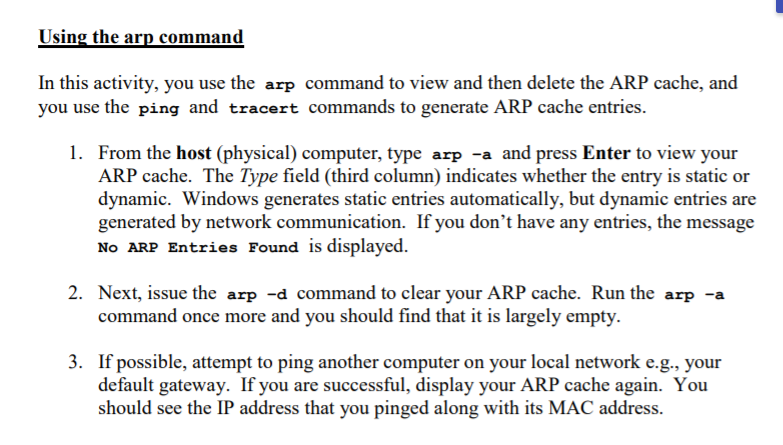
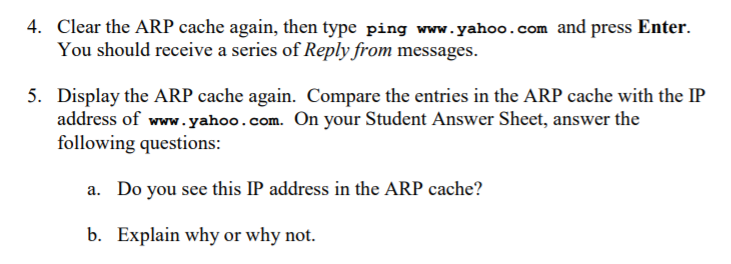
In this activity, you use the arp command to view and then delete the ARP cache, and you use the ping and tracert commands to generate ARP cache entries. 1. From the host (physical) computer, type arp -a and press Enter to view your ARP cache. The Type field (third column) indicates whether the entry is static or dynamic. Windows generates static entries automatically, but dynamic entries are generated by network communication. If you don't have any entries, the message No ARP Entries Found is displayed. 2. Next, issue the arp -d command to clear your ARP cache. Run the arp -a command once more and you should find that it is largely empty. If possible, attempt to ping another computer on your local network e.g., your default gateway. If you are successful, display your ARP cache again. You should see the IP address that you pinged along with its MAC address. 3. 4. Clear the ARP cache again, then type ping www.yahoo.com and press Enter. You should receive a series of Reply from messages 5. Display the ARP cache again. Compare the entries in the ARP cache with the IP address of www.yahoo.com. On your Student Answer Sheet, answer the following questions: b. Explain why or why not. In this activity, you use the arp command to view and then delete the ARP cache, and you use the ping and tracert commands to generate ARP cache entries. 1. From the host (physical) computer, type arp -a and press Enter to view your ARP cache. The Type field (third column) indicates whether the entry is static or dynamic. Windows generates static entries automatically, but dynamic entries are generated by network communication. If you don't have any entries, the message No ARP Entries Found is displayed. 2. Next, issue the arp -d command to clear your ARP cache. Run the arp -a command once more and you should find that it is largely empty. If possible, attempt to ping another computer on your local network e.g., your default gateway. If you are successful, display your ARP cache again. You should see the IP address that you pinged along with its MAC address. 3. 4. Clear the ARP cache again, then type ping www.yahoo.com and press Enter. You should receive a series of Reply from messages 5. Display the ARP cache again. Compare the entries in the ARP cache with the IP address of www.yahoo.com. On your Student Answer Sheet, answer the following questions: b. Explain why or why not
Step by Step Solution
There are 3 Steps involved in it

Get step-by-step solutions from verified subject matter experts
 Study Help