







Question: Lab 4.1 Editing Files with the vim Editor STEP 1. Open a terminal window STEP 2. Copy the /usr/share/doc/git-docluser-manual.txt f file into your current directory
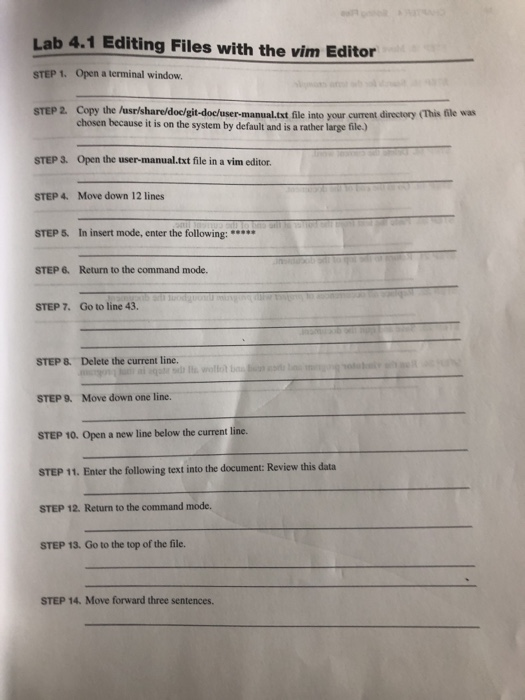
Lab 4.1 Editing Files with the vim Editor STEP 1. Open a terminal window STEP 2. Copy the /usr/share/doc/git-docluser-manual.txt f file into your current directory (This file was chosen because it is on the system by default and is a rather large file) STEP 3. Open the user-manual.txt file in a vim editor. STEP4. Move down 12 lines STEP 5. In insert mode, enter the following: STEP 6. Return to the command mode. STEP 7. Go to line 43. STEP 8. Delete the current line. STEP 9. Move down one line. STEP 10. Open a new line below the current line. STEP 11. Enter the following text into the document: Review this data STEP 12. Return to the command mode. STEP 13. Go to the top of the file. STEP 14. Move forward three sentences
Step by Step Solution
There are 3 Steps involved in it

Get step-by-step solutions from verified subject matter experts
 Study Help