







Question: Lab NOTE For this lab, you need any computer running Windows 10 or Server 2019 with PowerShell v7 or later. The following command is for
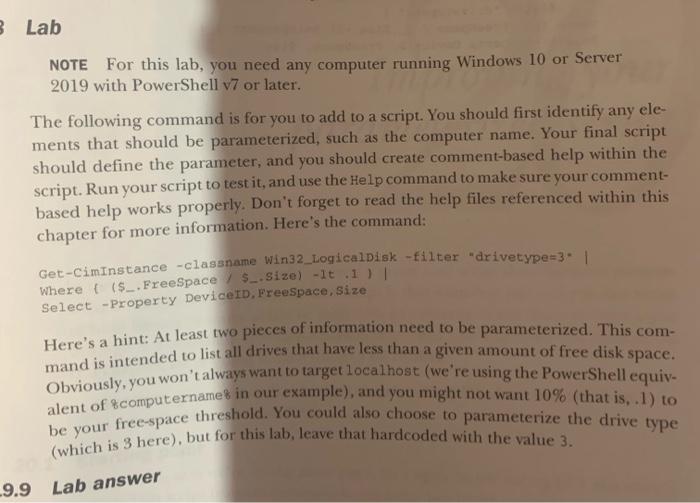
Lab NOTE For this lab, you need any computer running Windows 10 or Server 2019 with PowerShell v7 or later. The following command is for you to add to a script. You should first identify any elements that should be parameterized, such as the computer name. Your final script should define the parameter, and you should create comment-based help within the script. Run your script to test it, and use the Help command to make sure your commentbased help works properly. Don't forget to read the help files referenced within this chapter for more information. Here's the command: Get-CimInstance -classname Win32_Logicalpisk -filter "drivetype=3* | Where i (\$_.Freespace / \$_.Size) - 1t.1 ) | Select -Property DeviceID, Freespace, size Here's a hint: At least two pieces of information need to be parameterized. This command is intended to list all drives that have less than a given amount of free disk space. Obviously, you won't always want to target local host (we're using the PowerShell equivalent of 8computername 8 in our example), and you might not want 10% (that is, .1) to be your free-space threshold. You could also choose to parameterize the drive type (which is 3 here), but for this lab, leave that hardcoded with the value 3 . Lab
Step by Step Solution
There are 3 Steps involved in it

Get step-by-step solutions from verified subject matter experts
 Study Help