







Question: Matlab code. Here is the smile file. Here are the transformation matrices the problem talks about (3 matrices of size 4x4). [1 0 0 4;
Matlab code.
Here is the smile file.

Here are the transformation matrices the problem talks about (3 matrices of size 4x4).
[1 0 0 4; 0 1 0 -5; 0 0 1 6; 0 0 0 1]
[1 0 0 0; 0 2 0 0; 0 0 3 0; 0 0 0 1]
[-1 0 0 4; 0 1 0 2; 0 0 1 0; 0 0 0 1]
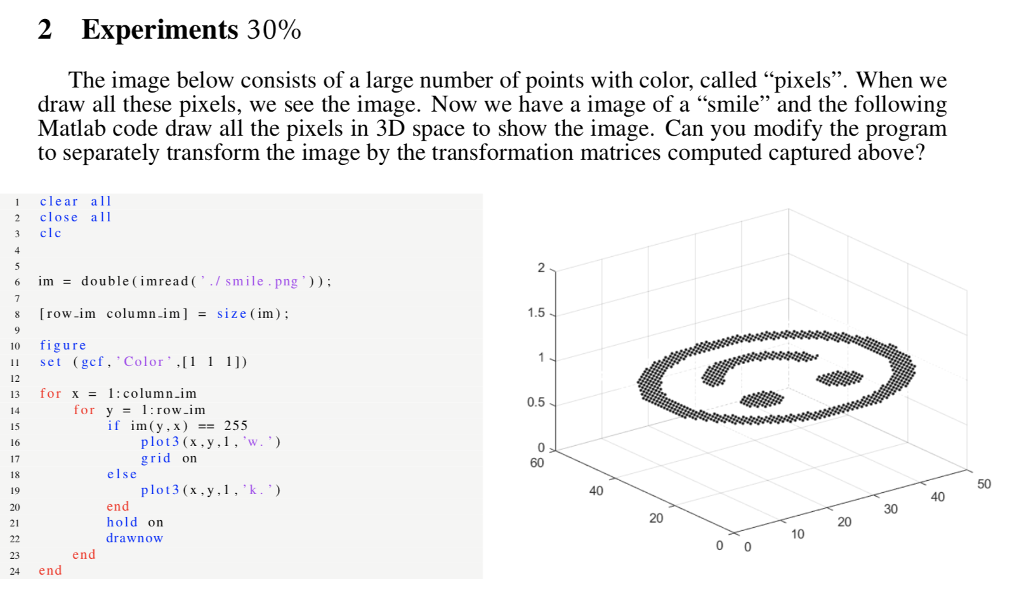
2 Experiments 30% The image below consists of a large number of points with color, called "pixels". When we draw all these pixels, we see the image. Now we have a image of a "smile" and the following Matlab code draw all the pixels in 3D space to show the image. Can you modify the program to separately transform the image by the transformation matrices computed captured above? 1 clear all 2 close alI 3 clc 6 im double (imread(/smile.png )) s row.im column im] -size(im) 0 figure 1.5 set (gcf. Color 11) 12 13 for x - 1:column.im 0.5 for y1:row im if im(y,x)255 15 16 17 18 grid on 60 else 40 20 21 end hold on drawnow 20 end 24 end 2 Experiments 30% The image below consists of a large number of points with color, called "pixels". When we draw all these pixels, we see the image. Now we have a image of a "smile" and the following Matlab code draw all the pixels in 3D space to show the image. Can you modify the program to separately transform the image by the transformation matrices computed captured above? 1 clear all 2 close alI 3 clc 6 im double (imread(/smile.png )) s row.im column im] -size(im) 0 figure 1.5 set (gcf. Color 11) 12 13 for x - 1:column.im 0.5 for y1:row im if im(y,x)255 15 16 17 18 grid on 60 else 40 20 21 end hold on drawnow 20 end 24 end
Step by Step Solution
There are 3 Steps involved in it

Get step-by-step solutions from verified subject matter experts
 Study Help