







Question: No . 1 . Verilog half adder. Write Verilog Program for Half Adder. You are provided with code for Structural, Data flow and Behavioral representations
No Verilog half adder.
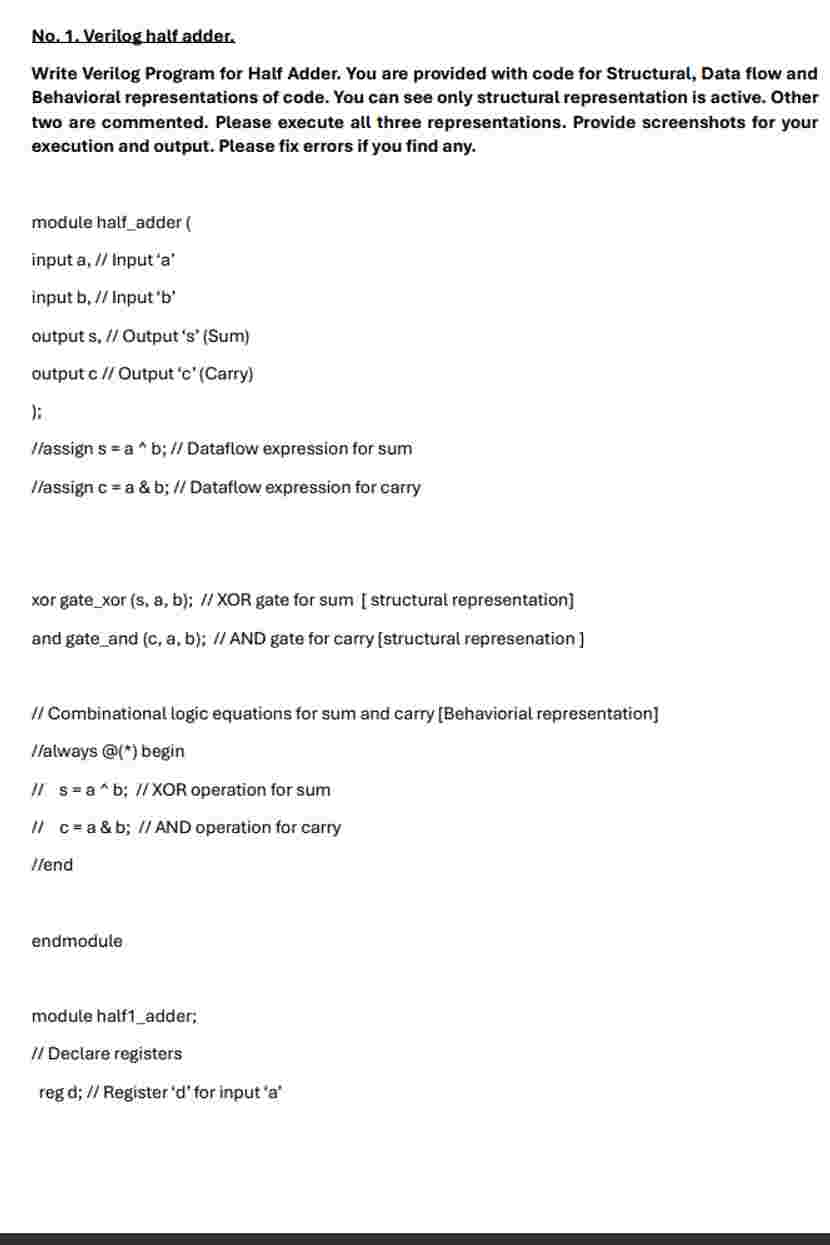
Write Verilog Program for Half Adder. You are provided with code for Structural, Data flow and Behavioral representations of code. You can see only structural representation is active. Other two are commented. Please execute all three representations. Provide screenshots for your execution and output. Please fix errors if you find any.
module halfadder
input a Input a
input b Input b
output s Output sSum
output c Output cCarry
;
assign s a b; Dataflow expression for sum
assign c a & b; Dataflow expression for carry
xor gatexor s a b; XOR gate for sum structural representation
and gateand c a b; AND gate for carry structural represenation
Combinational logic equations for sum and carry Behaviorial representation
always @ begin
mathrmsmathrmawedgemathrmb; XOR operation for sum
ca & b ; AND operation for carry
Iend
endmodule
module halfadder;
Declare registers
reg d; Register d for input a reg e; Register e for input b
Declare wires
wire f; Wire f for output sSum
wire g; Wire g for output c Carry
Instantiate halfadder module
halfadder halfadder adbesf cg;
Initial block for simulation
initial begin
Test case
$displaytest case ;
mathrmdb; Assign input a as
$displayab d; Display value of input a
eb; Assign input b as
$displaybb e; Display value of input b
#; Wait for time units
$displaysb f; Display value of output s Sum
$displaycb g; Display value of output C Carry
Test case
$displaytest case ;
db; Assign input a as
$displayab d; Display value of input a
eb; Assign input b as
$displaybb e; Display value of input b
#; Wait for time units
$displaysb f; Display value of output sSum
$displaymathrmcmathrm~bprime primemathrmg; Display value of output c Carry
Test case
$displaytest case ; db; Assign input a as
$displayab d; Display value of input a
eb; Assign input b as
$displaybb e; Display value of input b
#: Wait for time units
$displaysb f; Display value of output sSum
$displaycb g; Display value of output cCarry
Test case
$displaytest case ;
d b ; Assign input a as
$displayab d; Display value of input a
eb; Assign input b as
$displaybb e; Display value of input b
#; Wait for time units
$displaysb f; Display value of output sSum
$displaycb g; Display value of output cCarry
end
endmodule
Step by Step Solution
There are 3 Steps involved in it
1 Expert Approved Answer
Step: 1 Unlock

Question Has Been Solved by an Expert!
Get step-by-step solutions from verified subject matter experts
Step: 2 Unlock
Step: 3 Unlock
 Study Help