







Question: Perform the tollowing tasks: 1. Open Excel and create a new workbook. Createa woncsheet [should be the rst worksheet of the workbook] with your name
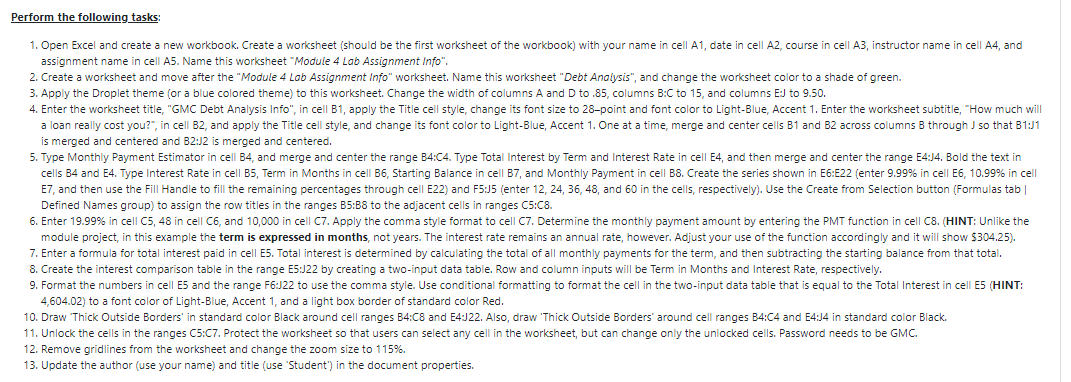
Perform the tollowing tasks: 1. Open Excel and create a new workbook. Createa woncsheet [should be the rst worksheet of the workbook] with your name in cell A1I date in cell A2, course in cell A3, instructor name in cell A4, and assign merit name in cell A5. Name this worksheet 'Moo'ul'e 4 Lab Assignment Info". 2. Create a worksheet and move after the "Moduie 4 tab Assignment Info" worksheet. Name this worksheet "DebtAnol}sis", and change the worksheet color to a shade of green. 3. Apply the Droplet theme [or a blue colored theme} to this worksheet. Change the width of columns A and D to .35, columns B:C to 15, and columns EU to 9.50. 4. Enter the worksheet title, "GMC Debt Analysis Into", in cell Bl, apply the Title cell style, change its font size to 28point and font color to Light-Blue, Accent 1. Enter the worksheet subtitleI 'H ow much will a loan really cost you':\
Step by Step Solution
There are 3 Steps involved in it

Get step-by-step solutions from verified subject matter experts
 Study Help