







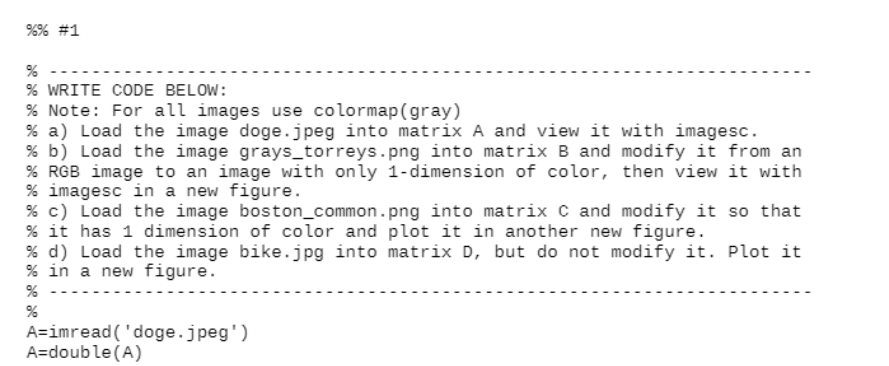
Question: Please complete it by Matlab code %% #1 % WRITE CODE BELOW: % Note: For all images use colormap(gray) % a) Load the image doge.jpeg
Please complete it by Matlab code
%% #1 % WRITE CODE BELOW: % Note: For all images use colormap(gray) % a) Load the image doge.jpeg into matrix A and view it with imagesc. % b) Load the image grays_torreys.png into matrix B and modify it from an % RGB image to an image with only 1-dimension of color, then view it with % imagesc in a new figure. % c) Load the image boston_common.png into matrix C and modify it so that % it has 1 dimension of color and plot it in another new figure. % d) Load the image bike.jpg into matrix D, but do not modify it. Plot it % in a new figure. A=imread('doge.jpeg') A=double(A) %% #1 % WRITE CODE BELOW: % Note: For all images use colormap(gray) % a) Load the image doge.jpeg into matrix A and view it with imagesc. % b) Load the image grays_torreys.png into matrix B and modify it from an % RGB image to an image with only 1-dimension of color, then view it with % imagesc in a new figure. % c) Load the image boston_common.png into matrix C and modify it so that % it has 1 dimension of color and plot it in another new figure. % d) Load the image bike.jpg into matrix D, but do not modify it. Plot it % in a new figure. A=imread('doge.jpeg') A=double(A)
Step by Step Solution
There are 3 Steps involved in it

Get step-by-step solutions from verified subject matter experts
 Study Help