







Question: PLEASE HELP ME STEP BY STEP: Select cell E3 on the Calorie Tracking sheet. Start a VLOOKUP function to lookup the label in cell C3
PLEASE HELP ME STEP BY STEP: Select cell E3 on the Calorie Tracking sheet. Start a VLOOKUP function to lookup the label in cell C3. For the array, use an absolute reference to cells A2:D10 on the Data sheet. The Col_index_num is 4 for the calories per minute column. Leave the Range_lookup argument empty; the array (A2:D10) is sorted in ascending order. The result of the VLOOKUP formula is calories per minute for the exercise (Figure 7-70).
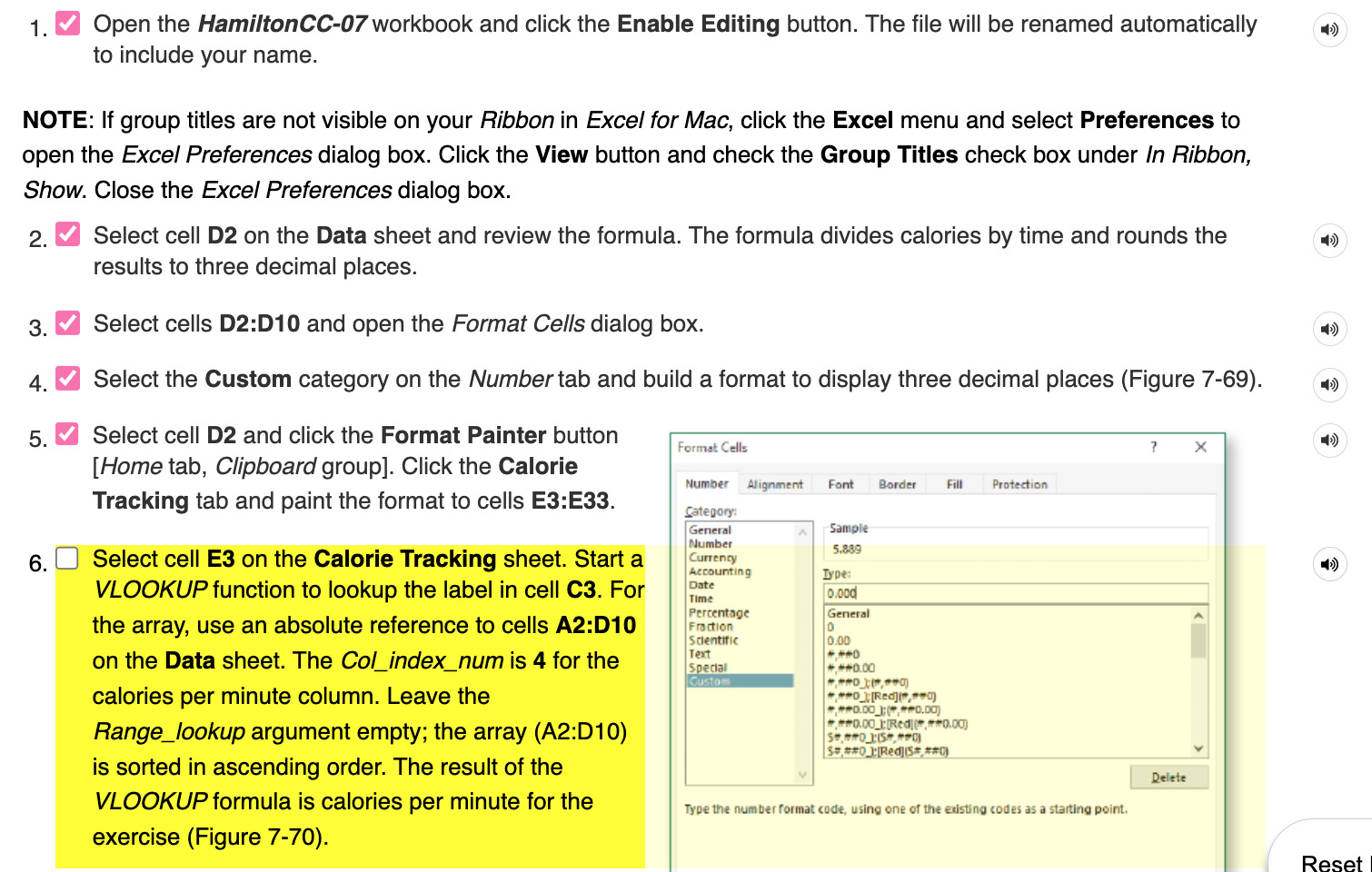
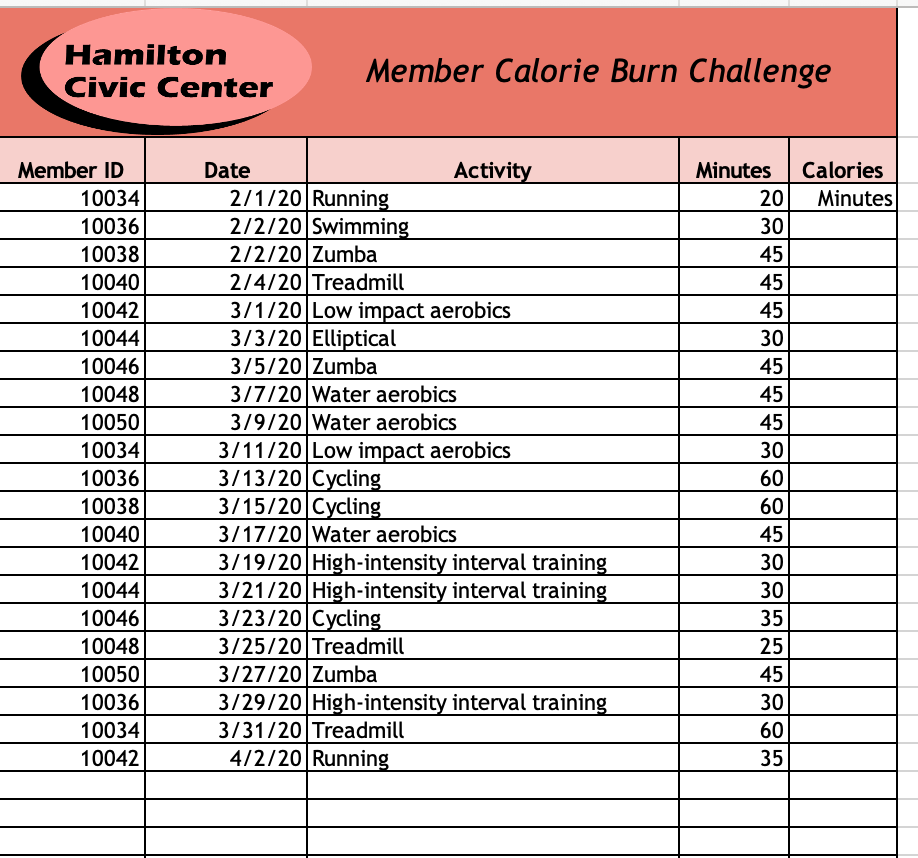
1. Open the HamiltonCC-07 workbook and click the Enable Editing button. The file will be renamed automatically to include your name. NOTE: If group titles are not visible on your Ribbon in Excel for Mac, click the Excel menu and select Preferences to open the Excel Preferences dialog box. Click the View button and check the Group Titles check box under In Ribbon, Show. Close the Excel Preferences dialog box. 2. Select cell D2 on the Data sheet and review the formula. The formula divides calories by time and rounds the results to three decimal places. 3. Select cells D2:D10 and open the Format Cells dialog box. 4. Select the Custom category on the Number tab and build a format to display three decimal places (Figure 7-69). 5. Select cell D2 and click the Format Painter button [Home tab, Clipboard group]. Click the Calorie Tracking tab and paint the format to cells E3:E33. 6. Select cell E3 on the Calorie Tracking sheet. Start a VLOOKUP function to lookup the label in cell C3. For the array, use an absolute reference to cells A2:D10 on the Data sheet. The Col_index_num is 4 for the calories per minute column. Leave the Range_lookup argument empty; the array (A2:D10) is sorted in ascending order. The result of the VLOOKUP formula is calories per minute for the Type the number format code, using one of the existing codes as a starting point. exercise (Figure 7-70). Hamilton Civic Center Member Calorie Burn Challenge
Step by Step Solution
There are 3 Steps involved in it

Get step-by-step solutions from verified subject matter experts
 Study Help