







Question: PLEASE TYPE THE CODE AND SHOW IF ITS RUNNING 1. Open MATLAB 2. Create a Script file named Lab02 (a) Right click Current Folder title
PLEASE TYPE THE CODE AND SHOW IF ITS RUNNING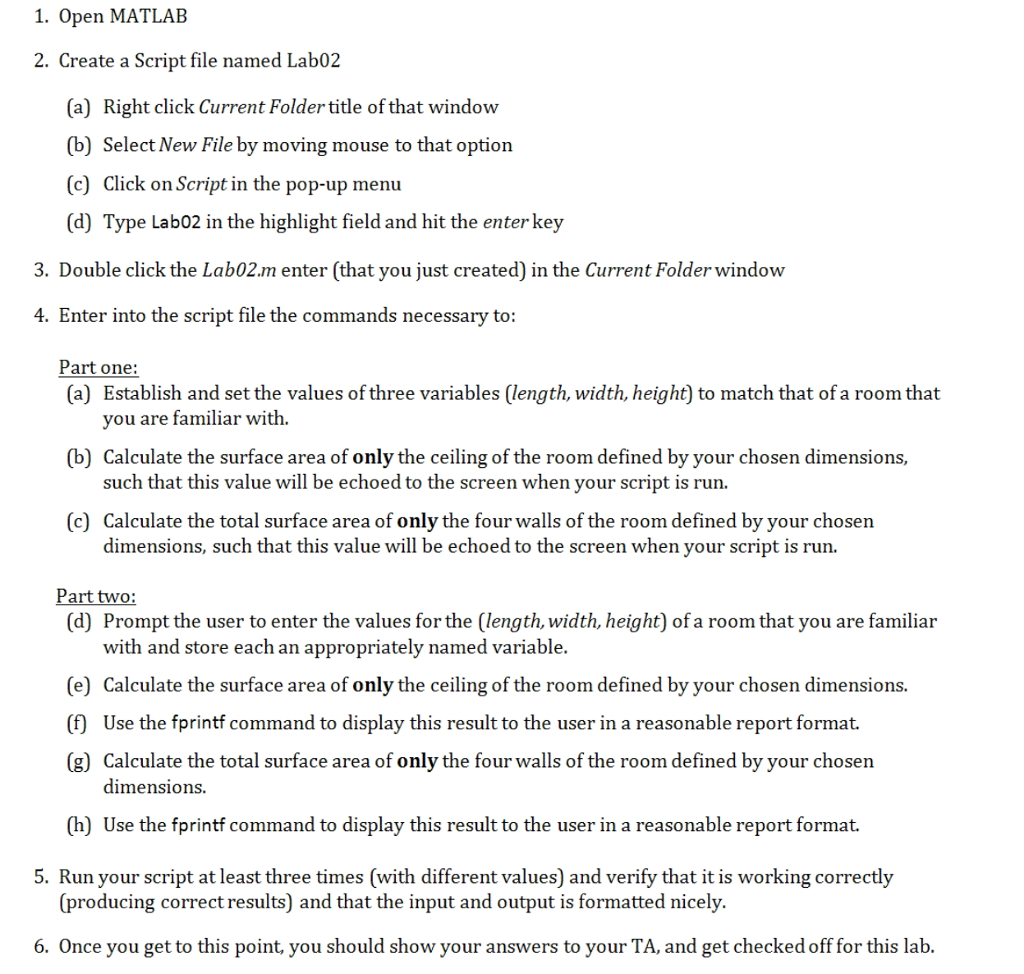
1. Open MATLAB 2. Create a Script file named Lab02 (a) Right click Current Folder title of that window (b) Select New File by moving mouse to that option (c) Click on Script in the pop-up menu (d) Type Lab02 in the highlight field and hit the enter key 3. Double click the Lab02.m enter (that you just created) in the Current Folder window 4. Enter into the script file the commands necessary to: Part one: (a) Establish and set the values of three variables (length, width, height) to match that ofa room that (b) Calculate the surface area of only the ceiling of the room defined by your chosen dimensions, (c) Calculate the total surface area of only the four walls of the room defined by your chosen ou are familiar with such that this value will be echoed to the screen when vour script is run. dimensions, such that this value will be echoed to the screen when your script is run. Part two (d) Prompt the user to enter the values for the (length, width, height) of a room that you are familiar with and store each an appropriately named variable. (e) Calculate the surface area of only the ceiling of the room defined by your chosen dimensions. (f) Use the fprintf command to display this result to the user in a reasonable report format. (g) Calculate the total surface area of only the four walls of the room defined by your chosen dimensions. (h) Use the fprintf command to display this result to the user in a reasonable report format 5. Run your script at least three times (with different values) and verify that it is working correctly (producing correctresults) and that the input and output is formatted nicely. 6. Once you get to this point, you should show your answers to your TA, and get checked off for this lab
Step by Step Solution
There are 3 Steps involved in it

Get step-by-step solutions from verified subject matter experts
 Study Help