







Question: pyton language, use an img color, give me simple code, its jupyter notebook View Insert Cell Kemel Widgets Help 03 1 Not Trusted Run CI
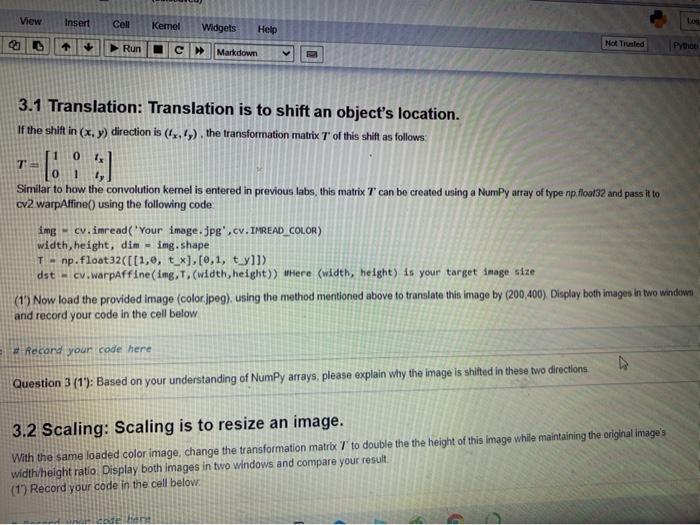
View Insert Cell Kemel Widgets Help 03 1 Not Trusted Run CI Python Markdown 3.1 Translation: Translation is to shift an object's location. If the shift in (x,y) direction is (12.1), the transformation matrix T of this shift as follows 0 Similar to how the convolution kernel is entered in previous labs, this matrix T can be created using a NumPy array of type np. Mont32 and pass it to cv2 warpAffine() using the following code img - cv.imread('Your image.jpg',cv. IMREAD_COLOR) width, height, dim = img.shape T - np. float32([(1,0, t_x],[0,1, ty]]> dst - cv.warpaffine(img, T. (width, height)) Where (width, height) is your target image size (1) Now load the provided image (color.jpeg), using the method mentioned above to translate this image by (200,400) Display both images in two window and record your code in the cell below Record your code here Question 3 (1'): Based on your understanding of Numpy arrays, please explain why the image is shifted in these two directions 3.2 Scaling: Scaling is to resize an image. With the same loaded color image, change the transformation matrix 7 to double the the height of this image while maintaining the original image's width/height ratio Display both images in two windows and compare your result (1) Record your code in the cell below. e bene Two directions 3.2 Scaling: Scaling is to resize an image. With the same loaded color image, change the transformation matrix T to double the the height of this image while maintaining the original image's width/height ratio. Display both images in two windows and compare your result (1) Record your code in the cell below: In [5]: Record your code here
Step by Step Solution
There are 3 Steps involved in it

Get step-by-step solutions from verified subject matter experts
 Study Help