







Question: The data provided for this exercise contains sales transactions from a retail store that sells furniture and office supplies. With the provided exercise data, use
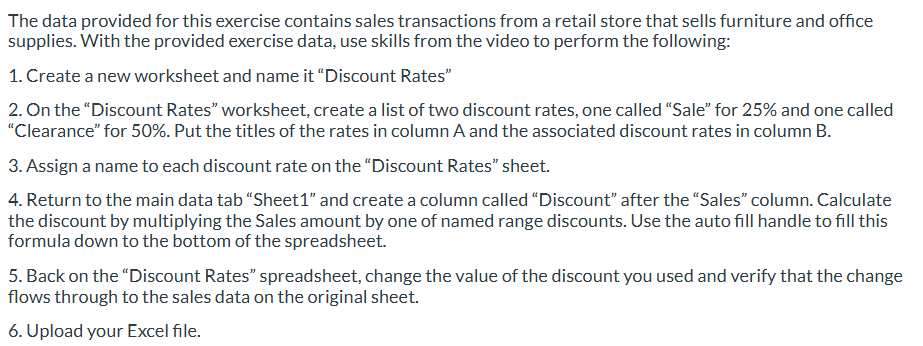
The data provided for this exercise contains sales transactions from a retail store that sells furniture and office supplies. With the provided exercise data, use skills from the video to perform the following:
Create a new worksheet and name it "Discount Rates"
On the "Discount Rates" worksheet, create a list of two discount rates, one called "Sale" for and one called "Clearance" for Put the titles of the rates in column A and the associated discount rates in column B
Assign a name to each discount rate on the "Discount Rates" sheet.
Return to the main data tab "Sheet and create a column called "Discount" after the "Sales" column. Calculate the discount by multiplying the Sales amount by one of named range discounts. Use the auto fill handle to fill this formula down to the bottom of the spreadsheet.
Back on the "Discount Rates" spreadsheet, change the value of the discount you used and verify that the change flows through to the sales data on the original sheet.
Upload your Excel file.
Step by Step Solution
There are 3 Steps involved in it
1 Expert Approved Answer
Step: 1 Unlock

Question Has Been Solved by an Expert!
Get step-by-step solutions from verified subject matter experts
Step: 2 Unlock
Step: 3 Unlock
 Study Help