







Question: Using Account4 project from chapter 4 examples of the Deitels text book , do the following: 1. Convert the Console project to Windows Form project
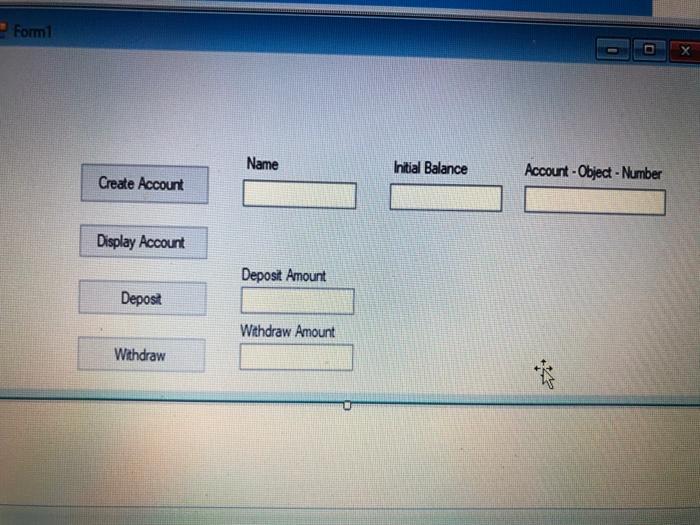
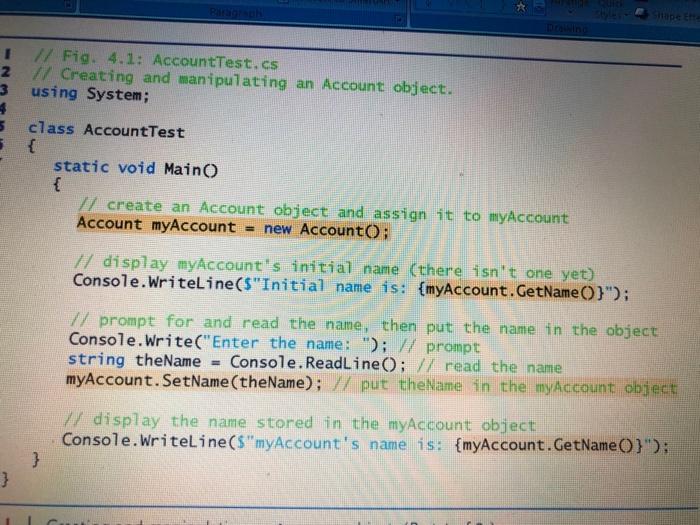
Formi X Name Initial Balance Account - Object - Number Create Account Display Account Deposit Amount Depost Withdraw Amount Withdraw * 1 // Fig. 4.1: AccountTest.es 2 // Creating and manipulating an Account object. 3 using System; 4 5 class Account Test static void Main() { // create an Account object and assign it to myAccount Account myAccount = new AccountO; // display myAccount's initial name (there isn't one yet) Console.WriteLine($"Initial name is: {myAccount. GetName(}"); 7/ prompt for and read the name, then put the name in the object Console.Write("Enter the name: "); // prompt string theName Console.ReadLine(); // read the name myAccount.SetName(theName); // put theName in the myAccount object 17/ display the name stored in the myAccount object Console.WriteLine("myAccount's name is: {myAccount. GetName(}'); } }
Step by Step Solution
There are 3 Steps involved in it

Get step-by-step solutions from verified subject matter experts
 Study Help