







Question: Using Excel, build a decimal to 8-bit binary converter. Do not use any Excel functions except for IF. Hi! I'm doing an assignment where i
"Using Excel, build a decimal to 8-bit binary converter. Do not use any Excel functions except for IF."
Hi! I'm doing an assignment where i have to make a decimal to 8 bit binary converter. How it should work is that when a decimal number is typed into A5, the numbers in B3 through I3 should change in accordance to the binary for that number, without using any functions other than the IF function. For example, typing 46 in A5 should make the binary become 00101110. I just can't figure out the formulas for it! I'd appreciate any help :) 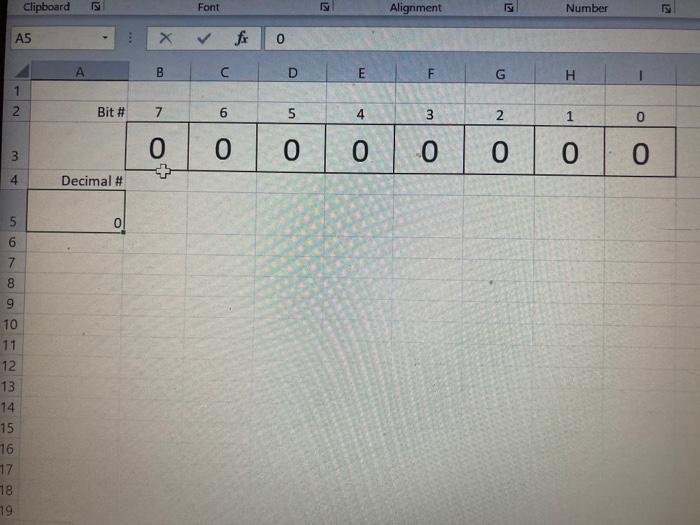
Clipboard Font Alignment Number A5 X for F G H 1 2 Bit # 7 6 5 4 3 2 1 0 0 0 3 0 0 0 0 0 0 4 Decimal # 5 0 Oo oo 9 10 11 -12 13 14 15 16 17 18 79
Step by Step Solution
There are 3 Steps involved in it

Get step-by-step solutions from verified subject matter experts
 Study Help