







Question: Using Matlab 4) Import the file HW3_data (save the file in the directory with your code so that all you call is the file name,
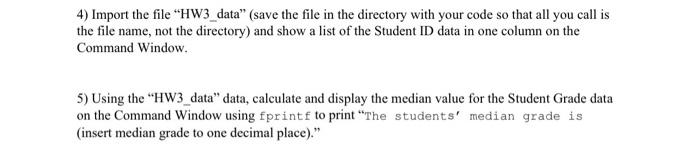
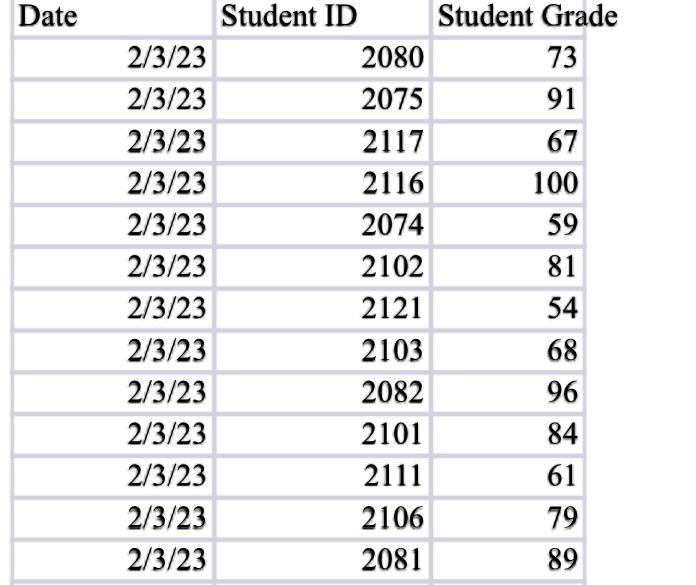
4) Import the file "HW3_data" (save the file in the directory with your code so that all you call is the file name, not the directory) and show a list of the Student ID data in one column on the Command Window. 5) Using the "HW3_data" data, calculate and display the median value for the Student Grade data on the Command Window using fprintf to print "The students' median grade is (insert median grade to one decimal place)." Date Student ID Student Grade \begin{tabular}{|r|r|r|} \hline 2/3/23 & 2080 & 73 \\ \hline 2/3/23 & 2075 & 91 \\ \hline 2/3/23 & 2117 & 67 \\ \hline 2/3/23 & 2116 & 100 \\ \hline 2/3/23 & 2074 & 59 \\ \hline 2/3/23 & 2102 & 81 \\ \hline 2/3/23 & 2121 & 54 \\ \hline 2/3/23 & 2103 & 68 \\ \hline 2/3/23 & 2082 & 96 \\ \hline 2/3/23 & 2101 & 84 \\ \hline 2/3/23 & 2111 & 61 \\ \hline 2/3/23 & 2106 & 79 \\ \hline 2/3/23 & 2081 & 89 \\ \hline \end{tabular}
Step by Step Solution
There are 3 Steps involved in it

Get step-by-step solutions from verified subject matter experts
 Study Help