







Question: web development Hands-On Practice Case Study Task 1: Create a New Folder. Make a copy of the pacific 11 folder. Rename the copy pacific14. All
web development
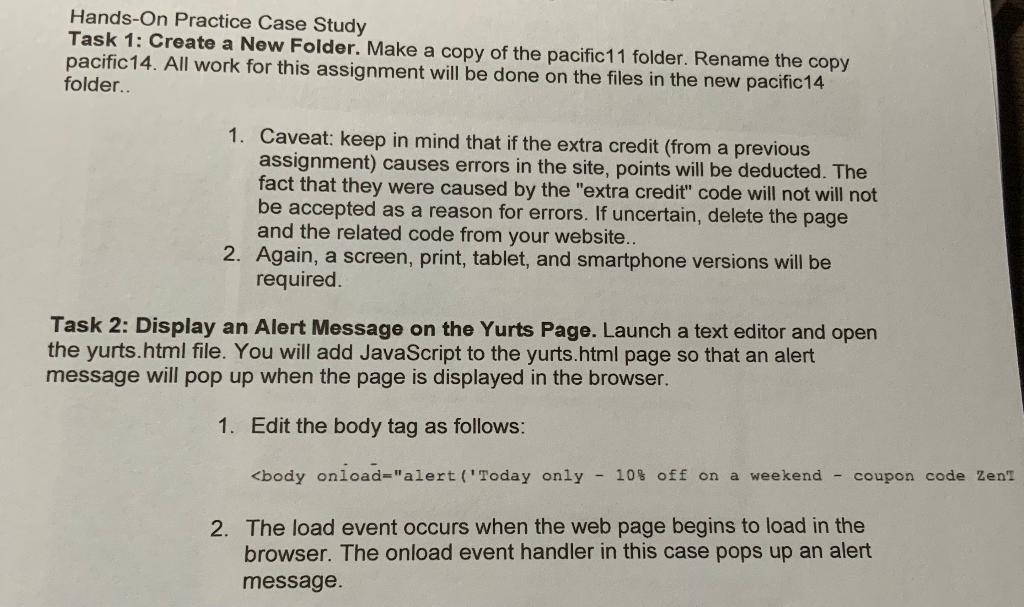
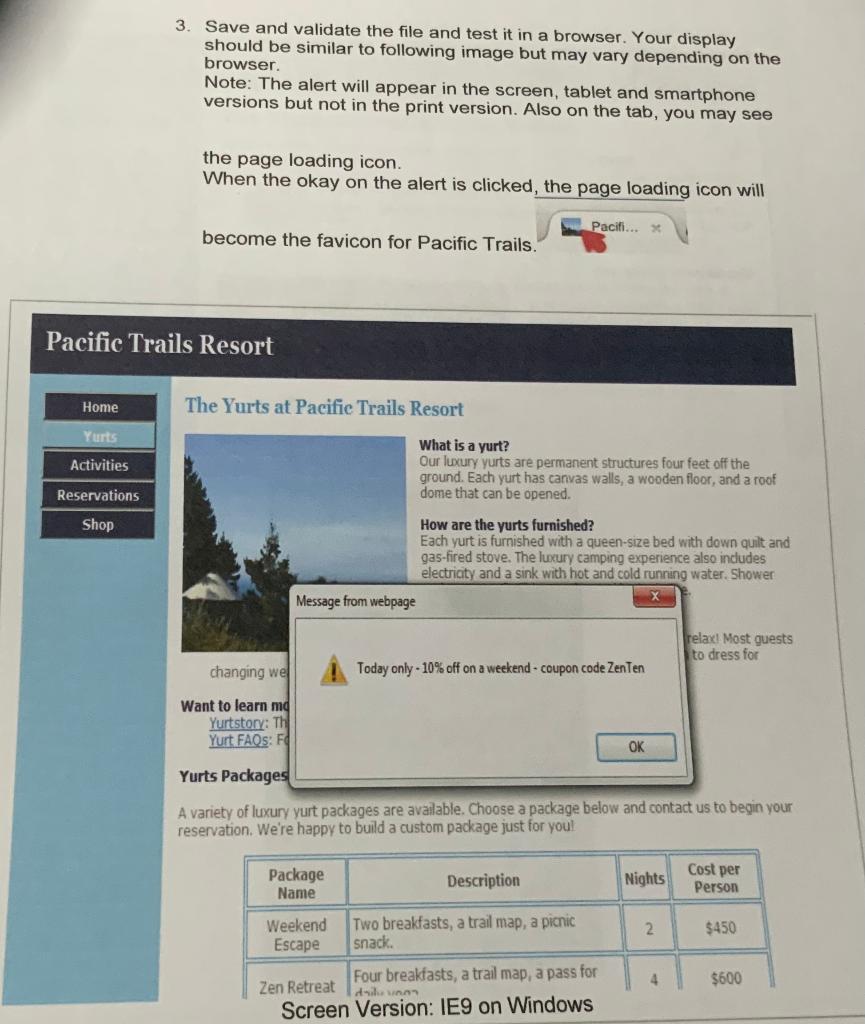
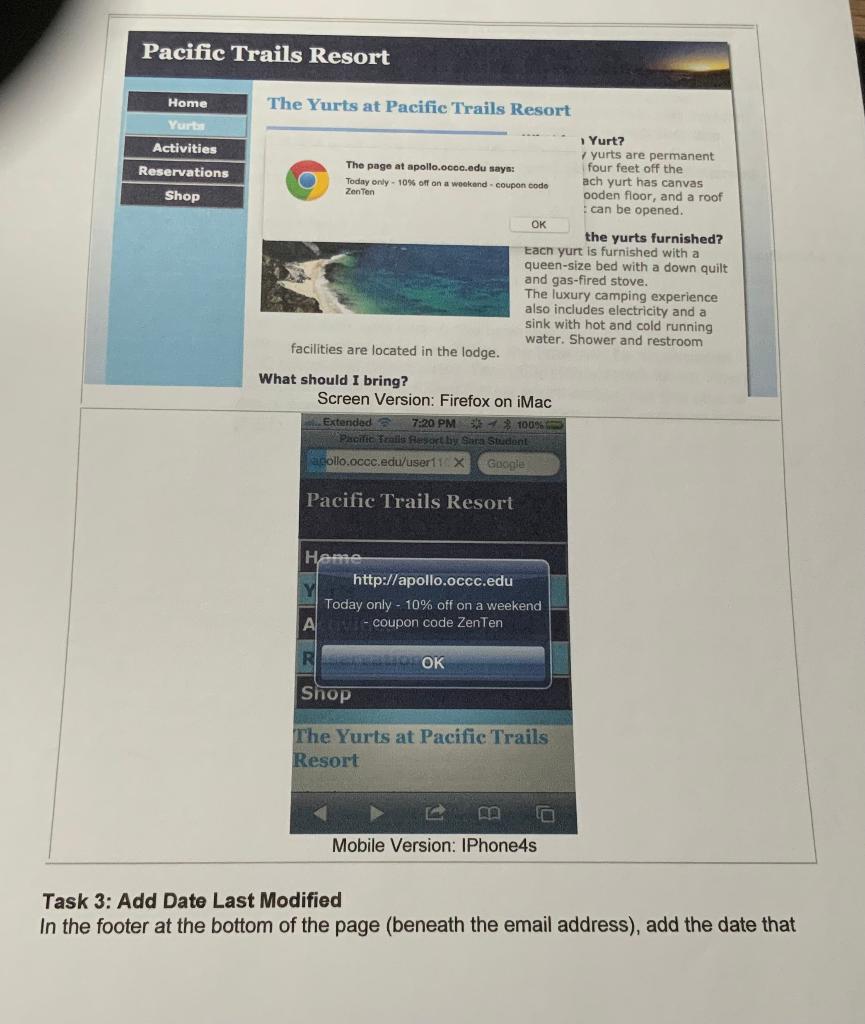
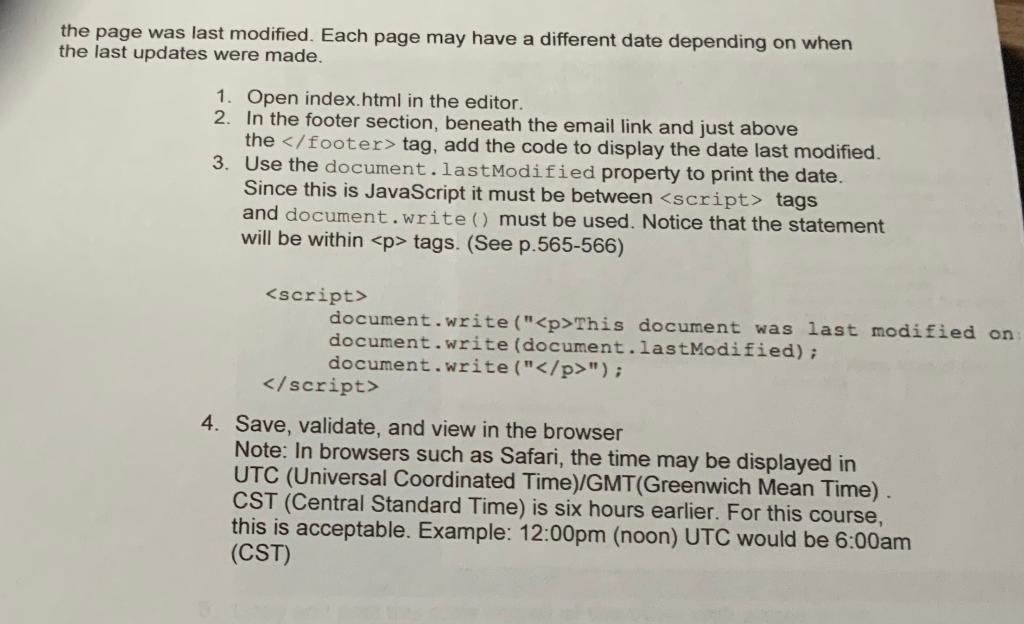
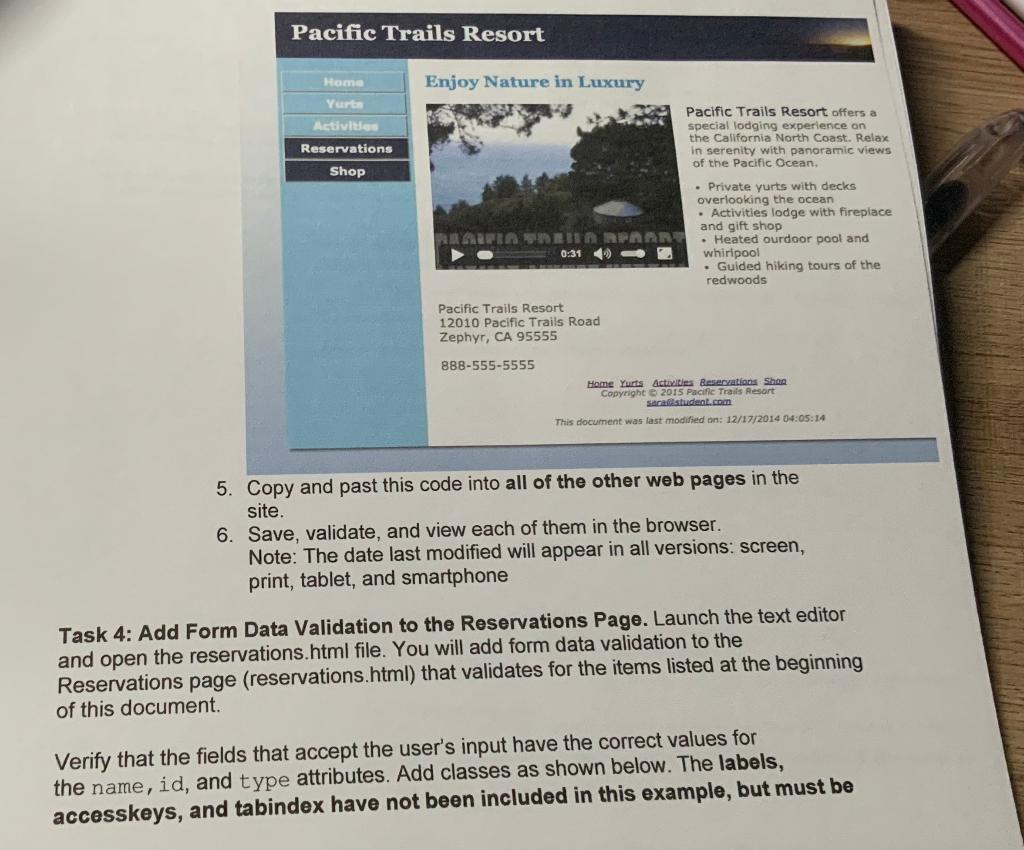
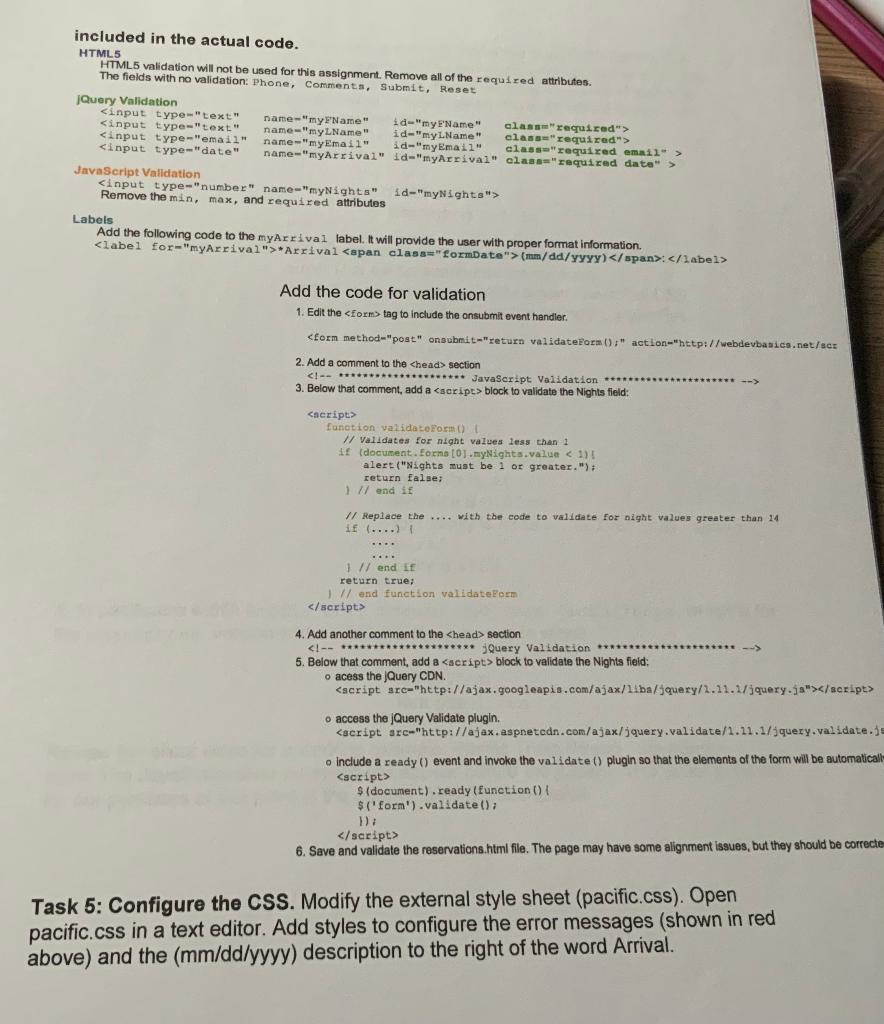
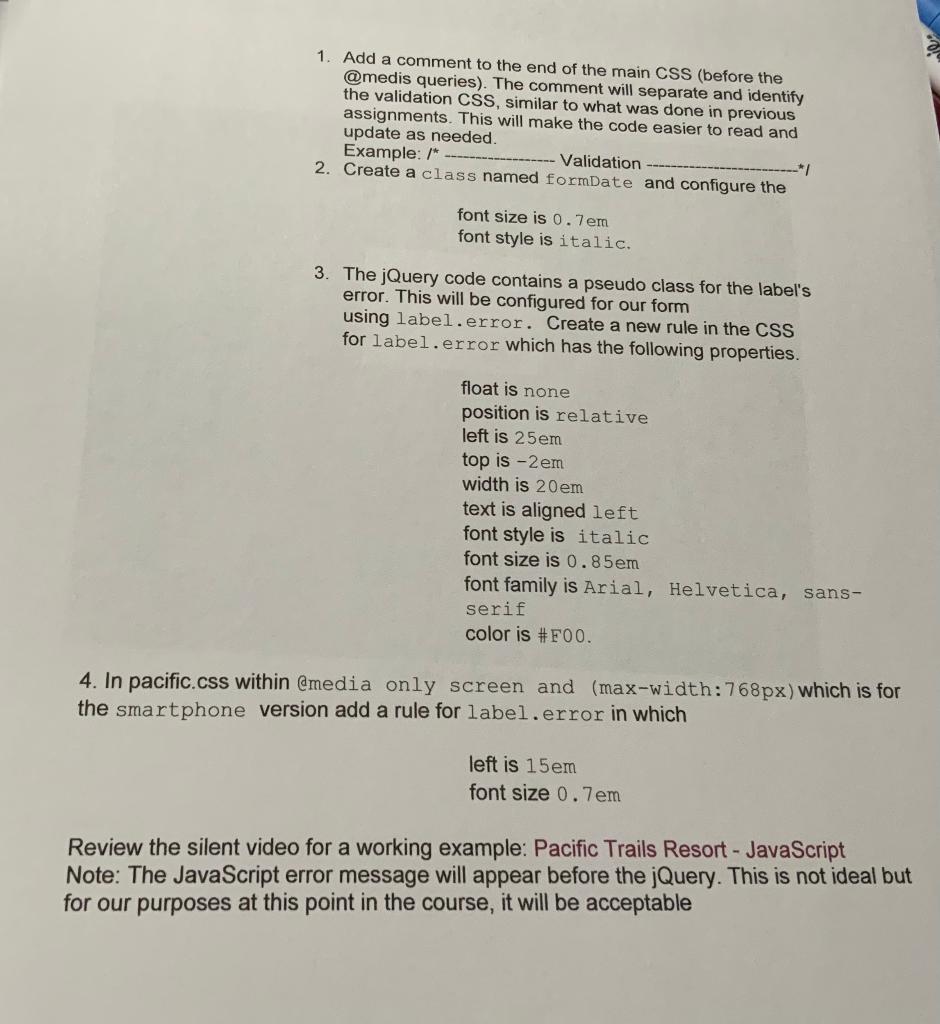
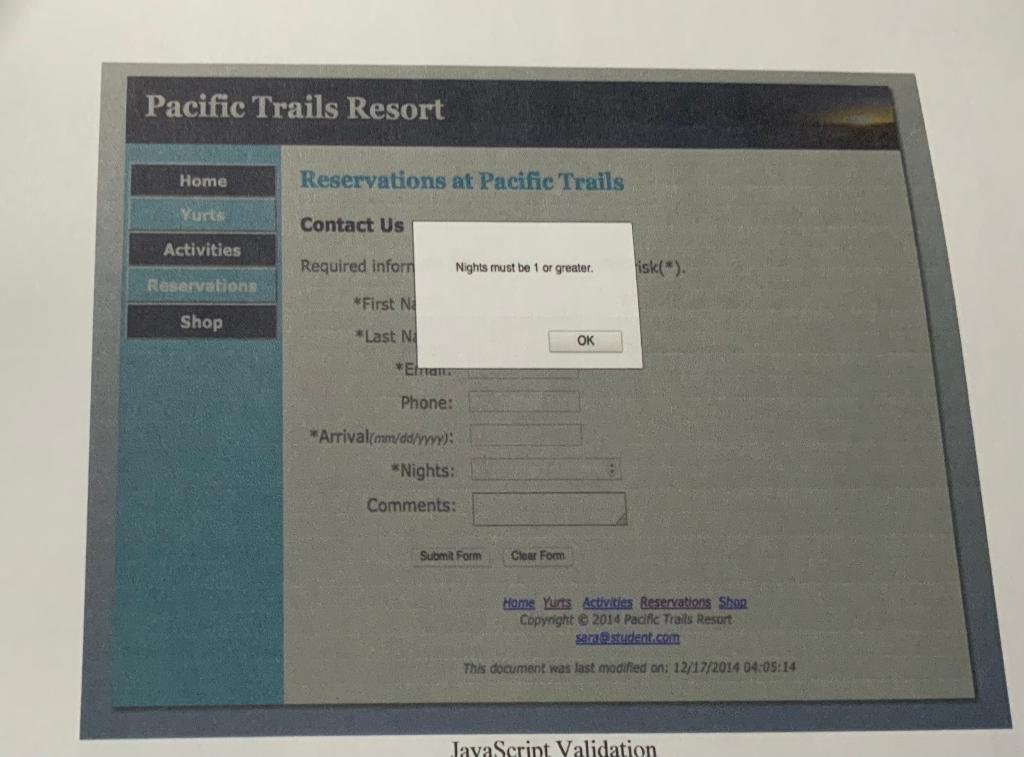
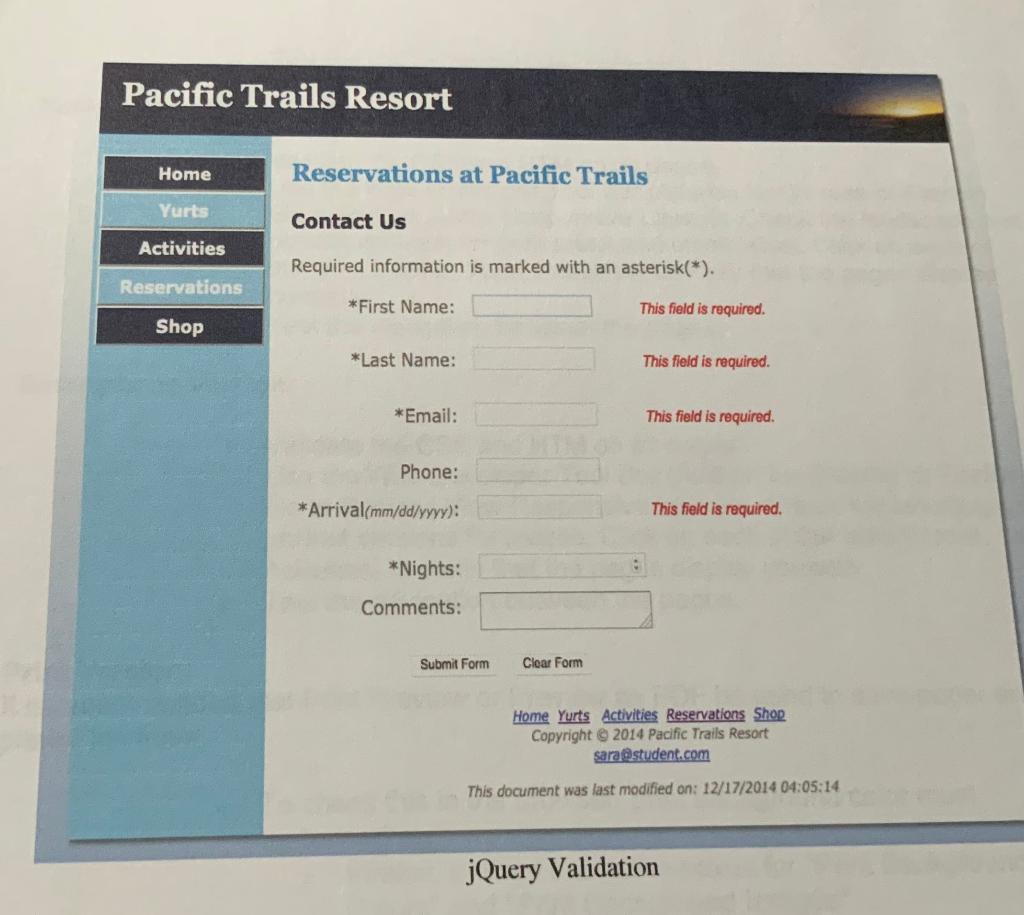
Hands-On Practice Case Study Task 1: Create a New Folder. Make a copy of the pacific 11 folder. Rename the copy pacific14. All work for this assignment will be done on the files in the new pacific14 folder.. 1. Caveat: keep in mind that if the extra credit (from a previous assignment) causes errors in the site, points will be deducted. The fact that they were caused by the "extra credit" code will not will not be accepted as a reason for errors. If uncertain, delete the page and the related code from your website.. 2. Again, a screen, print, tablet, and smartphone versions will be required. Task 2: Display an Alert Message on the Yurts Page. Launch a text editor and open the yurts.html file. You will add JavaScript to the yurts.html page so that an alert message will pop up when the page is displayed in the browser. 1. Edit the body tag as follows: 10% off on a weekend - coupon code ZenTen Want to learn mo Yurtstory: Th Yurts Packages A variety of luxury yurt packages are available. Choose a package below and contact us to begin your reservation. We're happy to build a custom package just for youl Task 3: Add Date Last Modified In the footer at the bottom of the page (beneath the email address), add the date that age was last modified. Each page may have a different date depending on when st updates were made. 1. Open index.html in the editor. 2. In the footer section, beneath the email link and just above the footer > tag, add the code to display the date last modified. 3. Use the document. lastModified property to print the date. Since this is JavaScript it must be between
Step by Step Solution
There are 3 Steps involved in it

Get step-by-step solutions from verified subject matter experts
 Study Help