







Question: D9.6 Create a VI that compares the current temperature to the max and min tem- rature allowed. Display pe range: Heatstroke Warning, No Warning, or
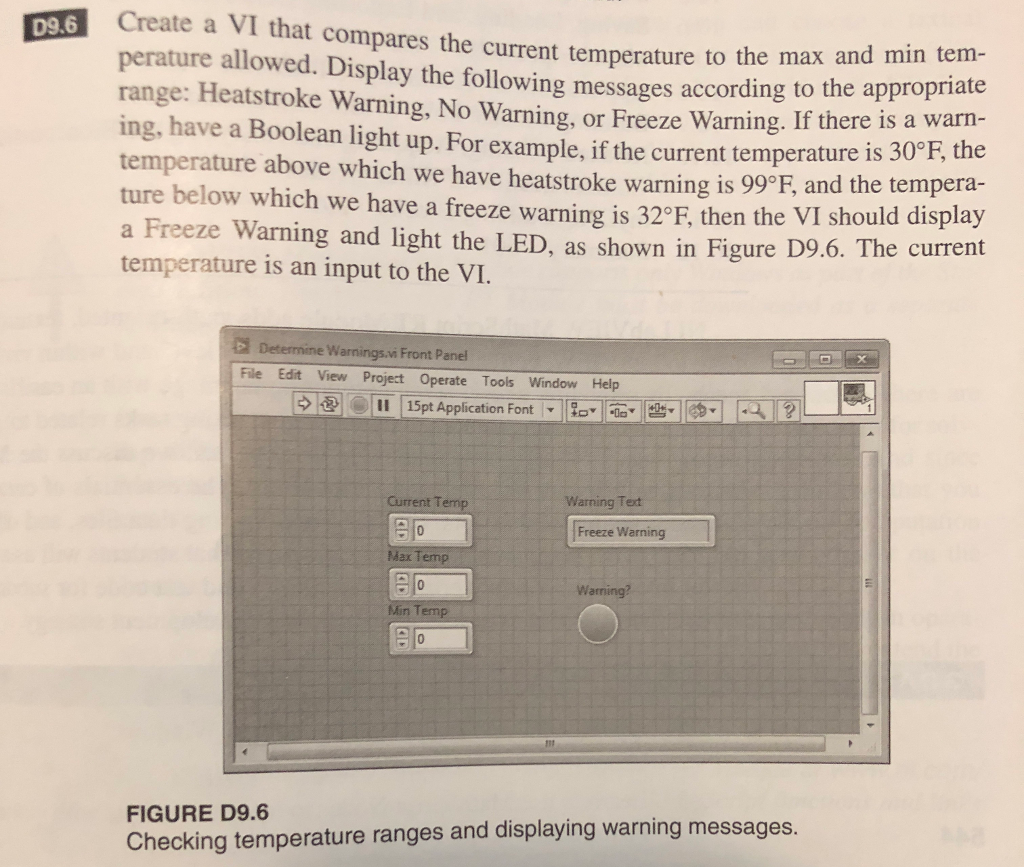
D9.6 Create a VI that compares the current temperature to the max and min tem- rature allowed. Display pe range: Heatstroke Warning, No Warning, or Freeze Warning ing, have a Boolean light up. For example, if the current temperature is temperature above which we have heatstroke warning is 99 F, and the tempera- ture below which we have a freeze warning is 32 F, then the VI should display a Freeze Warning and light the LED, as shown in Figure D9.6. The current temperature is an input to the VI. the following messages according to the appropriate 30F, the Warnings.vi Front Panel File Edit View Project Operate Tools Window Help 11 | 15pt Application Font | | oD" | ts' l ?' Current T Warning Tet Freeze Warning ax Min Temp FIGURE D9.6 Checking temperature ranges and displaying warning messages. D9.6 Create a VI that compares the current temperature to the max and min tem- rature allowed. Display pe range: Heatstroke Warning, No Warning, or Freeze Warning ing, have a Boolean light up. For example, if the current temperature is temperature above which we have heatstroke warning is 99 F, and the tempera- ture below which we have a freeze warning is 32 F, then the VI should display a Freeze Warning and light the LED, as shown in Figure D9.6. The current temperature is an input to the VI. the following messages according to the appropriate 30F, the Warnings.vi Front Panel File Edit View Project Operate Tools Window Help 11 | 15pt Application Font | | oD" | ts' l ?' Current T Warning Tet Freeze Warning ax Min Temp FIGURE D9.6 Checking temperature ranges and displaying warning messages
Step by Step Solution
There are 3 Steps involved in it

Get step-by-step solutions from verified subject matter experts
 Study Help