







Question: Help with writing Matlab Code to create x1(s) and x2(s) outputs and graphs. I've already created it using simulink but can't get the code correct
Help with writing Matlab Code to create x1(s) and x2(s) outputs and graphs. I've already created it using simulink but can't get the code correct in matlab.
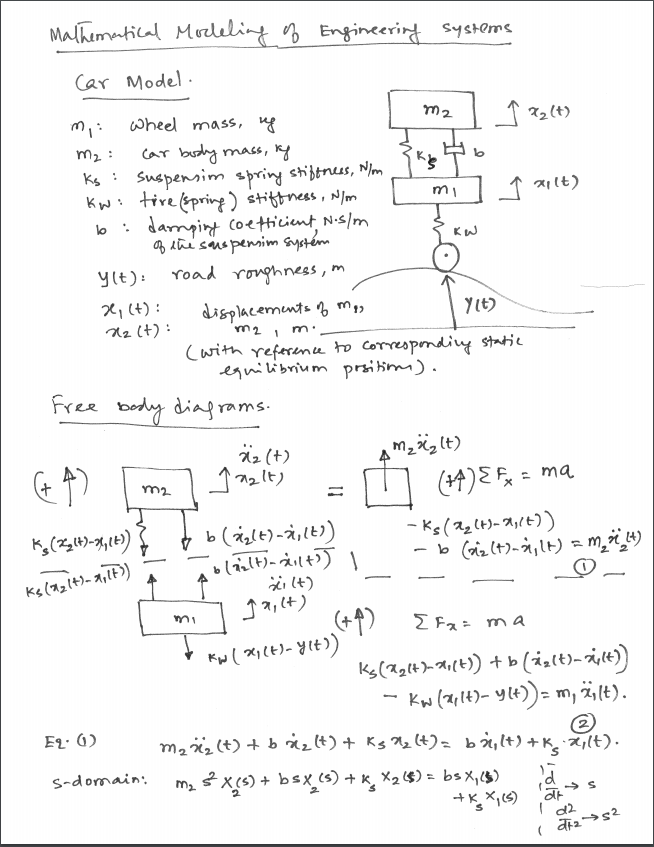
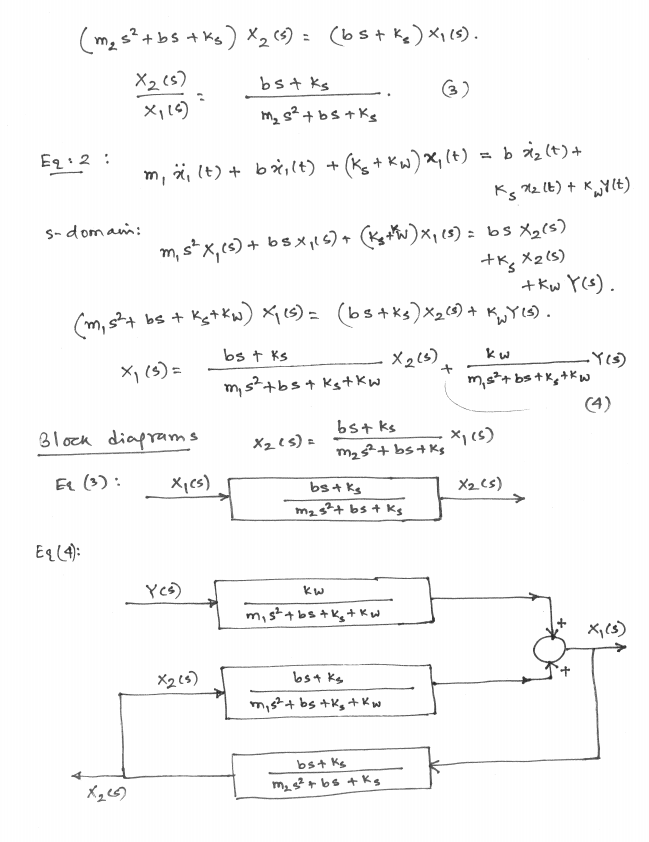
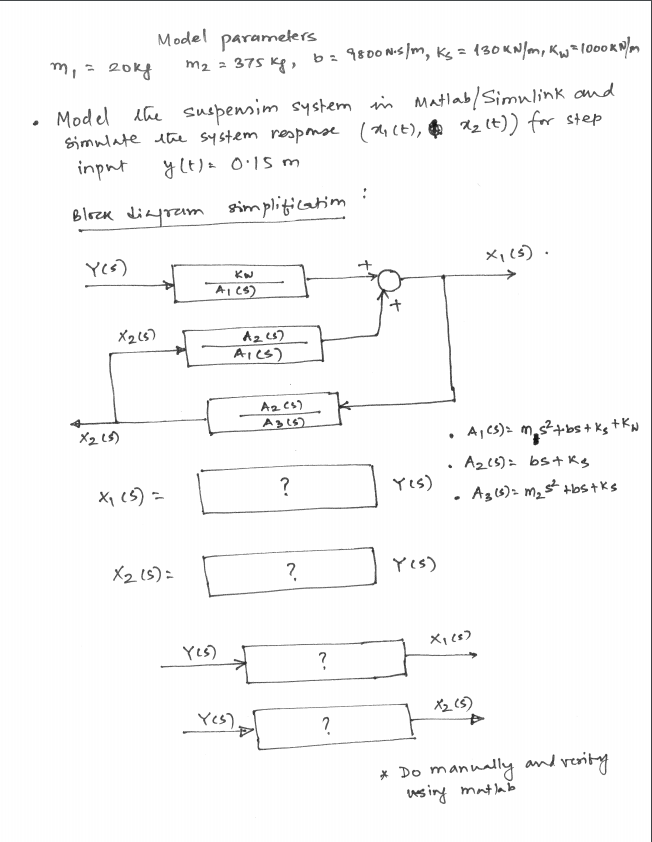
This what what I currently have...
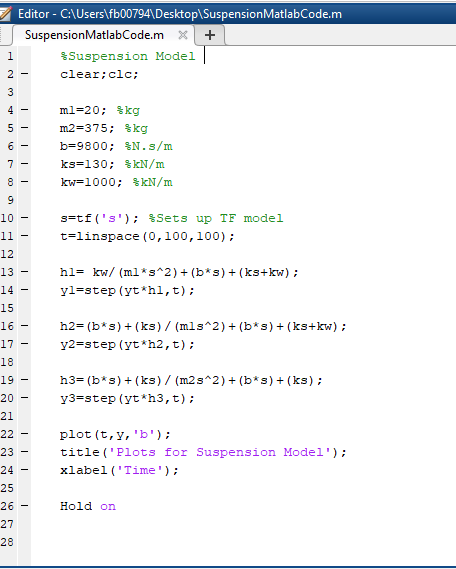
Systems Car Model meel mass, 22 (t) mAss lo m i K IJ K2 Ct) m2 1 1 m rams kel,(+)-) 21 Ct s-domain 2 bst k xiL4) E92. s- dom awi: X2sk xi Cs) FL (3 X2 Cs) E14 kw X (s) 2 os K Model paramelers . Model Lhe suspen ims stem m Mlab/smn,ink and ste A2 32 .cs CS YLs) wsing m Editor CAUsers fb007941DesktoplSuspensionMatlabCode.m SuspensionMatlabCode.mX+ Suspension Model clear:clc: m2-375; %kg kw-1000; %kN/m 10 gztf ( ' s ' ) ; %sets up TF model t-linspace (0,100,100) 12 yl-step (ythl,t); 15 16 h2-(b s) (ks) (mls 2)(bs) (ks+kw) y2-step (yt h2,t): 18 y3-step (yth3,t): 21 plot (t,y, 'b'); title ("Plots for Suspension Model' xlabel ('Time') 23 25 Hold on 27 Systems Car Model meel mass, 22 (t) mAss lo m i K IJ K2 Ct) m2 1 1 m rams kel,(+)-) 21 Ct s-domain 2 bst k xiL4) E92. s- dom awi: X2sk xi Cs) FL (3 X2 Cs) E14 kw X (s) 2 os K Model paramelers . Model Lhe suspen ims stem m Mlab/smn,ink and ste A2 32 .cs CS YLs) wsing m Editor CAUsers fb007941DesktoplSuspensionMatlabCode.m SuspensionMatlabCode.mX+ Suspension Model clear:clc: m2-375; %kg kw-1000; %kN/m 10 gztf ( ' s ' ) ; %sets up TF model t-linspace (0,100,100) 12 yl-step (ythl,t); 15 16 h2-(b s) (ks) (mls 2)(bs) (ks+kw) y2-step (yt h2,t): 18 y3-step (yth3,t): 21 plot (t,y, 'b'); title ("Plots for Suspension Model' xlabel ('Time') 23 25 Hold on 27
Step by Step Solution
There are 3 Steps involved in it

Get step-by-step solutions from verified subject matter experts
 Study Help