







Question: Original Page: Original Page CSS: /* style1.css*/ .title { font-size: 22px; font-weight: bold; text-align: center; text-decoration: underline; } .table1 { font-family: Arial, Helvetica, sans-serif; border-collapse:
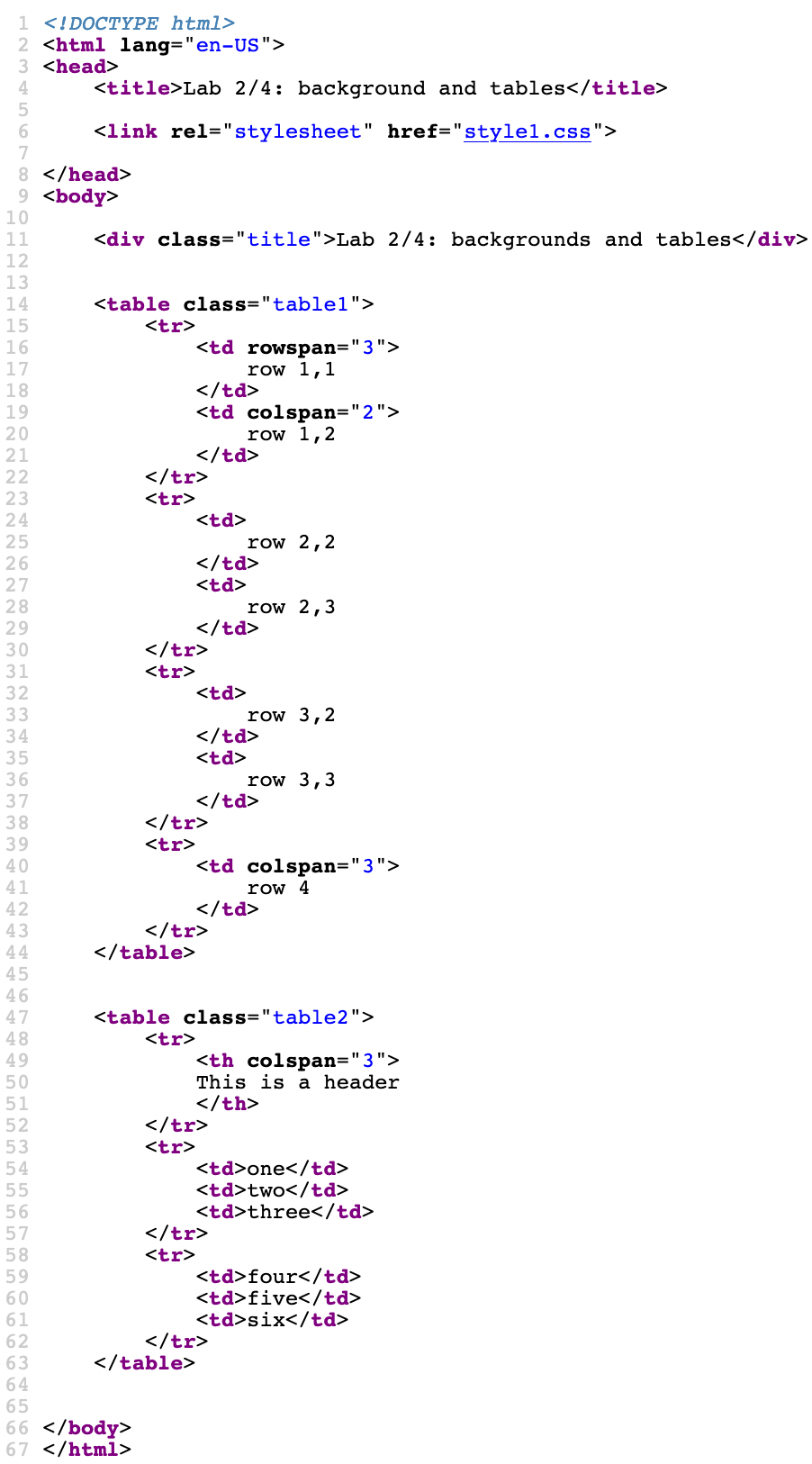
Original Page:
Original Page CSS:
/* style1.css*/
.title { font-size: 22px; font-weight: bold; text-align: center; text-decoration: underline; }
.table1 { font-family: Arial, Helvetica, sans-serif; border-collapse: collapse; }
.table1 td { border: 1px solid #ddd; padding: 8px ; }
.table1 tr:nth-child(even) { background-color: #f2f2f2 }
.table1 tr:nth-child(odd) { background-color: DodgerBlue; color: white; }
.table1 td:nth-child(odd) { color: red; }
.table1 td:nth-child(even) { color: green; }
.table2 { border-collapse: collapse; width: 75%; margin-top: 20px; margin-right: auto; /* center in the page */ margin-left: auto; }
.table2 th { padding-top: 12px; padding-bottom: 12px; text-align: right; background-color: #4CAF50; color: white; }
.table2 td { border: 1px solid black; padding: 10px; }
.table2 tr:nth-child(even) { background-color: red; }
.table2 tr:nth-child(even) { background-color: blue; }
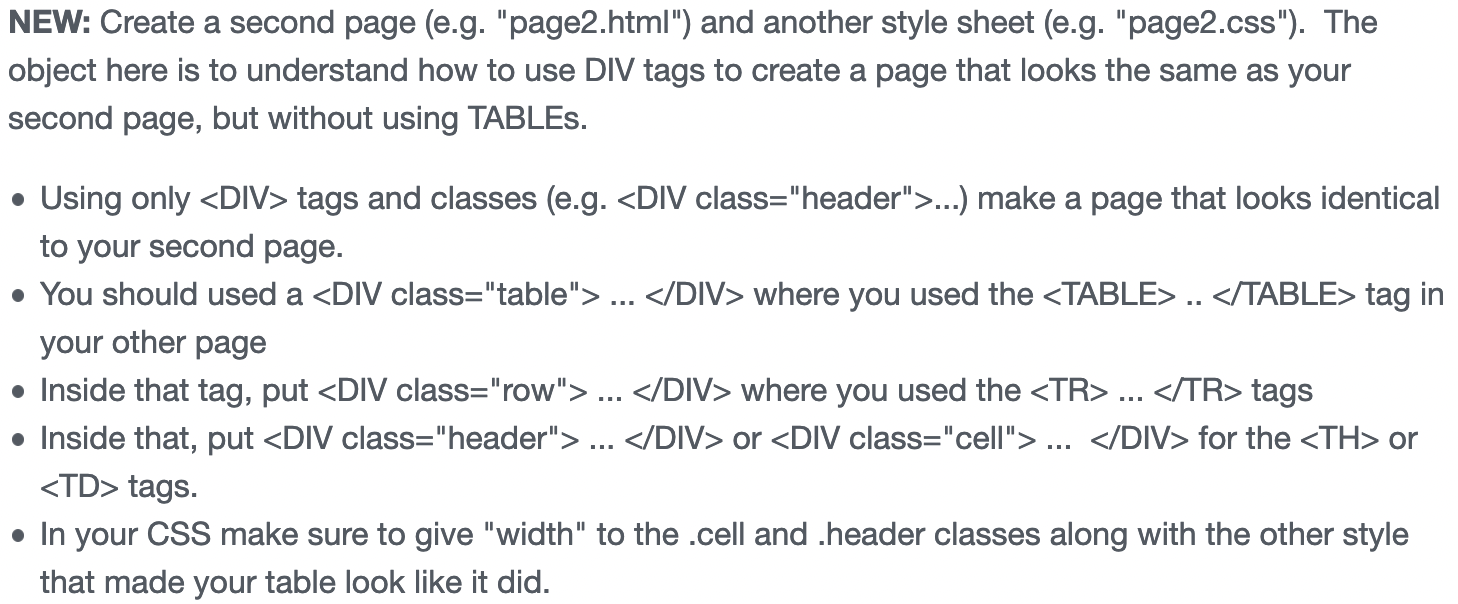
NEW: Create a second page (e.g. "page2.html") and another style sheet (e.g. "page2.css"). The object here is to understand how to use DIV tags to create a page that looks the same as your second page, but without using TABLES. Using only
| 17 row 1,1 18 | 1920 row 1,2 21 | 22|
| 25 row 2,2 26 | 2728 row 2,3 29 | 30|
| 33 row 3,2 34 | 3536 row 3,3 37 | 38|
| 41 row 4 42 | 43||
| 50 This is a header 51 | 52||
|---|---|---|
| one | 55two | 56three | 57
| four | 60five | 61six | 62
Step by Step Solution
There are 3 Steps involved in it

Get step-by-step solutions from verified subject matter experts
 Study Help