Question: Question 30 of 43: When would a task in Project NOT use effort-driven scheduling? Select an answer: when the units change as you add or
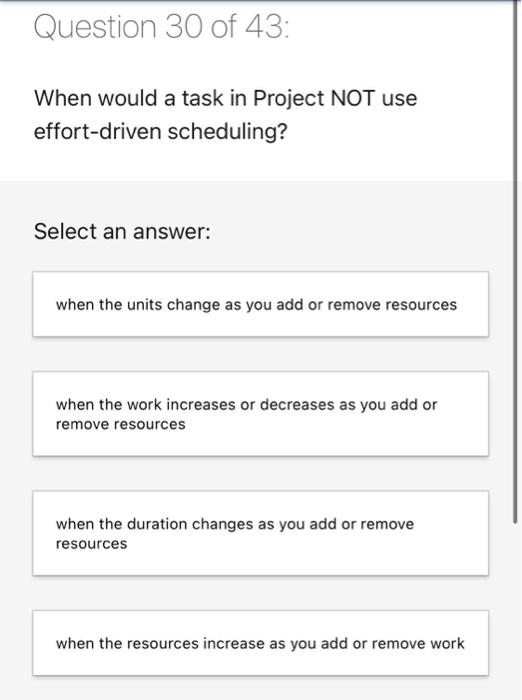
Question 30 of 43: When would a task in Project
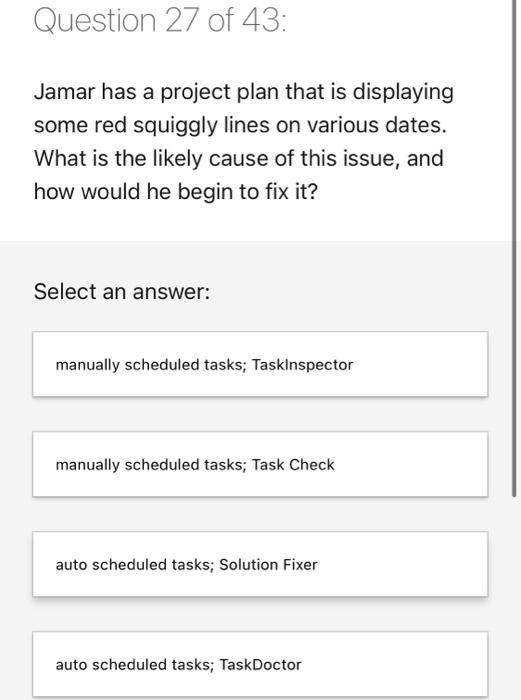
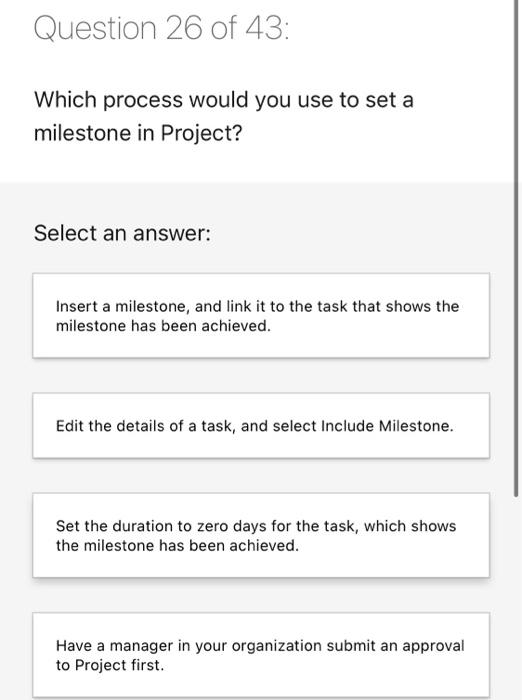
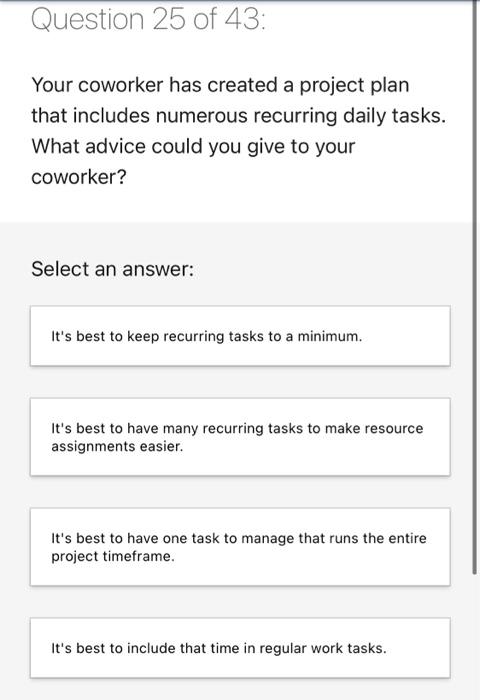
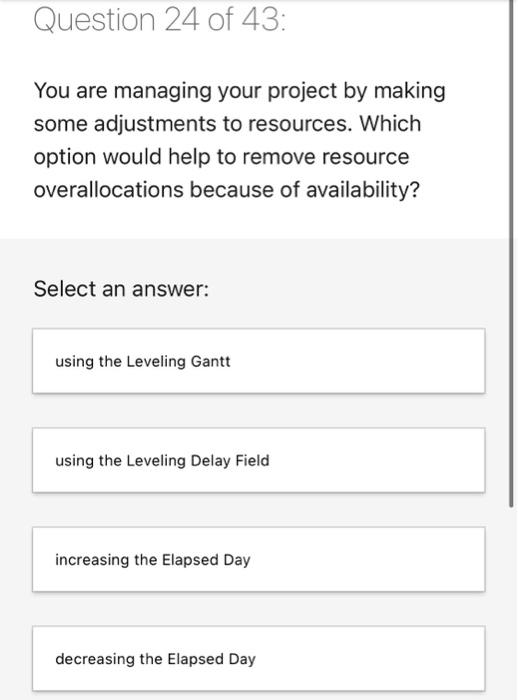
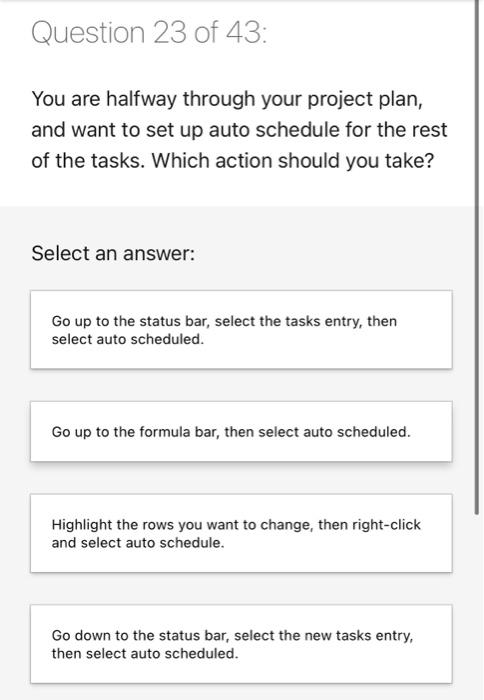
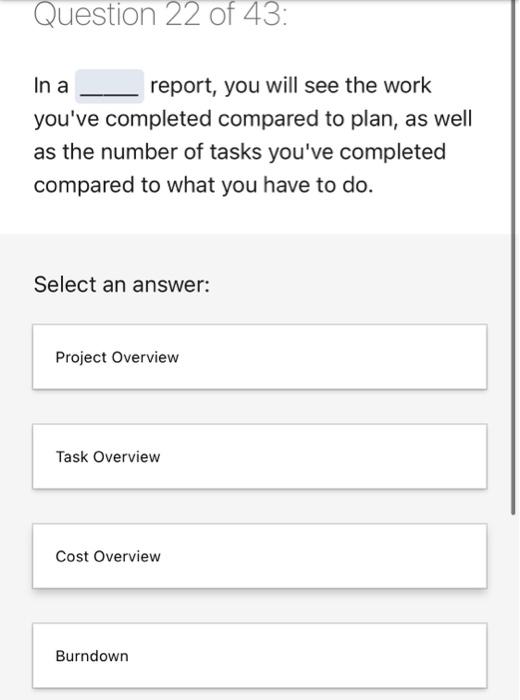
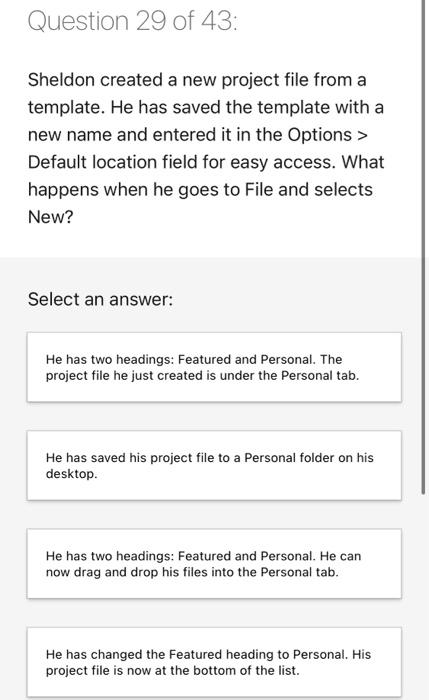
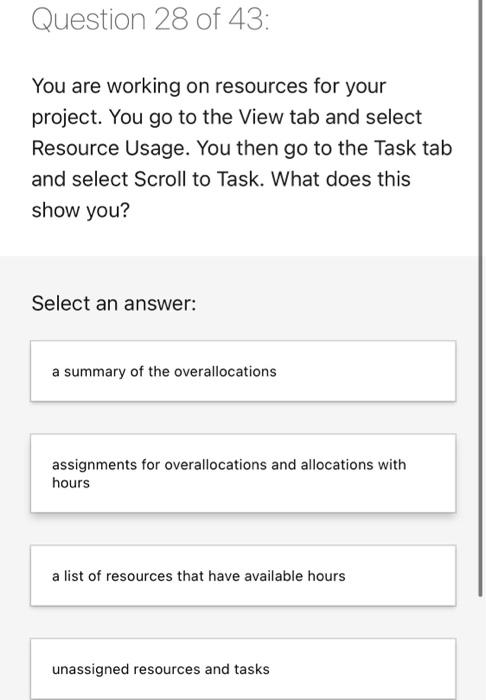
Question 30 of 43: When would a task in Project NOT use effort-driven scheduling? Select an answer: when the units change as you add or remove resources when the work increases or decreases as you add or remove resources when the duration changes as you add or remove resources when the resources increase as you add or remove work Question 29 of 43: Sheldon created a new project file from a template. He has saved the template with a new name and entered it in the Options > Default location field for easy access. What happens when he goes to File and selects New? Select an answer: He has two headings: Featured and Personal. The project file he just created is under the Personal tab. He has saved his project file to a Personal folder on his desktop. He has two headings: Featured and Personal. He can now drag and drop his files into the Personal tab. He has changed the Featured heading to Personal. His project file is now at the bottom of the list. Question 28 of 43: You are working on resources for your project. You go to the View tab and select Resource Usage. You then go to the Task tab and select Scroll to Task. What does this show you? Select an answer: a summary of the overallocations assignments for overallocations and allocations with hours a list of resources that have available hours unassigned resources and tasks Question 27 of 43: Jamar has a project plan that is displaying some red squiggly lines on various dates. What is the likely cause of this issue, and how would he begin to fix it? Select an answer: manually scheduled tasks; Taskinspector manually scheduled tasks; Task Check auto scheduled tasks; Solution Fixer auto scheduled tasks; TaskDoctor Question 26 of 43: Which process would you use to set a milestone in Project? Select an answer: Insert a milestone, and link it to the task that shows the milestone has been achieved. Edit the details of a task, and select Include Milestone. Set the duration to zero days for the task, which shows the milestone has been achieved. Have a manager in your organization submit an approval to Project first. Question 25 of 43: Your coworker has created a project plan that includes numerous recurring daily tasks. What advice could you give to your coworker? Select an answer: It's best to keep recurring tasks to a minimum. It's best to have many recurring tasks to make resource assignments easier. It's best to have one task to manage that runs the entire project timeframe. It's best to include that time in regular work tasks. Question 24 of 43: You are managing your project by making some adjustments to resources. Which option would help to remove resource overallocations because of availability? Select an answer: using the Leveling Gantt using the Leveling Delay Field increasing the Elapsed Day decreasing the Elapsed Day Question 23 of 43: You are halfway through your project plan, and want to set up auto schedule for the rest of the tasks. Which action should you take? Select an answer: Go up to the status bar, select the tasks entry, then select auto scheduled. Go up to the formula bar, then select auto scheduled. Highlight the rows you want to change, then right-click and select auto schedule. Go down to the status bar, select the new tasks entry, then select auto scheduled. Question 22 of 43: In a report, you will see the work you've completed compared to plan, as well as the number of tasks you've completed compared to what you have to do. Select an answer: Project Overview Task Overview Cost Overview Burndown
Step by Step Solution

There are 3 Steps involved in it

1 Expert Approved Answer
Step: 1 Unlock blur-text-image

Question Has Been Solved by an Expert!

Get step-by-step solutions from verified subject matter experts

Step: 2 Unlock
Step: 3 Unlock

Students Have Also Explored These Related General Management Questions!