







Question: Using MPLAB - ADC _ LED _ Port _ 1 0 Bit Project Name: _ ADC _ LED _ 1 0 Bit Description: - This
Using MPLAB ADCLEDPortBit
Project Name: ADCLEDBit
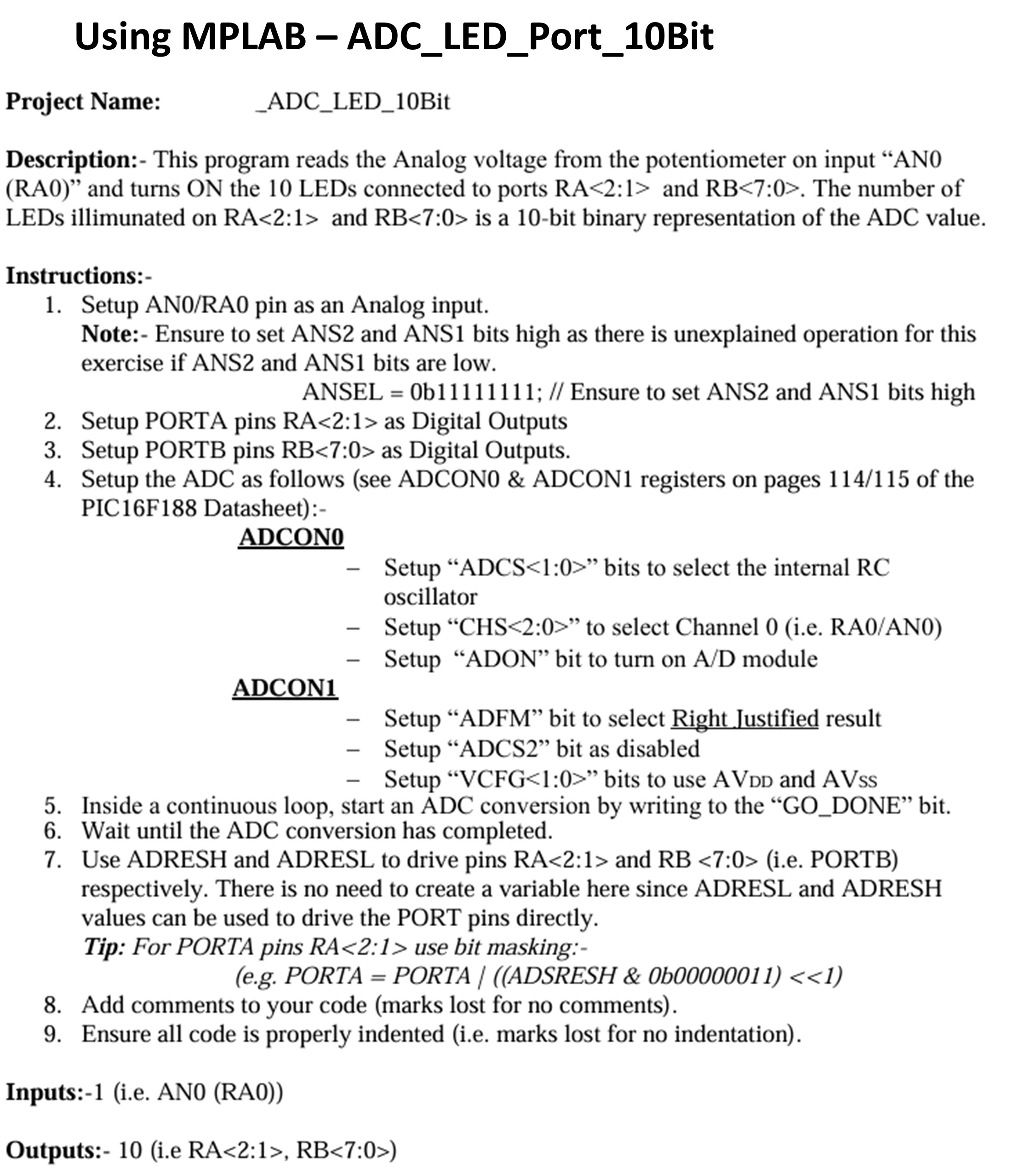
Description: This program reads the Analog voltage from the potentiometer on input ANRA and turns ON the LEDs connected to ports mathrmRA: and mathrmRB: The number of LEDs illimunated on mathrmRA: and mathrmRB: is a bit binary representation of the ADC value.
Instructions:
Setup ANRA pin as an Analog input.
Note: Ensure to set ANS and ANS bits high as there is unexplained operation for this exercise if ANS and ANS bits are low.
ANSEL b; Ensure to set ANS and ANS bits high
Setup PORTA pins RA: as Digital Outputs
Setup PORTB pins mathrmRB: as Digital Outputs.
Setup the ADC as follows see ADCON& ADCON registers on pages of the PICF Datasheet:
ADCON
Setup "ADCS: bits to select the internal RC oscillator
Setup CHS: to select Channel ie RAAN
Setup "ADON" bit to turn on AD module
ADCON
Setup "ADFM" bit to select Right Justified result
Setup "ADCS bit as disabled
Setup VCFG : bits to use AVDD and AVss
Inside a continuous loop, start an ADC conversion by writing to the GODONE" bit.
Wait until the ADC conversion has completed.
Use ADRESH and ADRESL to drive pins RA: and RB :ie PORTB respectively. There is no need to create a variable here since ADRESL and ADRESH values can be used to drive the PORT pins directly.
Tip: For PORTA pins RA: use bit masking:
eg PORTA PORTA A D S R E S H & b
Add comments to your code marks lost for no comments
Ensure all code is properly indented ie marks lost for no indentation
Inputs:ie ANRA
Outputs:ie RA: RB:
Step by Step Solution
There are 3 Steps involved in it
1 Expert Approved Answer
Step: 1 Unlock

Question Has Been Solved by an Expert!
Get step-by-step solutions from verified subject matter experts
Step: 2 Unlock
Step: 3 Unlock
 Study Help